
The app speaks your crew’s language
Mixed-language crews are the reality of construction. CrewBox ships three complete languages with full parity — and any crew member can switch mid-shift, instantly, without touching the phone’s settings.
Three complete languages
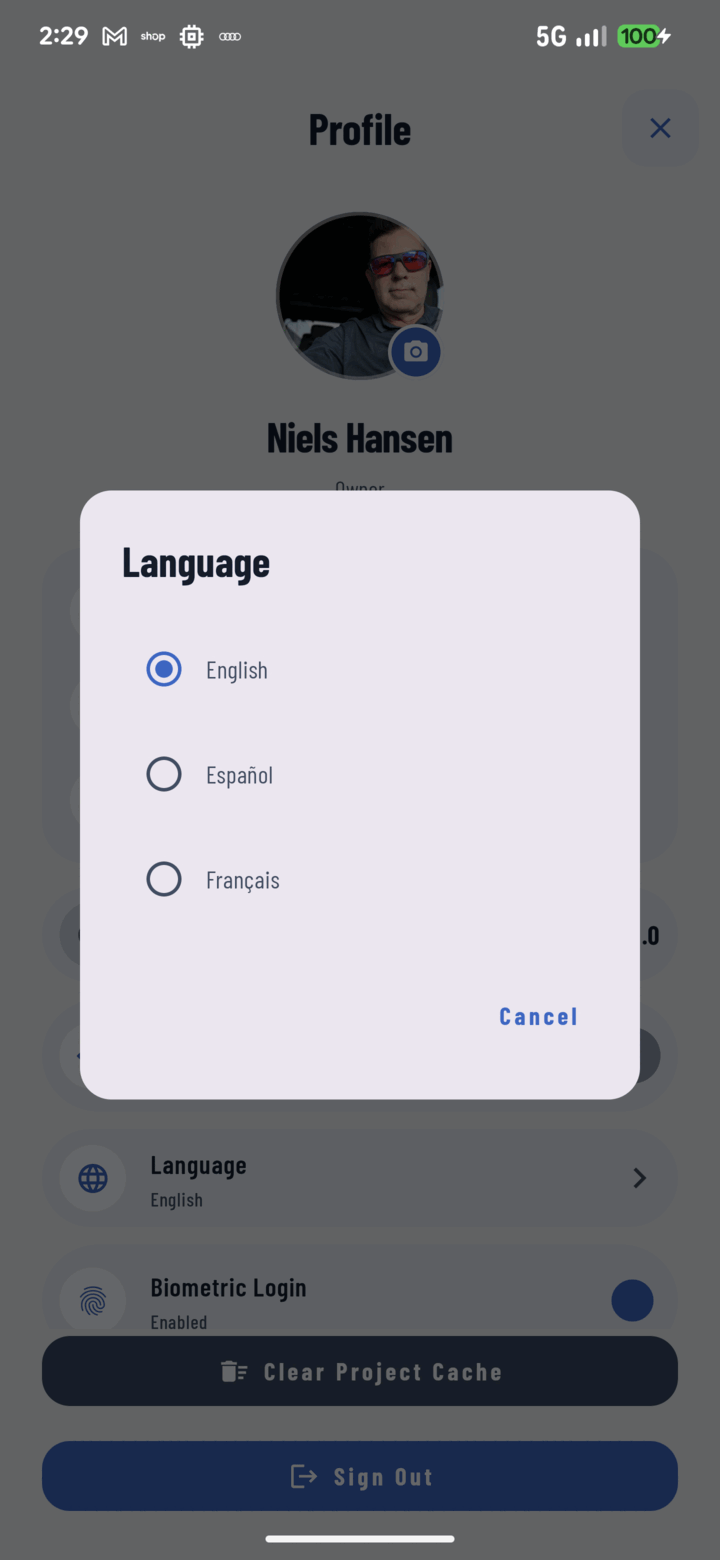
English, Spanish, and French — every user-facing string, over 800 per language, translated with full parity. No half-translated screens.
Live switching
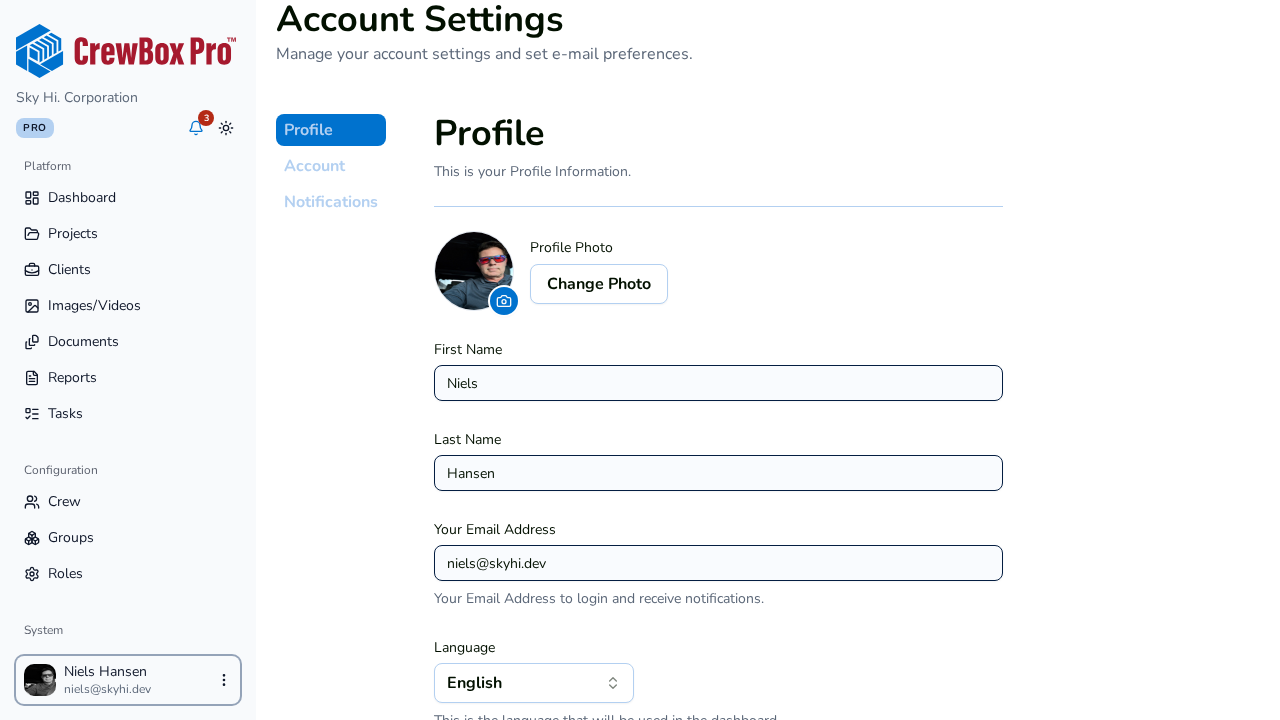
Change language from your Profile and the UI re-renders immediately. No restart, and independent of the device language.
Localized notifications
Notification text arrives pre-localized in your chosen language, so the feed reads naturally for every crew member.
Locale-aware forms
Address forms adapt between US (State/ZIP) and Canadian (Province/Postal code) conventions, with autocomplete for both countries.
Everything included
- English, Spanish, and French on every screen
- More than 800 user-facing strings per language, full parity
- Live in-app switching with no restart
- Independent of the device language
- Per-user choice from the Profile screen
- Notification text arrives pre-localized
- State/ZIP vs Province/Postal form adaptation
- US and Canadian address autocomplete

One place for every jobsite photo, task, and report. Set up in minutes and see the difference on your next job.
- 30 days free
- No credit card to get started
- Up and running in 5 minutes or less
- No sales calls (we promise)
- Free for solo crews
- iPhone, Android & web