
Know what changed while you were working
On a multi-crew project, things happen while you’re not looking: someone mentions you on a photo, a task lands on your plate, a comment appears on your document. CrewBox sorts all of it into one categorized feed — with every item one tap from the thing it’s about.
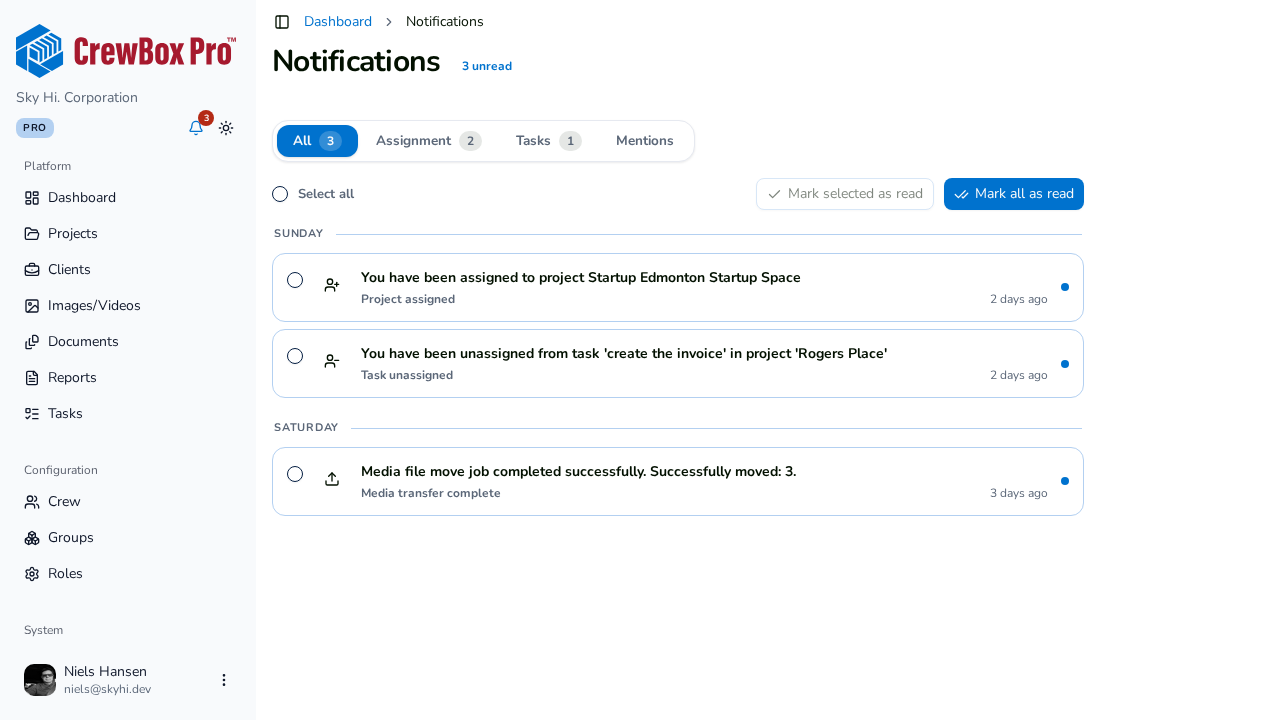
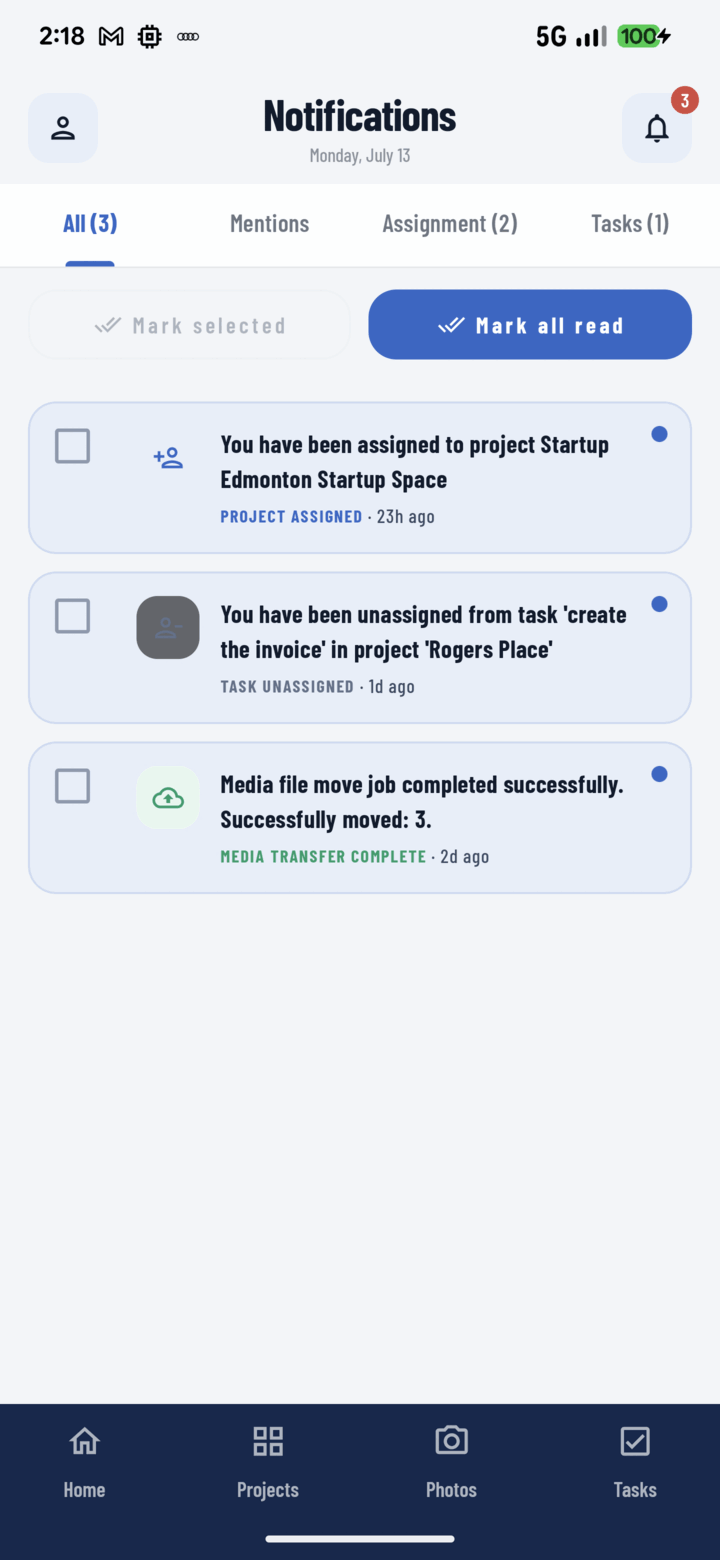
Four tabs, pre-triaged
All, Mentions, Assignment, and Tasks — each with its own unread count. The “you specifically” tab never gets buried under general activity.
Scannable at arm’s length
Type icons and media thumbnails, unread indicators, human-readable event lines, and time-ago stamps — built to be read on a ladder.
Deep links, not descriptions
A mention opens the photo with its comment panel; an assignment opens the task detail. You go to the event, not a summary of it.
Bulk triage
Multi-select with Mark Selected, or zero a whole tab with Mark All. A week of backlog clears in two gestures.
Everything included
- All, Mentions, Assignment, and Tasks tabs with unread counts
- Mention alerts from comments on projects, photos, and documents
- Task assigned and unassigned alerts
- Status changes, updates, and comments on your tasks
- Activity on content you created or participate in
- Media transfer results with success and failure counts
- Type icons and media thumbnails on every row
- Human-readable event lines, localized to your app language
- One-tap deep links to the exact photo, task, or comment
- Multi-select Mark Selected and one-tap Mark All
- “All caught up” empty states per tab

One place for every jobsite photo, task, and report. Set up in minutes and see the difference on your next job.
- 30 days free
- No credit card to get started
- Up and running in 5 minutes or less
- No sales calls (we promise)
- Free for solo crews
- iPhone, Android & web