
Punch lists and tasks, backed by photos
A superintendent walking the site can photograph a problem and have it assigned as an urgent task — with the photos attached — before reaching the end of the hallway.
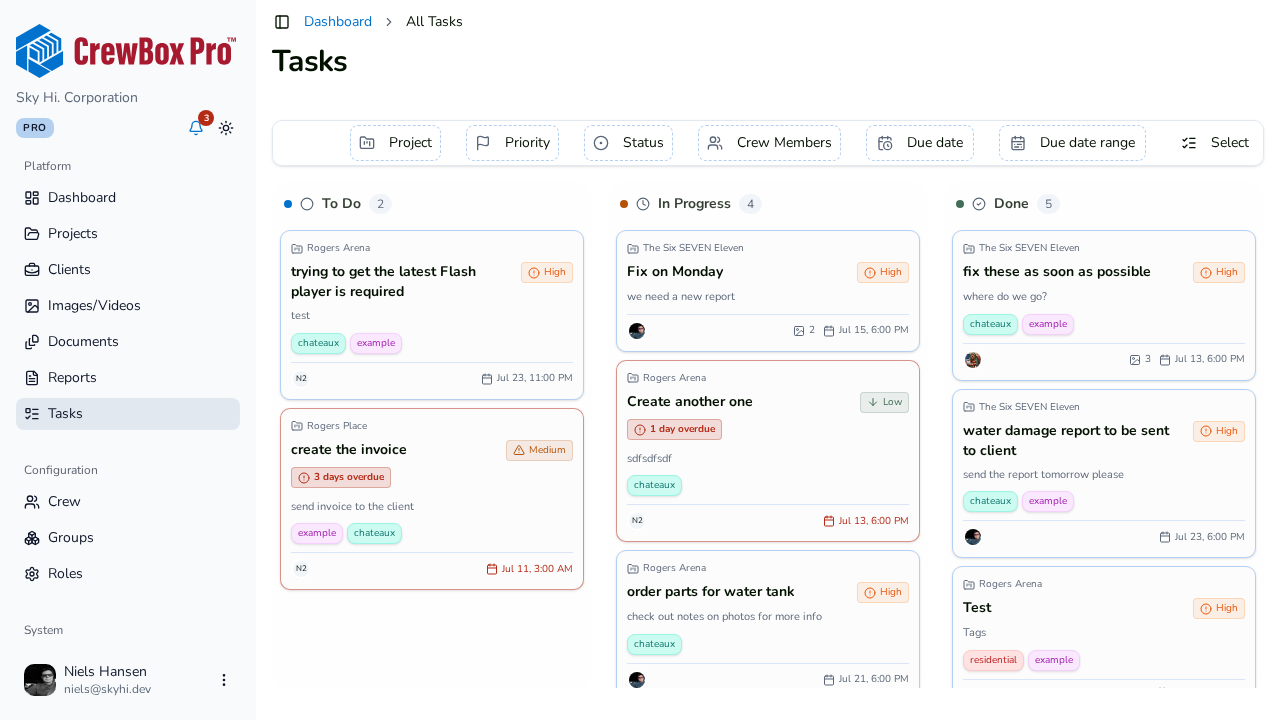
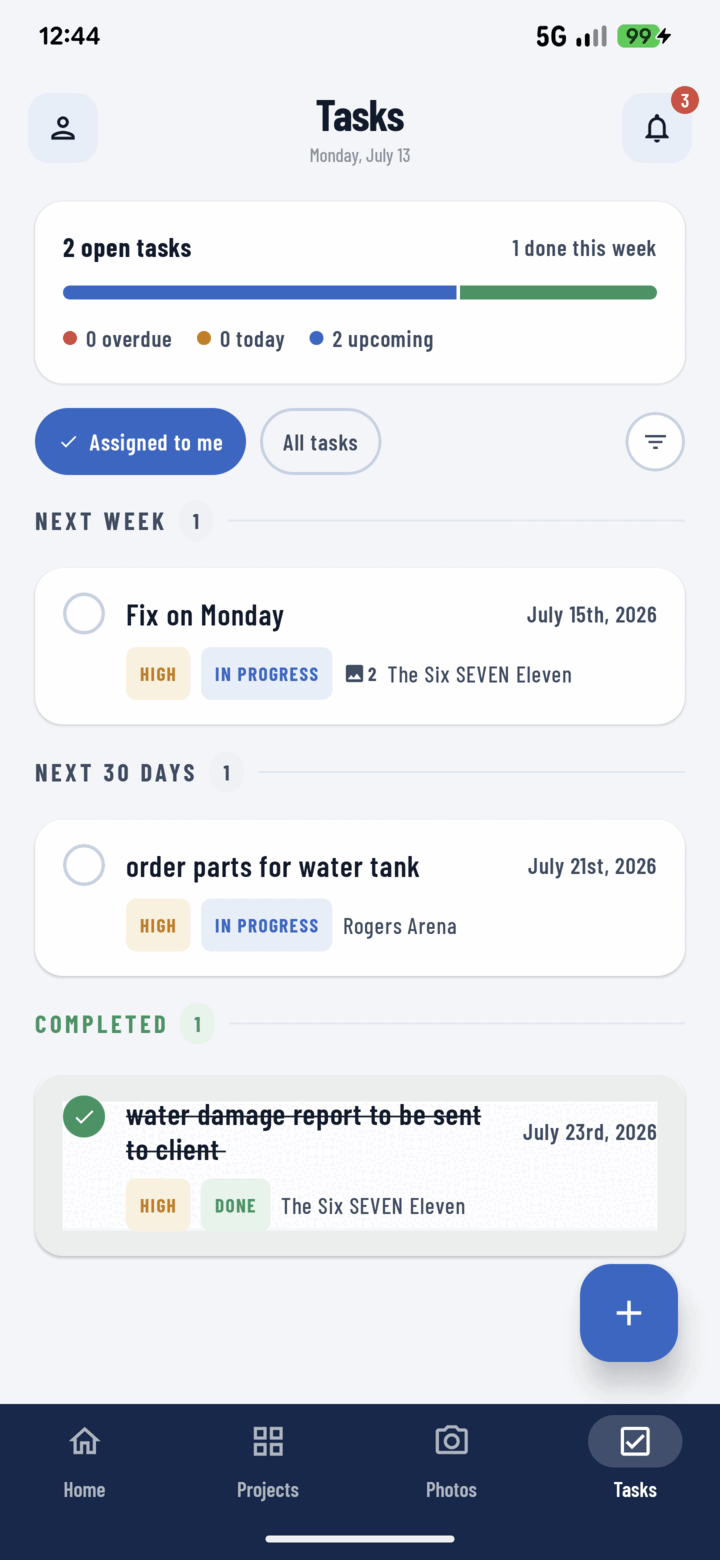
Photo evidence attached
Select photos in any grid and choose Assign to Task: a new task opens with them pre-attached. Attachments open straight into the media viewer.
Priorities and due dates
Four color-coded priorities, due dates with optional times, and live countdowns — “Due today”, “Overdue” — that do the math for you.
Your day, pre-triaged
Home buckets your tasks into past due, today, tomorrow, and next week. The Tasks tab adds a progress bar of overdue, due today, upcoming, and completed.
Bulk dispatching
Long-press to select tasks, then assign, change status, change priority, or re-tag all of them in one operation. Dispatching a full day takes seconds.
Everything included
- Progress card: overdue, due today, upcoming, completed
- Assigned to Me and All Tasks scopes
- Status flow: To Do, In Progress, Done
- Four priorities with colored badges
- Due date and optional time with live countdowns
- Photo, video, and document attachments
- Create tasks from photo selections — media pre-attached
- Group by date, status, priority, assignee, or tags
- One-tap checkbox completion from any list
- Bulk assign, change status, change priority, change tags
- Personal defaults: status, priority, due date, assign-to-me
- Home buckets: past due, today, tomorrow, next week

One place for every jobsite photo, task, and report. Set up in minutes and see the difference on your next job.
- 30 days free
- No credit card to get started
- Up and running in 5 minutes or less
- No sales calls (we promise)
- Free for solo crews
- iPhone, Android & web