
Conversation that stays attached to the work
Most jobsite communication dies in group texts. CrewBox attaches conversation to the thing being discussed — six months later, the photo, the question, and the answer are still together.
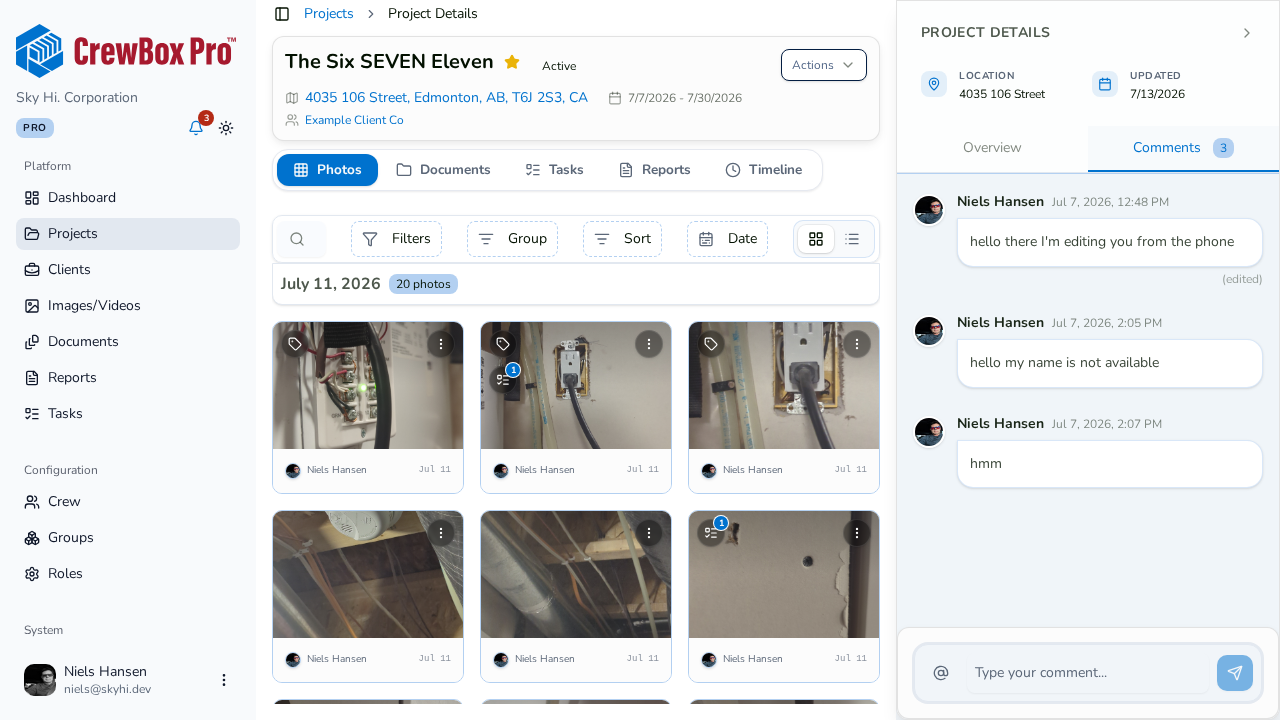
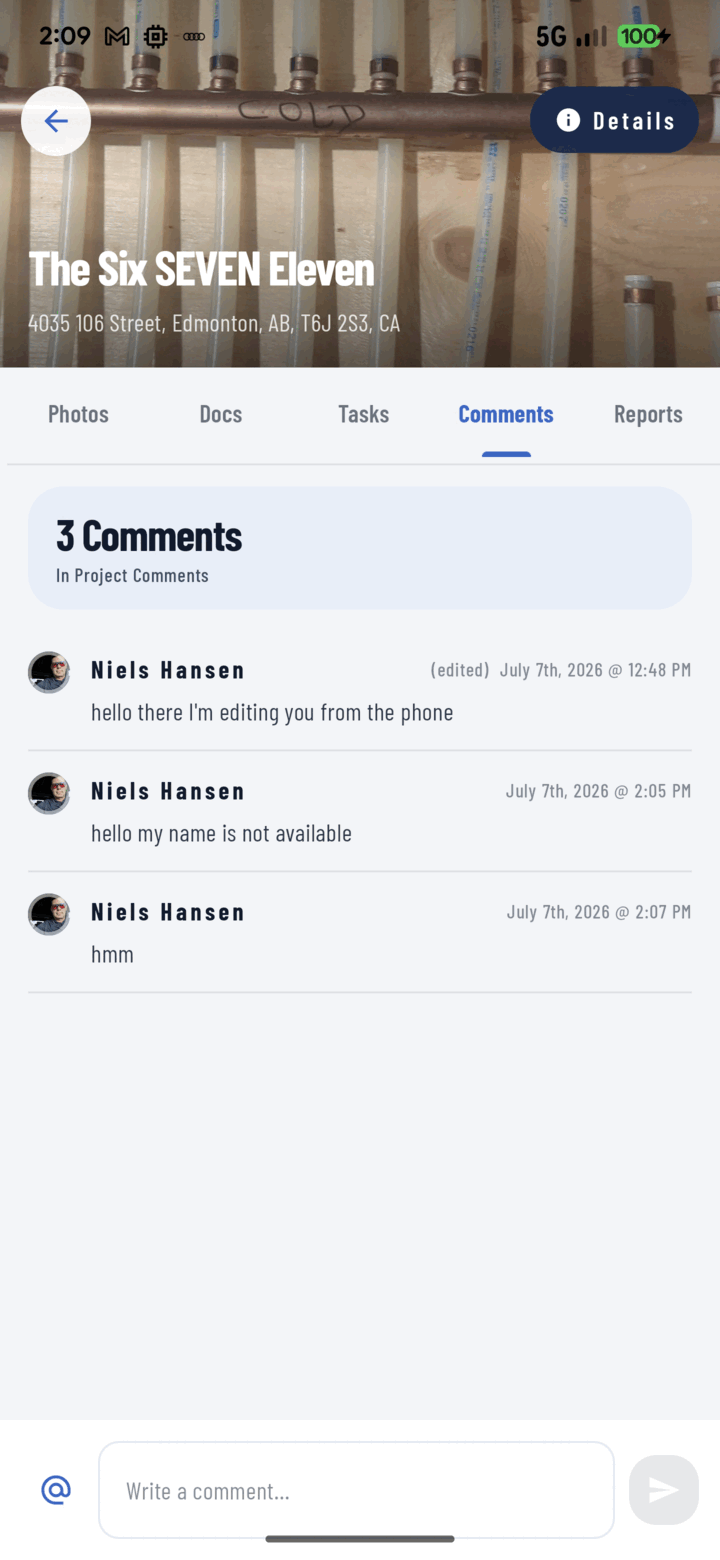
Three surfaces, one system
Comment on the project as a whole, on a specific photo or video, or on a document. The rule crews learn fast: comment where you’d want to find the answer.
@Mentions that reach people
Typing @ opens teammate autocomplete. Mentioned users get a notification that deep-links straight into the conversation.
From comment to phone call
Long-press any avatar for a person card with call, SMS, and email actions — the org chart is embedded in the workflow.
Honest, moderated threads
Edit your own comments (labeled “edited”); owners and managers hold moderation rights. Comments written offline post themselves on reconnect.
Everything included
- Threaded comments on projects, photos, and documents
- @mention autocomplete with deep-link notifications
- Edit your own comments — labeled “edited”
- Role-gated moderation for owners and managers
- Person cards: call, SMS, or email any commenter
- Comments written offline post automatically on reconnect
- Paged loading keeps long threads fast
- Comment count badges on photos and documents

One place for every jobsite photo, task, and report. Set up in minutes and see the difference on your next job.
- 30 days free
- No credit card to get started
- Up and running in 5 minutes or less
- No sales calls (we promise)
- Free for solo crews
- iPhone, Android & web