
Your day, on one screen
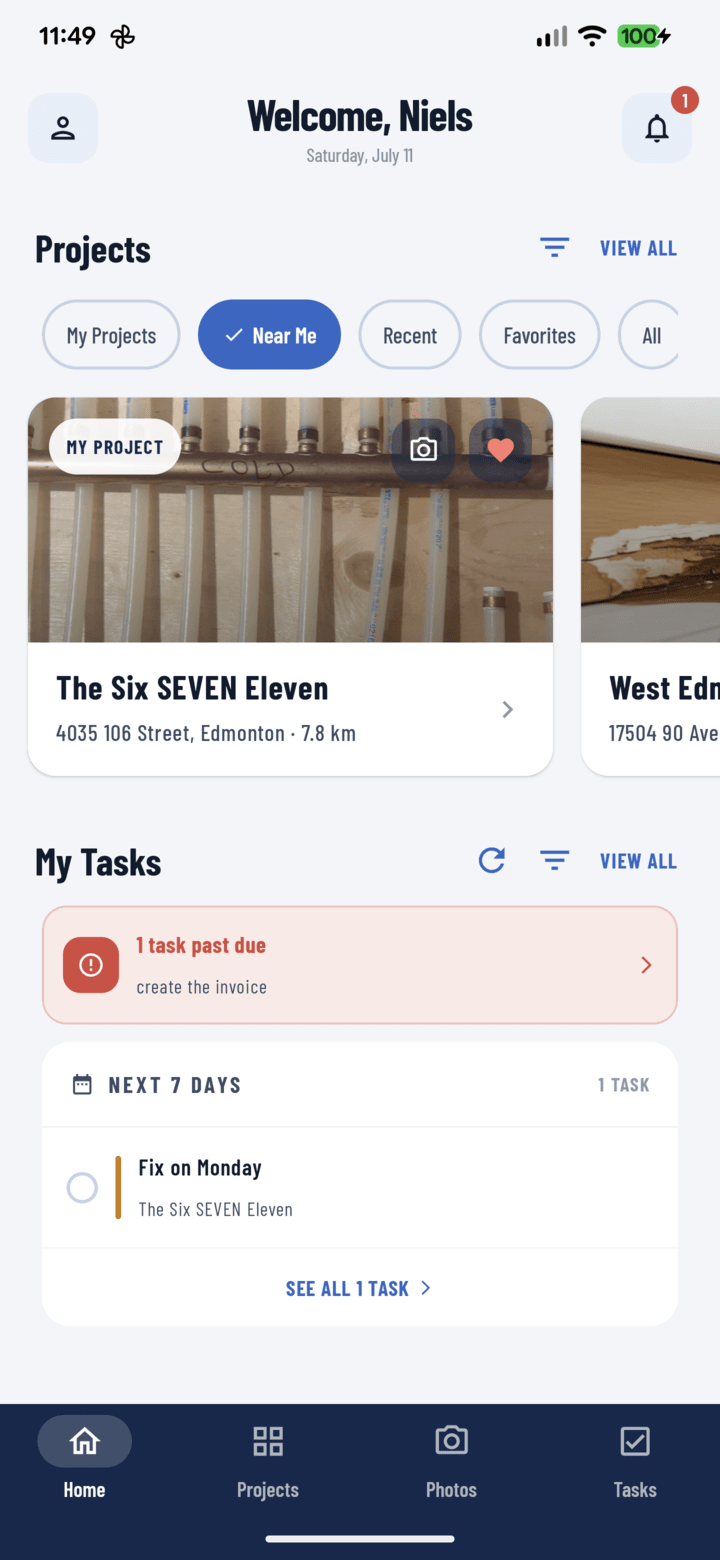
Home is tuned for the ten-second glance in the truck before walking on site: your projects as a visual carousel, your tasks pre-triaged by urgency, and the camera one swipe away.
Projects you recognize by sight
A horizontal carousel of rich project cards — cover photo, address, crew avatars — because field users recognize job sites faster than names.
One-tap re-slicing
All, My Projects, Favorites, Near Me with live distances, and Recent. A filter tray adds search, tags, and crew members — combinable in one visit.
Your tasks, pre-triaged
Past due on top, then today, tomorrow, and next week with rolling forecast labels. Tap through to full task detail.
The two-second photo
Swipe anywhere on Home and the camera opens for your last-used project. The entire screen is the button — gloves welcome.
Everything included
- Horizontal carousel of rich project cards
- Cover photo, name, address, and crew avatars per card
- Bookmark and camera shortcuts on every card
- All / My Projects / Favorites / Near Me / Recent chips
- Near Me distances from cached coordinates — works offline
- Filter tray: search, tags, and crew members combined
- Removable active-filter chips
- Carousel pages load automatically for big portfolios
- My Tasks bucketed: past due, today, tomorrow, next week
- Rolling “This Week / Next 30 Days” forecast labels
- Swipe anywhere to open the camera for your last project
- Pull-to-refresh and one-tap Clear Filters recovery

One place for every jobsite photo, task, and report. Set up in minutes and see the difference on your next job.
- 30 days free
- No credit card to get started
- Up and running in 5 minutes or less
- No sales calls (we promise)
- Free for solo crews
- iPhone, Android & web