
Draw on jobsite photos — without destroying the original
CrewBox turns a raw jobsite photo into communication: circle the defect, arrow the leak, label the dimension, stamp the date. Markup is non-destructive vector annotation — the original photo is never altered.
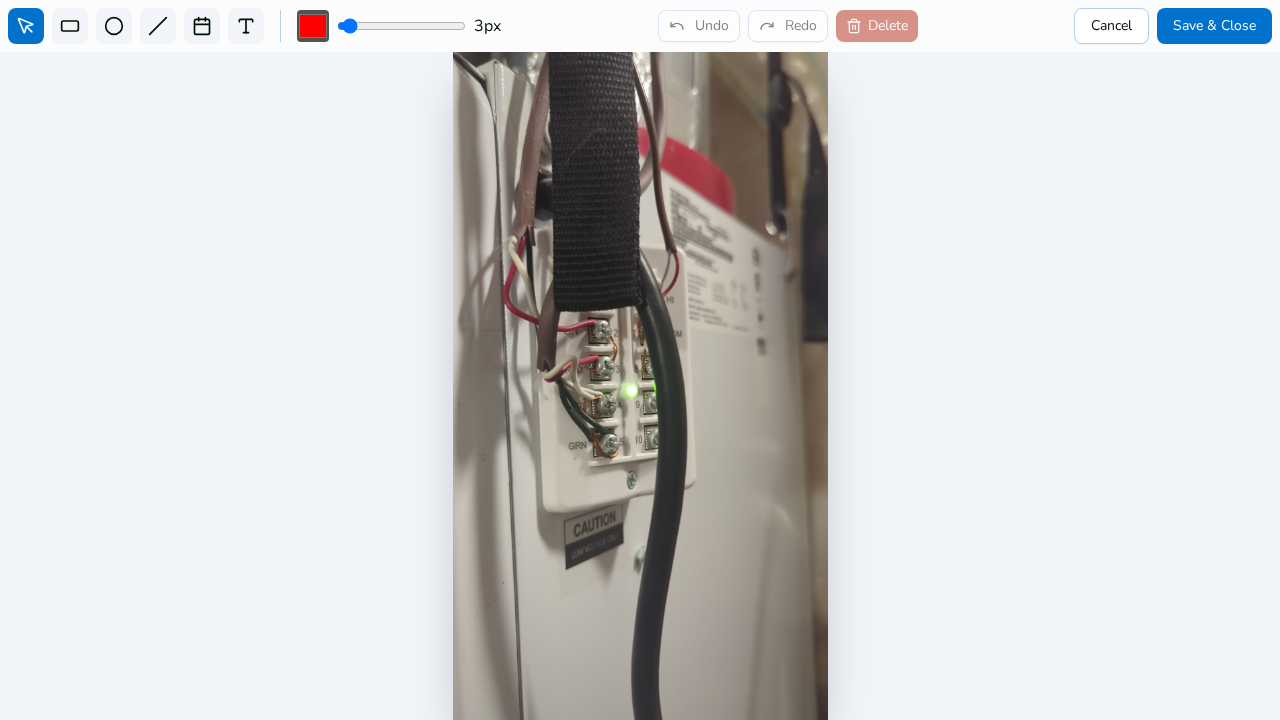
Six professional tools
Select, rectangle, circle, line, text, and timestamp. Lines take arrowheads at either or both ends; double-tap any text to edit it.
Measurements in your units
The text tool has imperial (feet/inches) and metric (meters/centimeters) modes for labeling dimensions right on the photo.
Precise, styled markup
A 12-color swatch picker, stroke-width slider, pinch-zoom to 6×, and a magnifier loupe for exact handle placement. Full undo and redo.
Never burned in
Annotations store as an editable vector layer. Toggle them in the viewer, re-edit anytime, and choose original, annotated, or both in PDF reports.
Everything included
- Select, rectangle, circle, line, text, and timestamp tools
- Arrowheads at the start, end, or both ends of lines
- Imperial (feet/inches) and metric (m/cm) measurement text
- 12-color swatch picker and stroke-width slider
- Pinch-zoom up to 6× with pan
- Magnifier loupe for precise handle placement
- Double-tap any text to edit; date-format picker for timestamps
- Undo, redo, and delete-selected
- Stored as vector data — never burned into pixels
- Show or hide annotations in the viewer
- Original, annotated, or both in PDF reports
- Jump straight into the editor after each shot

One place for every jobsite photo, task, and report. Set up in minutes and see the difference on your next job.
- 30 days free
- No credit card to get started
- Up and running in 5 minutes or less
- No sales calls (we promise)
- Free for solo crews
- iPhone, Android & web