
Set it once. The app remembers.
A field app earns its keep by disappearing into the workflow. CrewBox learns which projects you care about, how you set up tasks, what language you think in, and whether you work before dawn.
Your identity, everywhere
Take a selfie or pick from the gallery — your face rides on every comment, task, and photo you touch. Email, phone, company, and app version sit one tap away.
Made for the site
Instant dark mode for pre-dawn starts; English, Spanish, or French applied live with no restart; biometric login toggled on or off anytime.
Defaults that save taps
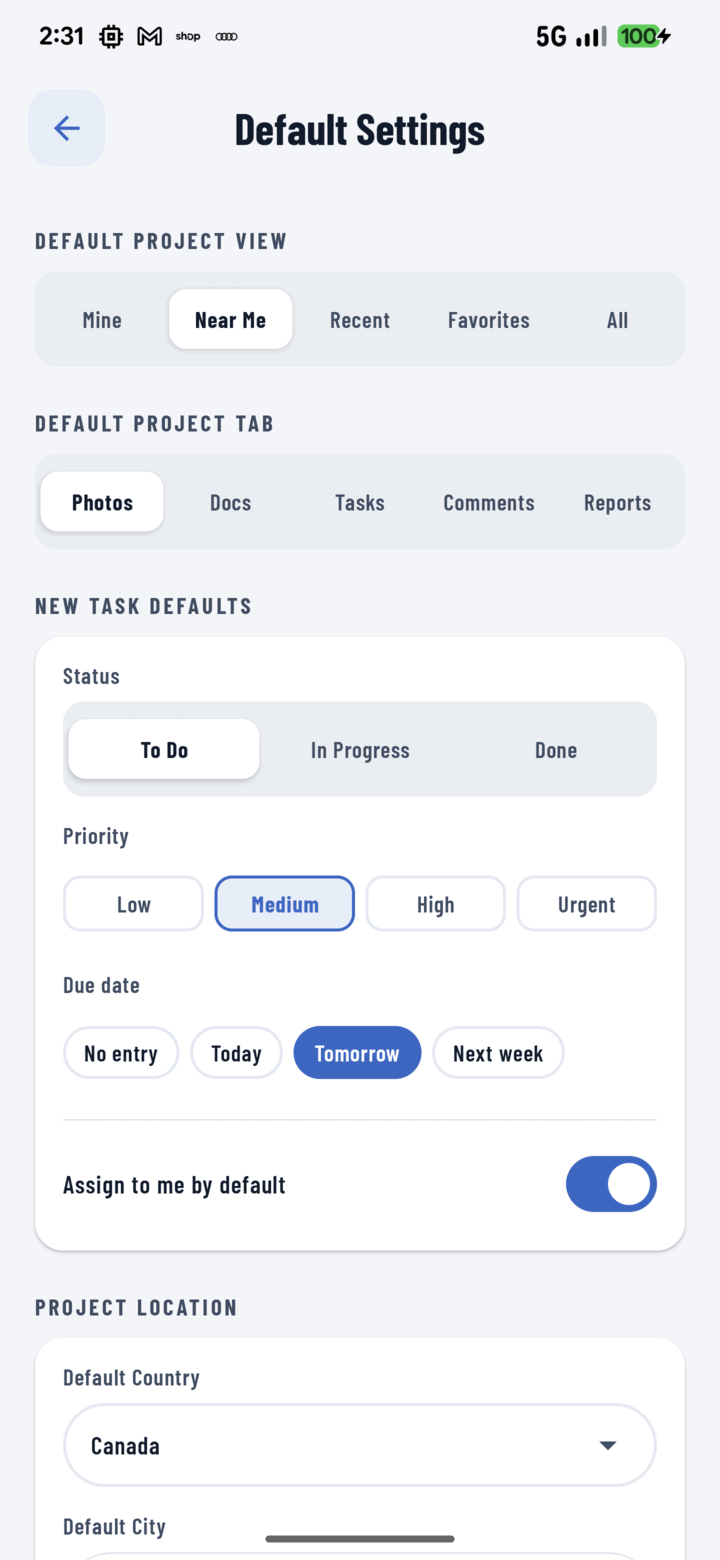
Default project filter and landing tab, plus new-task defaults — status, priority, due date, and assign-to-me. Document an issue and schedule its fix in four taps.
Location memory
Country, city, and state or province pre-fill into every new project. A contractor working one metro area types their city exactly once.
Everything included
- Avatar via in-app selfie or gallery upload
- Email, phone, company, and app-version info card
- Instant dark mode, persistent across sessions
- English, Spanish, or French — applied live, no restart
- Biometric login toggle with immediate credential wipe when off
- Clear project cache without touching unsent uploads
- Default project view: All, My, Favorites, Near Me, Recent
- Default project tab: Photos, Documents, Tasks, Comments, Reports
- New-task defaults: status, priority, due date, assign-to-me
- Project location defaults: country, city, state or province
- All preferences survive restarts and app updates

One place for every jobsite photo, task, and report. Set up in minutes and see the difference on your next job.
- 30 days free
- No credit card to get started
- Up and running in 5 minutes or less
- No sales calls (we promise)
- Free for solo crews
- iPhone, Android & web