
Every job site gets one project record
The project is CrewBox’s center of gravity — its address on the map, its crew, its schedule, its tags, and its complete visual history. Get projects right and everything else organizes itself.
Setup in seconds
A name and an address make a working project. Google-powered address autocomplete fills street, city, state or province, and postal code in one tap — and pins the GPS coordinates.
Crew assignment that scopes everything
Assign operators per project from the crew card. Assignment drives the My Projects filter, task assignee pickers, and the avatar stack on every project card.
Find the right job fast
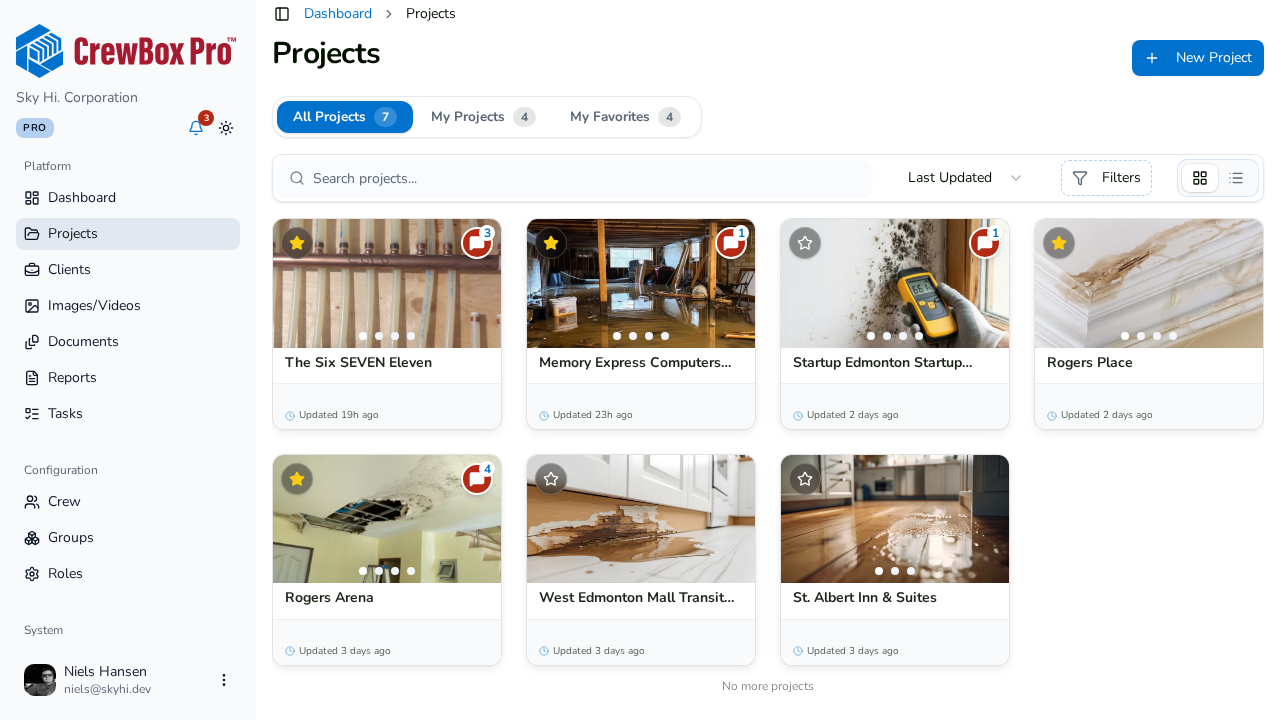
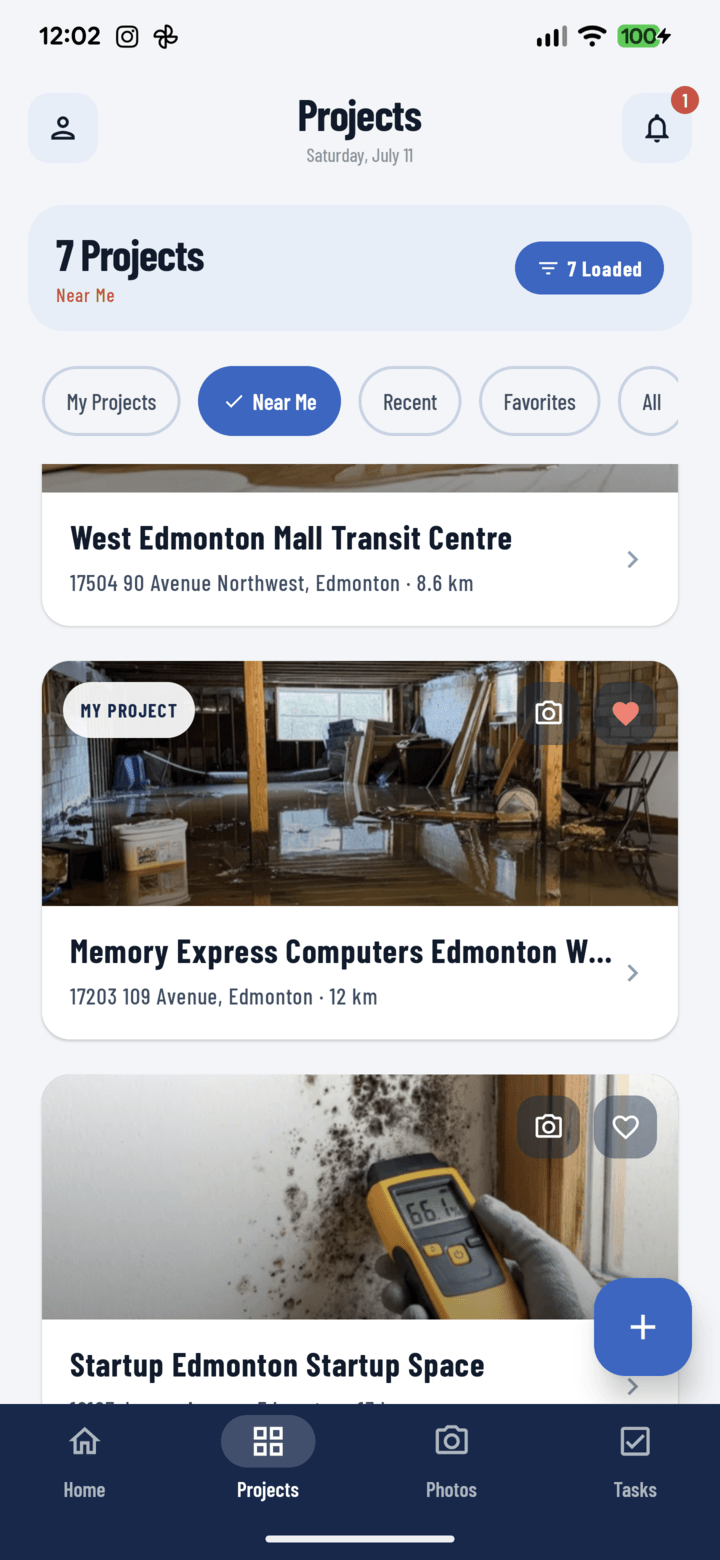
One-tap filters — All, My Projects, Favorites, Near Me with live distances, and Recent — compose with search, tag, and operator filters.
The whole job in five tabs
Photos, Documents, Tasks, Comments, and Reports cover the project’s complete record. Your preferred landing tab is configurable.
Works offline
Create a project with zero signal; it saves locally and syncs automatically — photos captured in the meantime follow it to its real identity.
Create on the jobsite.
See it in the office.
Everything included
- Verified address autocomplete for the US and Canada
- Locale-adaptive forms — State/ZIP or Province/Postal code
- GPS pin powers Near Me sorting and the Map button
- Start and end dates with schedule notes
- Free-form description for gate codes and scope notes
- All / My Projects / Favorites / Near Me / Recent filters
- Search plus tag and operator filters with removable chips
- Infinite-scroll project list with header summary
- Crew assignment with avatar stacks and person cards
- Project tags with duplicate validation
- Set any photo as the project cover
- Five tabs: Photos, Documents, Tasks, Comments, Reports
- Full offline creation with automatic sync

One place for every jobsite photo, task, and report. Set up in minutes and see the difference on your next job.
- 30 days free
- No credit card to get started
- Up and running in 5 minutes or less
- No sales calls (we promise)
- Free for solo crews
- iPhone, Android & web