
No signal. No problem.
CrewBox assumes basements, remote sites, and dead zones. Where cloud-dependent photo apps stall without signal, CrewBox keeps capturing, creating, and commenting — and syncs itself when coverage returns.
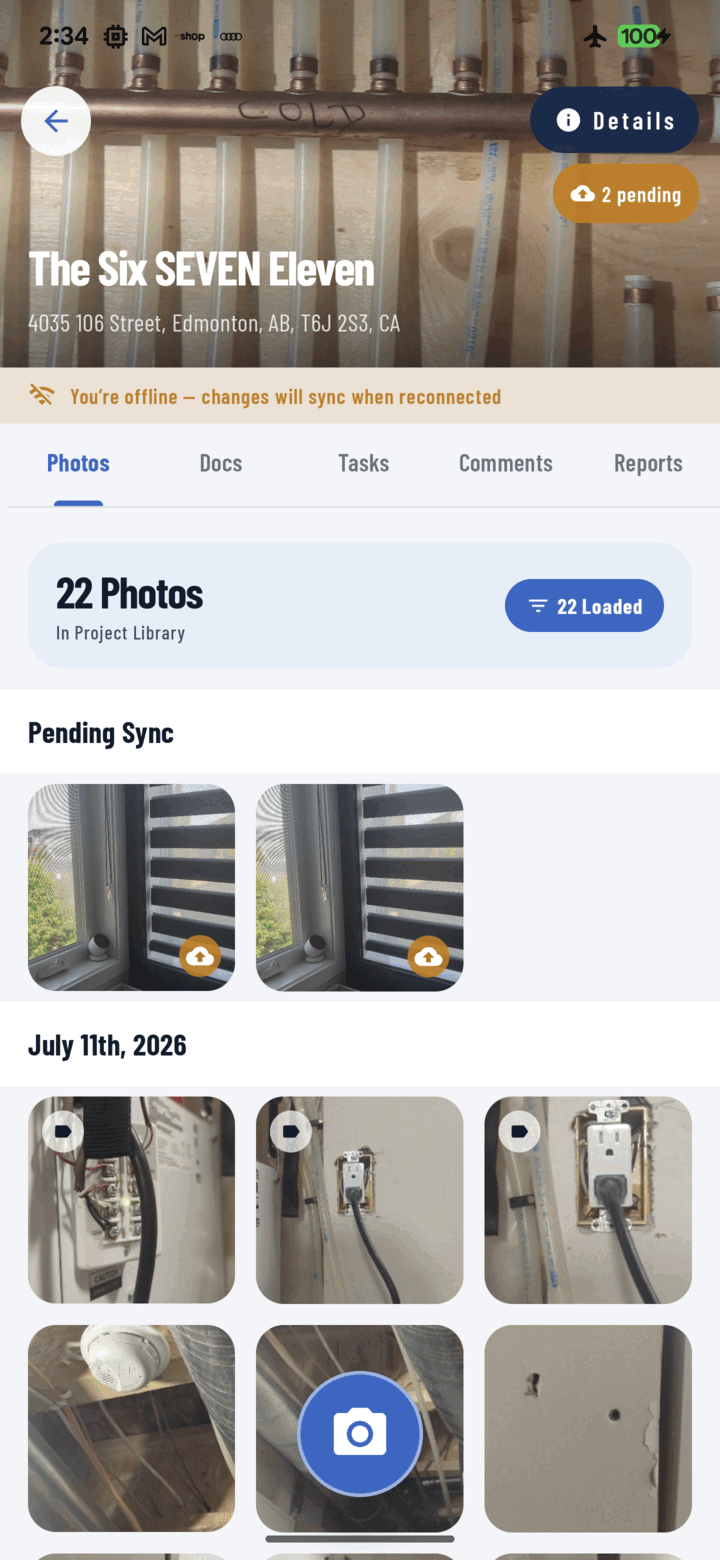
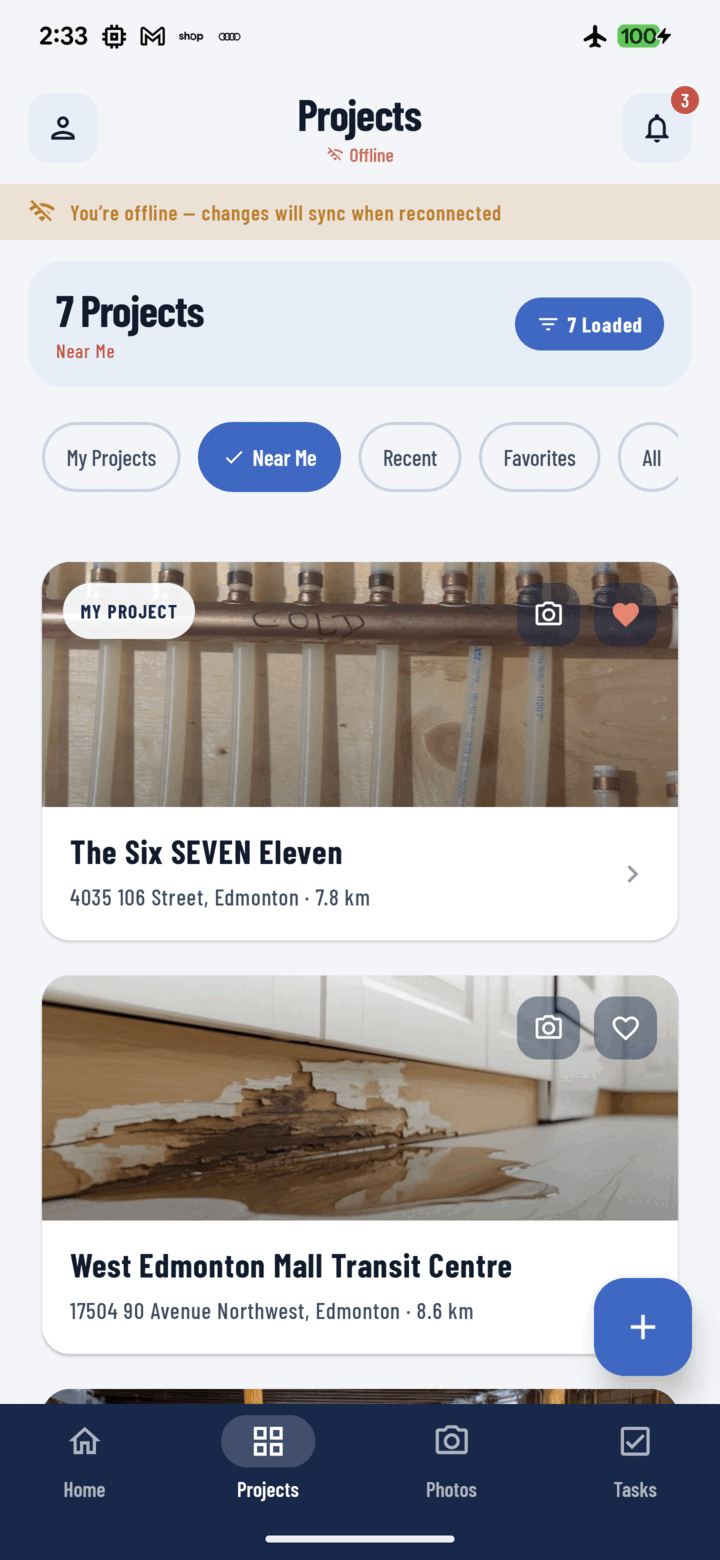
Capture never stops
Photos and videos store locally with their tags, notes, and GPS. Browsing previously loaded projects and photos works from the on-device cache.
Projects born offline
Create a project at a greenfield site with no coverage and document all day. When signal returns, the project syncs first — then its photos follow automatically.
A sync engine that retries
A connectivity observer triggers sync the moment the network returns. Uploads run two at a time and failed transfers reset and retry on reconnect and app start.
Full visibility
The Upload Queue screen shows offline projects, in-flight uploads, pending drafts, and failures with per-item errors — plus Retry Failed and Clear controls.
Everything included
- Photo and video capture always available
- Offline project creation with a temporary identity
- Comments queue locally and post on reconnect
- Browse previously loaded projects and photos from cache
- Cached tag lists keep tagging working offline
- Connectivity observer triggers sync the moment signal returns
- Background uploads, two at a time
- Failed uploads reset and retry on reconnect and app start
- Offline projects sync first; their photos promote automatically
- Upload Queue screen: syncing, uploading, pending, failed
- Per-item error messages with Retry Failed and Clear Failed

One place for every jobsite photo, task, and report. Set up in minutes and see the difference on your next job.
- 30 days free
- No credit card to get started
- Up and running in 5 minutes or less
- No sales calls (we promise)
- Free for solo crews
- iPhone, Android & web