
Opening the Queue
- Tap the upload/sync progress strip under the header (appears whenever something's in flight), or
- Tap a project's pending-upload badge.
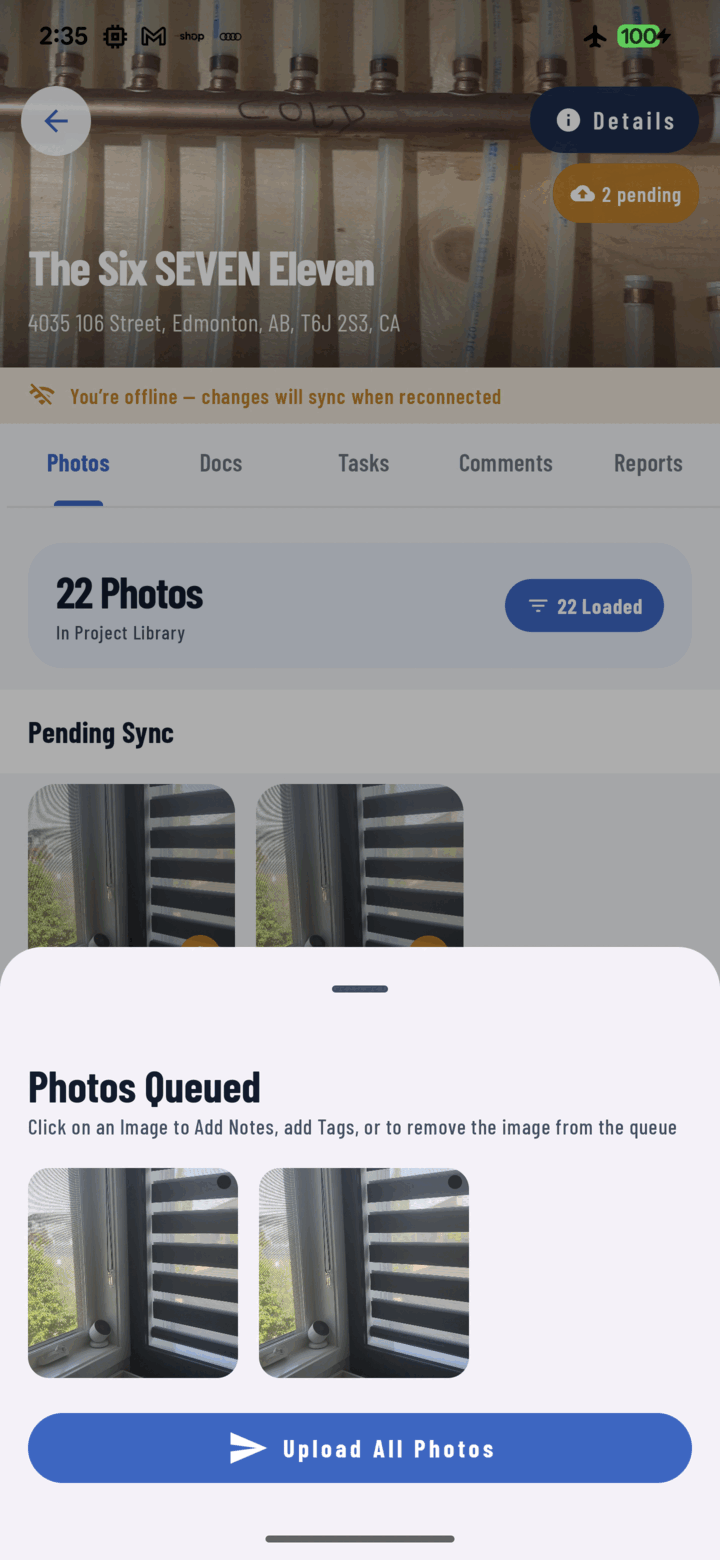
The Photos Queued sheet lists everything waiting to sync; tap a photo to edit it or Upload All Photos to push them now.
The Four Sections
| Section | What's in it |
|---|---|
| Offline Projects | Projects created without signal — syncing, waiting, or failed |
| Uploading | Media in flight right now, with progress |
| Pending | Tray drafts queued but not yet sent |
| Failed | Anything that errored — each item shows its error message |
The Controls
- Retry failed (top bar) — re-queue every failure; most failures are connectivity blips that succeed on retry.
- Clear failed — discard all failures you don't want retried.
- Per-item delete/discard — drop a single stuck or unwanted item (confirmation asked).
What Happens Automatically
You rarely need this screen — the queue self-heals: uploads run in the background (two at a time), failures reset and retry on reconnect and on app start, offline projects sync first and their photos follow. The screen exists for visibility and the occasional manual nudge.
Empty State
"No pending uploads" — everything's on the server. The goal state.