
Jobsite photo documentation, organized by project
Every photo captured in CrewBox is time-stamped, GPS-tagged, attributed to the crew member who took it, and filed under the right project automatically. The office and the field see the same real-time record of the job site — searchable in seconds.
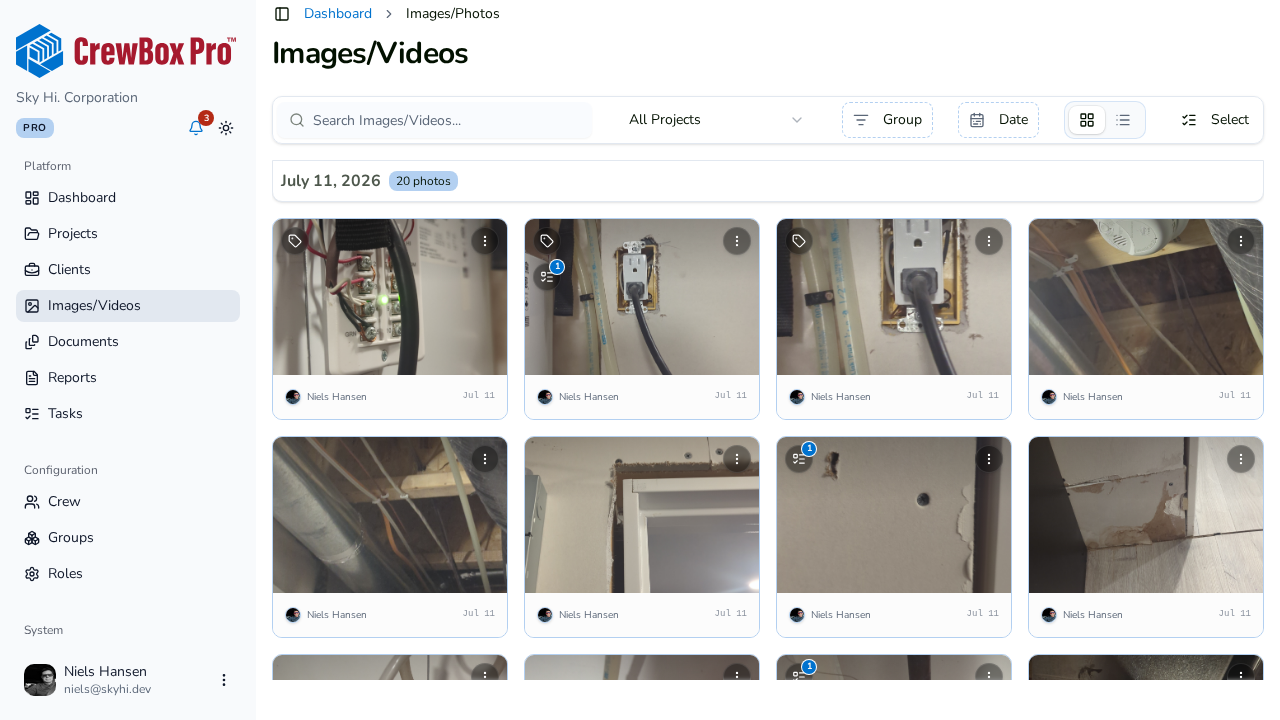
A visual timeline of every job
Photos and videos land in a date-grouped project timeline with sticky date headers. Pull up any stage of any job — for progress checks, client questions, dispute resolution, or insurance claims.
Search that actually finds it
Filter by tag, crew member, media type, comments, notes, free text, or date range. Active filters show as removable chips, so the view you built is always visible and reversible.
Bulk actions on whole selections
Long-press to select photos — or a whole day at once — then share, save, tag, move to another project, print, assign to a task, add to a report, or delete in one operation.
Metadata you never type
Time, date, GPS coordinates, and photographer attach to every capture automatically. Open a photo’s details to jump to its project or its exact spot in your maps app.
Everything included
- Date-grouped photo grid with sticky headers and infinite scroll
- Pull-to-refresh and a full-screen swipeable viewer
- Videos badged in the grid with extracted thumbnails
- “My Photos” filter — only what you captured
- Filter by media type, crew member, comments, tags, or notes
- Free-text search, sort order, and date-range filters
- Tag multi-select filtering with removable chips
- Long-press multi-select with whole-day select toggles
- Bulk Share, Save to Device, Tag, and Move to Project
- Bulk Print, Assign to Task, Add to Report, and Delete
- Automatic time, date, GPS, and photographer metadata
- Tap a photo’s GPS to open the spot in your maps app

One place for every jobsite photo, task, and report. Set up in minutes and see the difference on your next job.
- 30 days free
- No credit card to get started
- Up and running in 5 minutes or less
- No sales calls (we promise)
- Free for solo crews
- iPhone, Android & web