
CONSTRUCTION PHOTO DOCUMENTATION SOFTWARE, FEATURE BY FEATURE.
Every feature in the CrewBox construction photo app and field crew management platform: GPS-tagged photos, annotation with measurements, tasks, documents, on-device PDF reports, and offline-first sync.
ACCOUNTS, HOME & PROJECTS
Secure Sign-In & Biometrics
PKCE SECUREDEmail or Google sign-in through the system browser, plus fingerprint or Face ID unlock. Three-step company onboarding gets a new crew working in minutes.
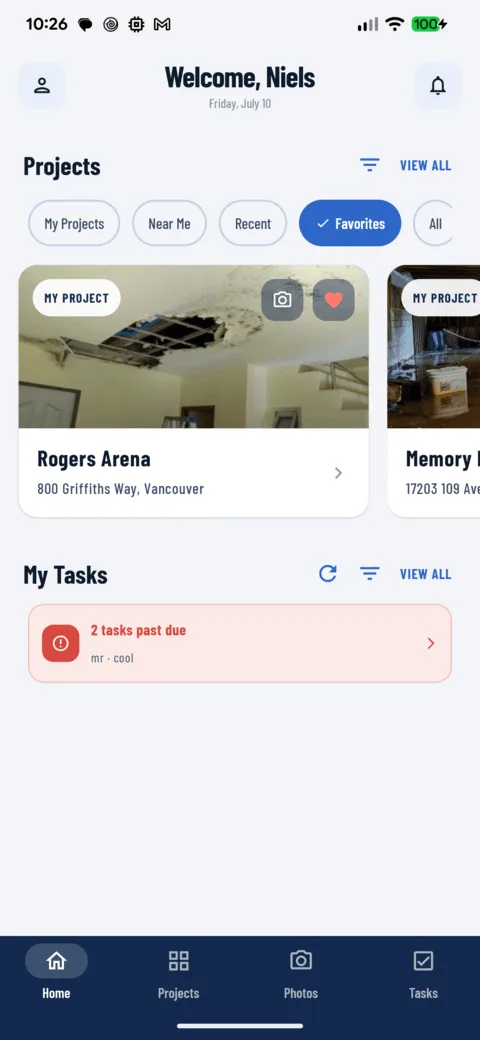
Learn more →Home Dashboard for Field Crews
ONE-GLANCEProjects as a visual carousel, tasks bucketed by urgency: past due, today, tomorrow. Swipe anywhere on Home to open the camera for your last-used project.
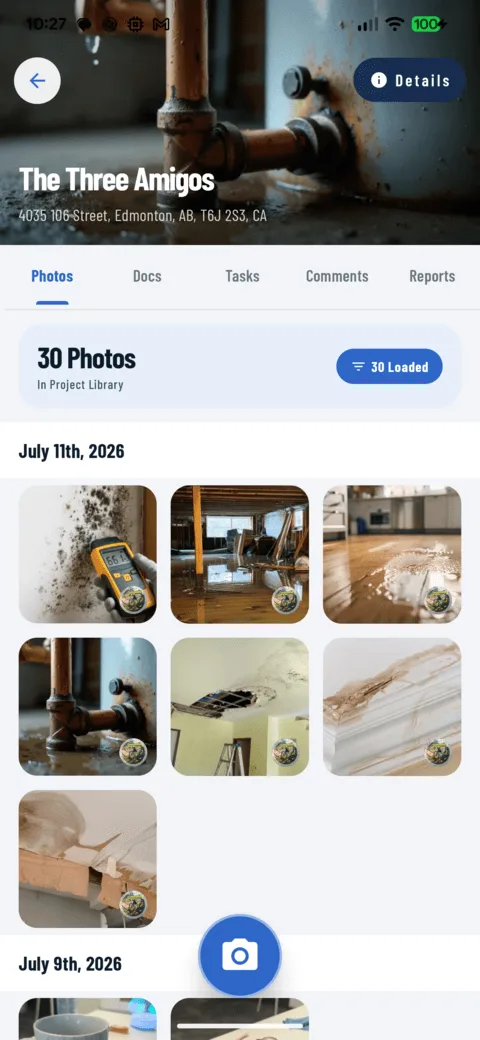
Learn more →Project & Crew Management
JOB-CENTRICEvery photo, document, task, and comment lives under one project. Verified address autocomplete (US & Canada), crew assignment, favorites, Near Me sorting. Projects can be created fully offline.
Learn more →PHOTOS, CAMERA & ANNOTATION
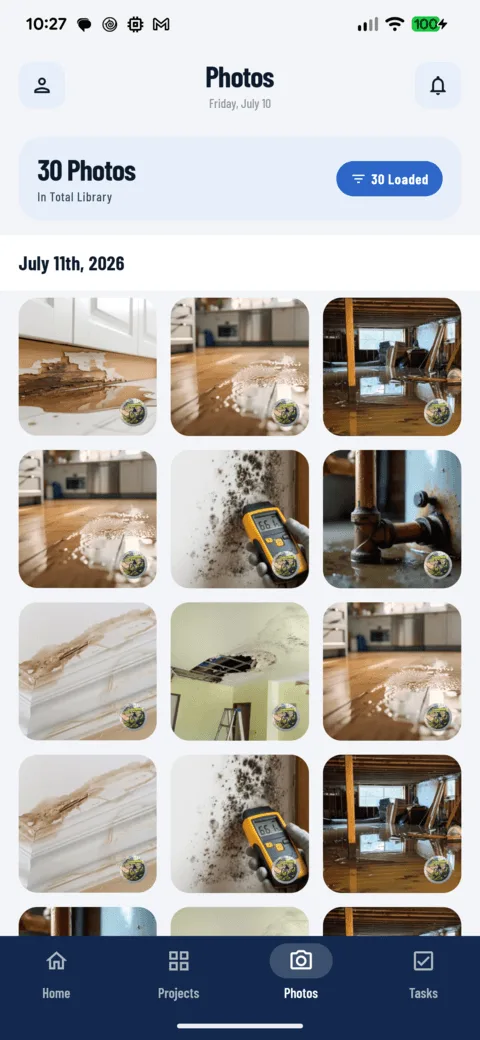
Job Site Photo Library
AUTO-ORGANIZEDA searchable, cross-project photo history grouped by date. Filter by tag, crew member, media type, or date range, then share, tag, move, print, or report on whole selections at once.
Learn more →Jobsite Camera & Video Capture
GLOVE-FRIENDLYVolume-key capture with burst mode, bubble level, rule-of-thirds grid, pinch zoom, and tag-before-you-shoot with automatic GPS. Fifteen-second video clips upload through the same background queue.
Learn more →Photo Annotation & Measurements
NON-DESTRUCTIVERectangles, circles, arrows, text, and timestamps in 12 colors, with imperial and metric measurement labels. Vector markup is never burned in: re-edit anytime, show original, annotated, or both in reports.
Learn more →Gallery
NEWBrowse every project photo and document in a visual gallery, or flip to a timeline view. Your view choice persists in the URL, so shared links open exactly how you left them.
Learn more →DOCUMENTS, TASKS & COMMUNICATION
Construction Document Management
ON-SITE FILESPlans, permits, and contracts live with the project. Built-in viewers for PDF, CSV, text, and Office formats. Comment on files, rename, tag, and move them between projects.
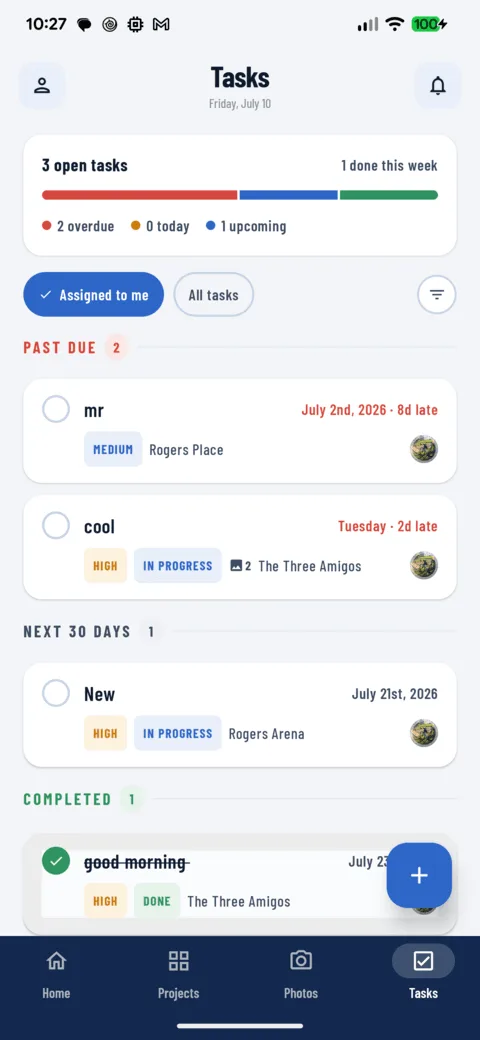
Learn more →Tasks & Punch Lists with Photos
ASSIGNED & TRACKEDFour priorities, due dates with live countdowns, single-tap completion, and photo evidence attached straight from the grid. Bulk assign, re-status, or re-tag a whole day's work in one action.
Learn more →Comments & @Mentions
IN CONTEXTThreaded comments on projects, photos, and documents, so the answer stays attached to the thing it's about. @Mentions notify and deep-link teammates; long-press any avatar to call, text, or email.
Learn more →REPORTS & NOTIFICATIONS
PDF Progress Reports & Templates
BRANDED PDFBranded, photo-rich progress reports generated entirely on the device: cover page, sections, headers and footers, two to four photos per page. Save any report as a reusable template.
Learn more →Smart Notifications
SORTED BY TABMentions, task assignments, and activity sorted into tabs with unread counts. Every notification deep-links to the exact photo, task, or comment it's about.
Learn more →Profile & Smart Defaults
SET ONCEDark mode, live language switching, biometric login, and defaults for everything you create: task status and priority, project filters, even your city. Configure once, never repeat yourself.
Learn more →BUILT FOR THE FIELD
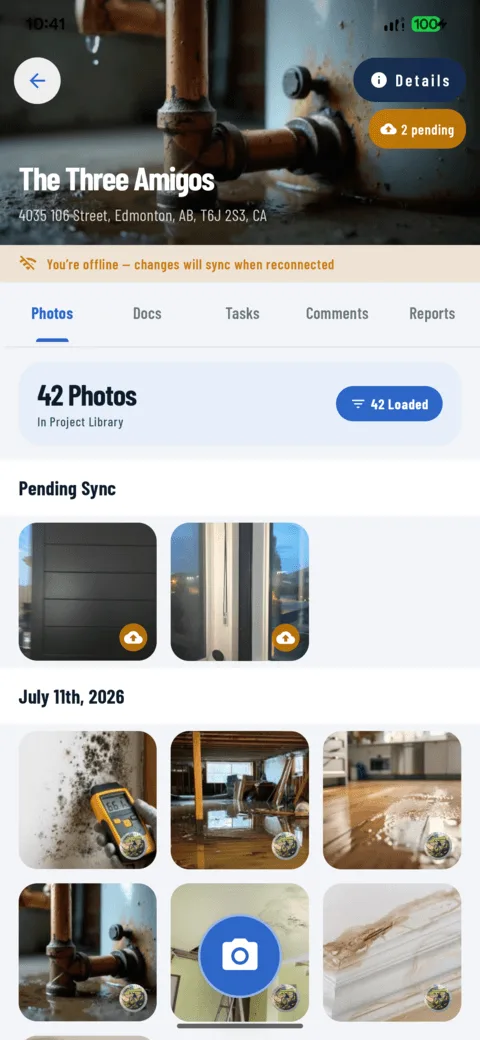
Offline Mode & Auto Sync
NO-SIGNAL PROOFCapture photos, create projects, and comment with zero connectivity. Everything queues on the device and syncs automatically when signal returns, with a full upload-queue view and retry controls.
Learn more →Tags & Organization
FIND ANYTHINGOne tag vocabulary across projects, photos, documents, and tasks, applied at capture or in bulk. Filter any list, group tasks by tag, and carry tags into client PDFs.
Learn more →Share, Export & Print
ONE-TAP OUTNative share sheets for photos, videos, documents, and reports. Save to the phone's gallery, print through the system dialog, or file a generated PDF back into the project.
Learn more →English, Spanish & French
3 LANGUAGESEvery screen translated, more than 800 strings per language, switchable live from your profile with no restart. Address forms adapt between US and Canadian conventions.
Learn more →Build confidence on every jobsite.
From GPS-tagged photos to instant PDF reports, CrewBox keeps your crews aligned, your work documented, and your liability protected.
Zero Training Needed
Glove-friendly controls, volume-key capture, bubble level, and pre-categorization tags so your crew records work cleanly in seconds.
Offline-First Power
Zero signal in basements or remote sites? Capture photos, annotate, and complete tasks offline. Automatic sync handles the rest.
Client-Ready Reports
Generate branded, photo-rich PDF progress reports directly on your device. Share via email, message, or print before leaving the job site.

One place for every jobsite photo, task, and report. Set up in minutes and see the difference on your next job.
- 30 days free
- No credit card to get started
- Up and running in 5 minutes or less
- No sales calls (we promise)
- Free for solo crews
- iPhone, Android & web