
Tag once, find everything
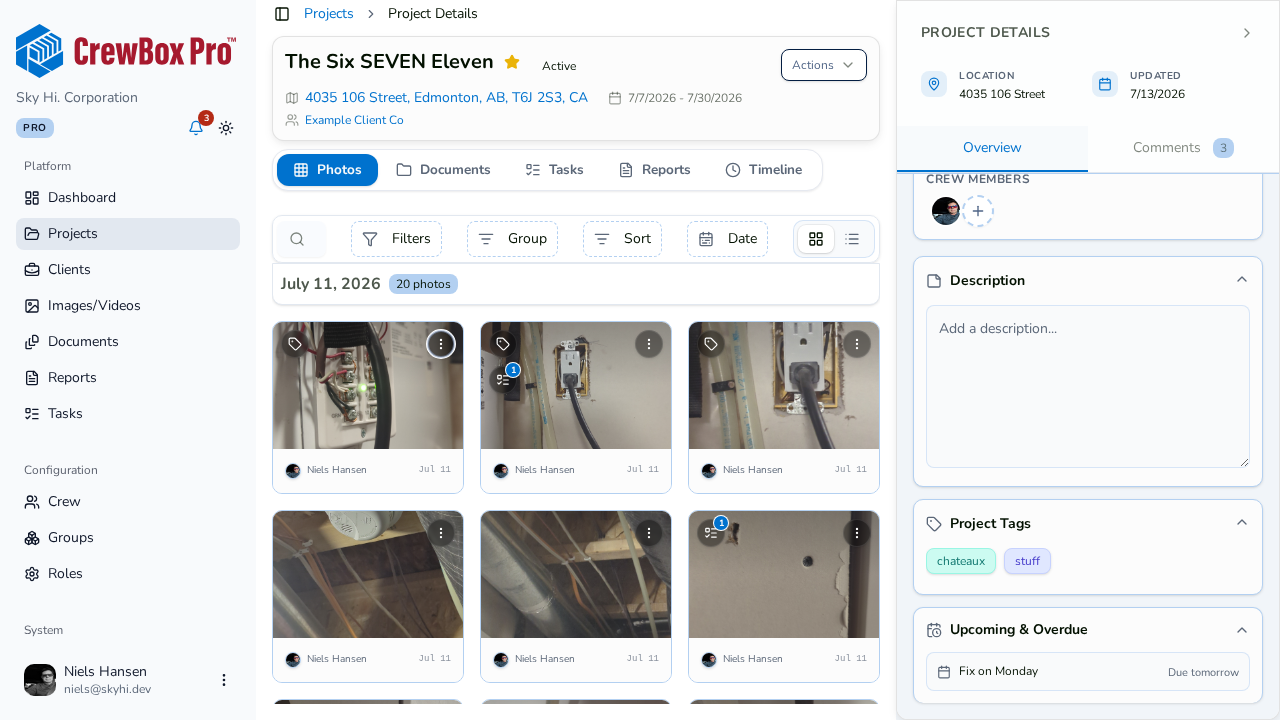
Where folders force one thing into one place, tags let the same photo be “electrical”, “2nd floor”, and “punch list” at once. Crews tag by trade, location, phase, or workflow state — then filter thousands of items to the relevant handful in seconds.
Tag at the moment of capture
Select tag chips in the camera and every shot carries them. Retro-tag whole days later with the bulk Tag action.
One vocabulary everywhere
Projects, photos, videos, documents, and tasks draw from shared, server-backed tag lists — no more “HVAC” vs “hvac” vs “H.V.A.C”.
Filter and group anything
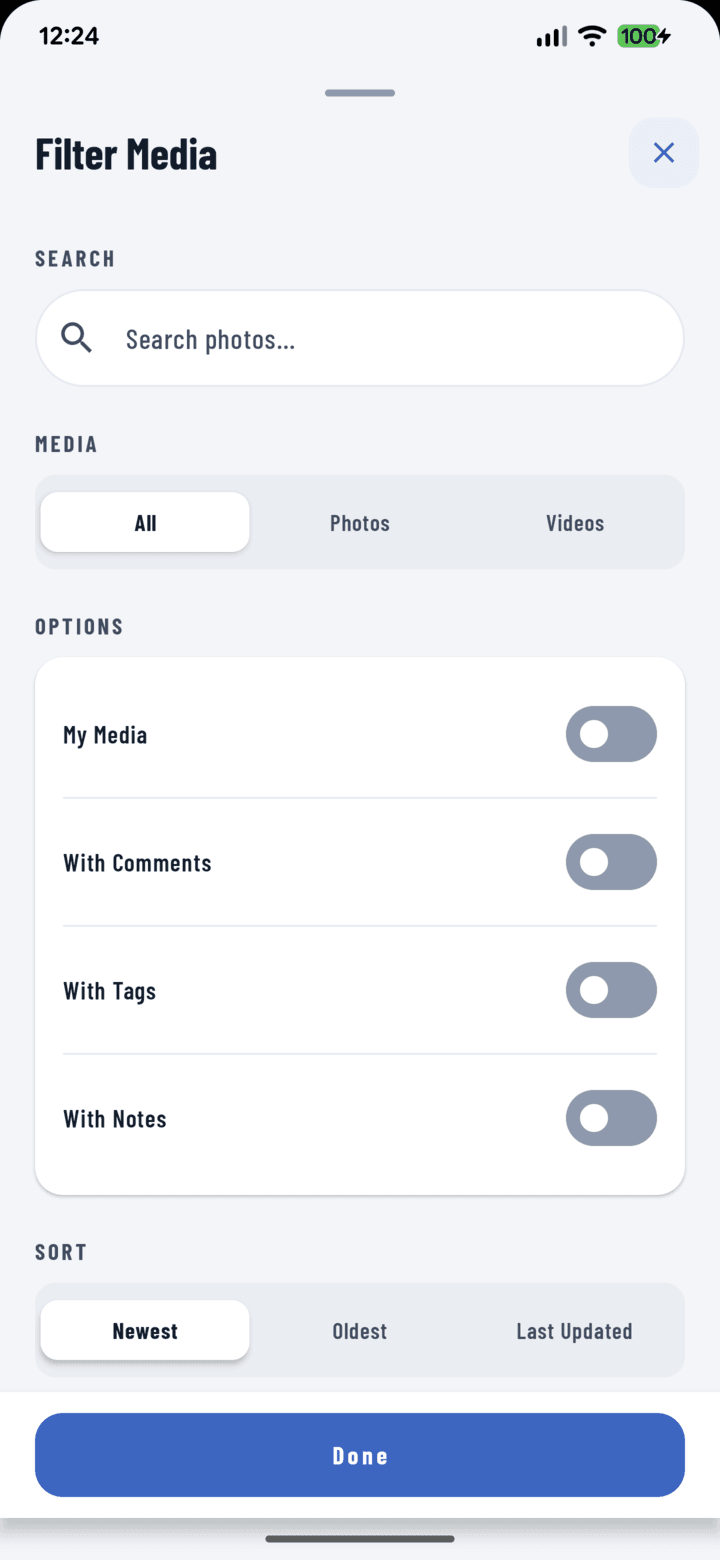
Every list filters by tags; task lists group by them. Active tag filters show as removable chips so the view’s logic stays visible.
Tags travel into reports
Per-photo tags can show in generated PDFs, turning field organization directly into report structure. Tag lists cache offline, too.
Everything included
- Tag projects, photos, videos, documents, and tasks
- Tag chips in the camera — applied at capture
- Edit tags in the photo tray and details tray
- Bulk Tag on any grid selection
- Filter every list by tags
- Group task lists by tag
- Shared, server-backed tag vocabulary for the whole crew
- Duplicate validation — “HVAC” never spawns “hvac”
- Offline tag cache
- Show or hide tags in generated PDF reports

One place for every jobsite photo, task, and report. Set up in minutes and see the difference on your next job.
- 30 days free
- No credit card to get started
- Up and running in 5 minutes or less
- No sales calls (we promise)
- Free for solo crews
- iPhone, Android & web