
Plans and permits, on every phone
Construction runs on paperwork — and it usually lives in email threads and truck dashboards. CrewBox puts project files where the project is: viewable, discussable, and organized from the field.
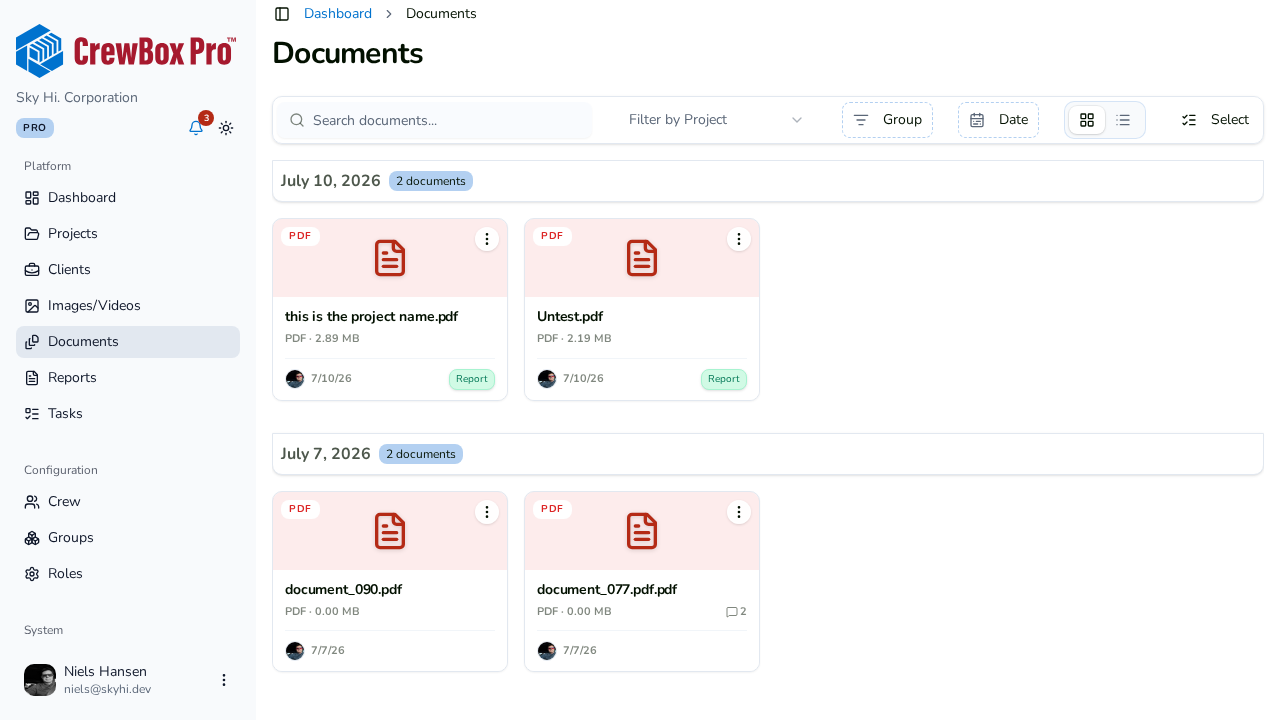
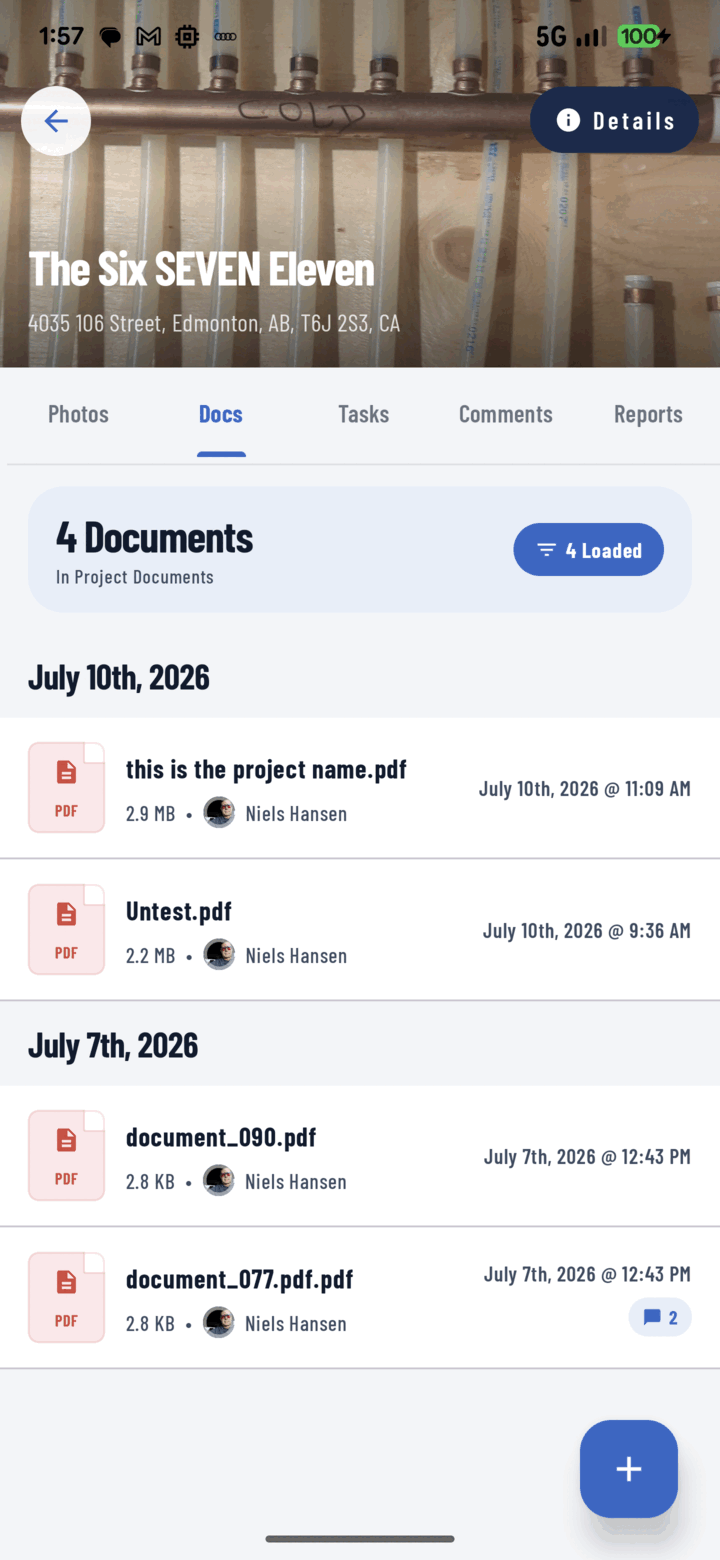
Built-in viewers
PDF plan sets render page by page; CSV opens as a scrollable table; Office formats preview in-app; anything else hands off gracefully to another app.
Discussion pinned to the file
Every document carries its own comment thread with @mentions — “revised drawing, footing detail changed, see page 4” reaches the right person instantly.
Organized like photos
Filter by type, uploader, search, and date. Long-press for bulk actions: share, save, tag, rename, move to project, print, assign to task, delete.
Reports file themselves
PDF reports generated in CrewBox can save directly into the project’s Documents tab, so the whole team has the latest.
Everything included
- Upload from the platform document picker
- Native page-by-page PDF viewer for plan sets
- CSV files rendered as scrollable tables
- Plain-text viewer and embedded Office previews
- Graceful “Open externally” hand-off for other formats
- Per-document comment threads with @mentions
- Details tray: uploader, project, comment count
- Filter by file type, uploader, search, and date range
- Bulk Share, Save, Tag, Rename, Move, Print, Assign to Task, Delete
- Generated PDF reports file themselves into Documents
- Role-gated deletion, always with confirmation

One place for every jobsite photo, task, and report. Set up in minutes and see the difference on your next job.
- 30 days free
- No credit card to get started
- Up and running in 5 minutes or less
- No sales calls (we promise)
- Free for solo crews
- iPhone, Android & web