
Steps
- Open the project → Documents tab.
- Long-press the document to enter selection mode.
- Open the actions sheet and tap Rename.
- Type the new name in the dialog and confirm.
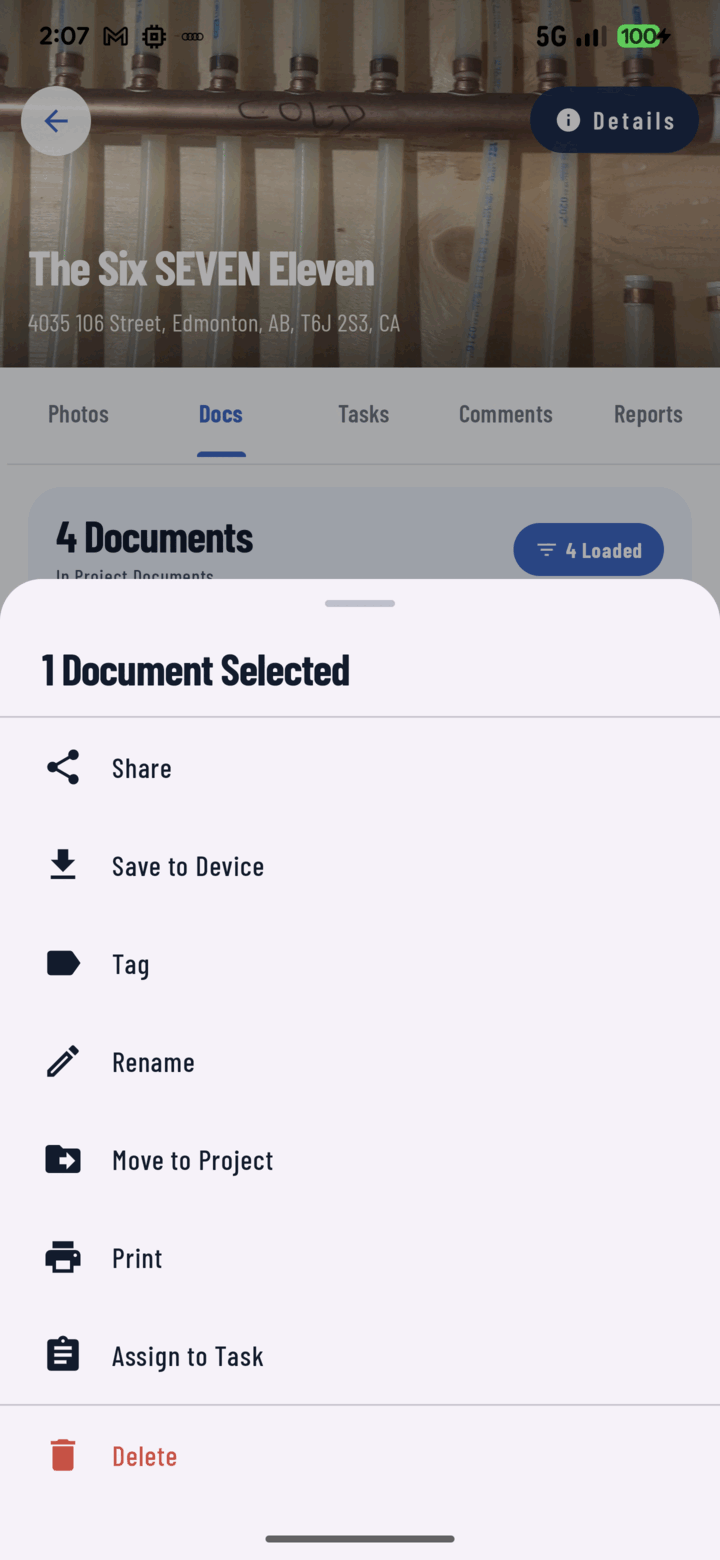
Long-press a document and open Actions, then tap Rename to give it a clearer name.
Naming That Works
- Say what it is and when: "Structural Plans — Rev B (Jun 2026)", "Electrical Permit — expires 08/26".
- Names are what search matches (finding documents) — put the words people will type into the name.
- Renaming changes the display name in CrewBox; the file's content is untouched.