
Steps
- Open the project → Documents tab.
- Tap the filter control and combine:
• My Documents — only what you uploaded
• Operators — who uploaded it
• Search — free text on names
• File type — PDFs only, spreadsheets only, etc.
• Date range — when it was uploaded - Apply. Active filters show as removable chips; Clear resets.
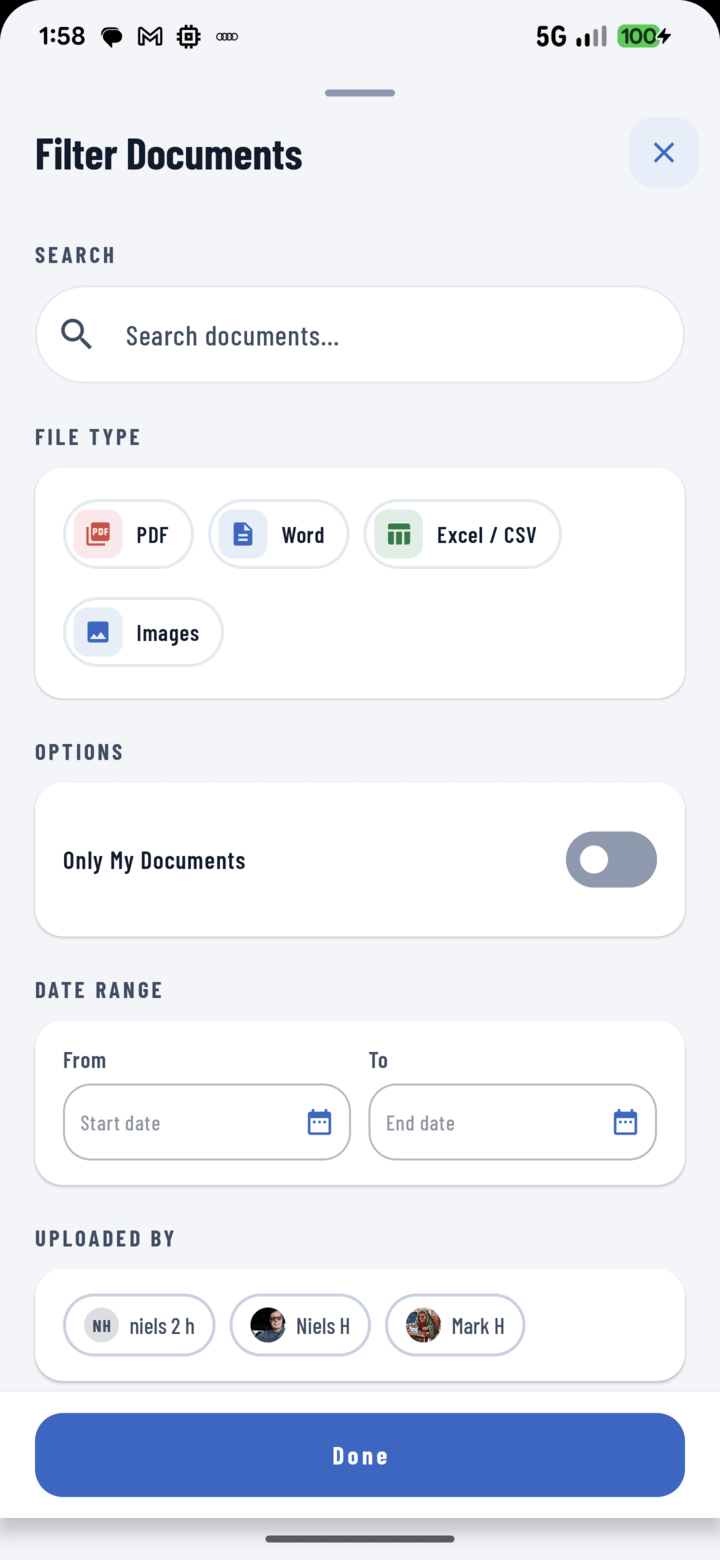
The Filter Documents sheet narrows the list by file type, date range, uploader, or a search term.
Recipes
- The current plan set: file type PDF + search "plan".
- What the sub sent: operator filter on their name.
- This month's paperwork: date range.
- The reports: generated PDFs saved to Documents filter like any file.
Also Helpful
- Document rows show size, type, uploader, and comment count — often enough to spot the right file without filtering.
- Tags work on documents too — a "permits" tag beats remembering filenames.