
Switch between Gallery and Timeline views
Use the view toggle in the Documents tab toolbar to switch between Gallery and Timeline views. Your choice persists in the URL, so a shared link opens in the same view.
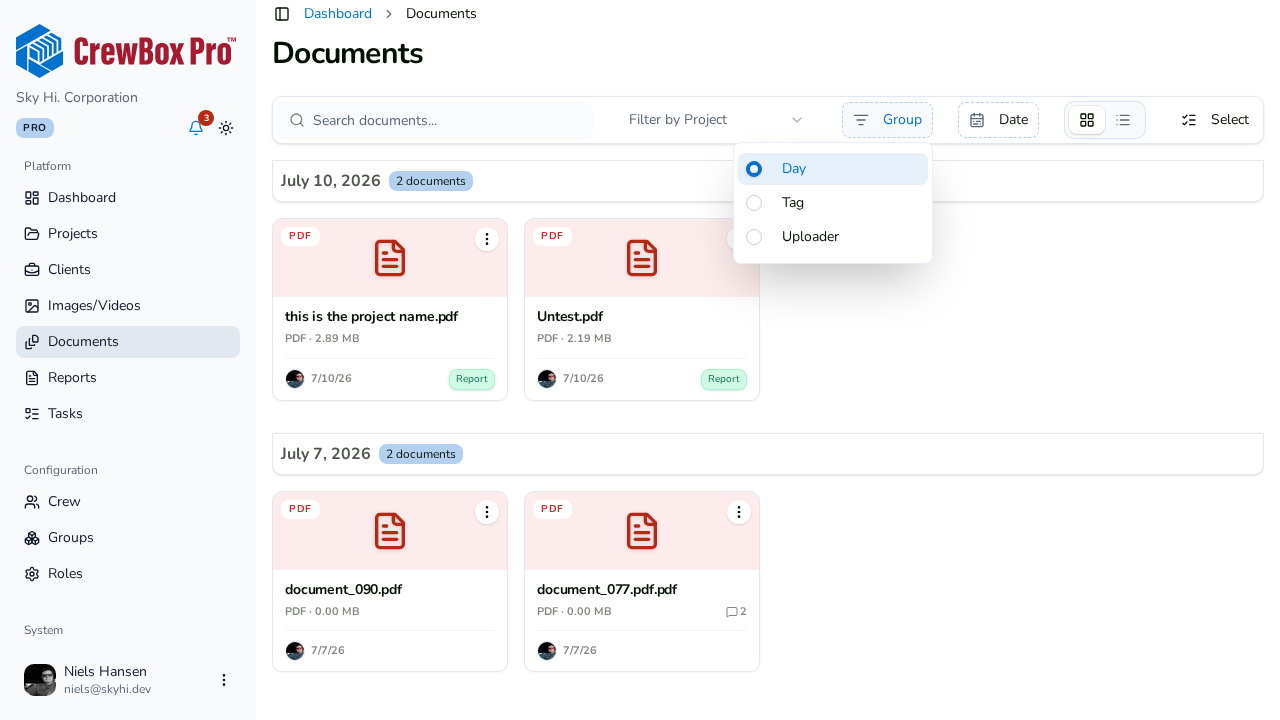
Group documents
Pick a grouping to organize the list:
- Day — documents bucketed by upload date.
- Tag — documents grouped under their tags.
- Uploader — see who added what.
Search
Type in the search box in the toolbar to narrow the list by what you're looking for.
Filter by tags
Use the tag filter to show only documents carrying specific tags. Tags appear on each document card, so you can confirm the match at a glance.
Filter by date range
Set a date range in the toolbar to limit the list to documents from a specific window — handy for pulling everything uploaded during one phase of the job.
Reading the results
Each document card shows a type-colored tile with a format badge, the file name and size, a linked-task count, a comment count (clicking it jumps straight to the comments panel), the uploader, date, and tags.