
The Scope Pills
Top of the Tasks tab: Assigned to Me / All Tasks — your work vs. the whole picture.
The Filter Dialog (filter icon)
| Filter | Options |
|---|---|
| Search | Free text across titles |
| Status | All / To Do / In Progress / Done |
| Priority | All / Low / Medium / High / Urgent |
| Assigned operators | Any crew member(s) |
| Group by | Date / Status / Priority / Assignee / Tags |
Filters combine: "To Do + Urgent + assigned to Jake" is one dialog visit. Active filters show as removable chips above the list.
Group By — the Underrated One
Grouping restructures the whole list into sections:
- Date — the default working view: what's due when
- Status — kanban-style: To Do / In Progress / Done blocks
- Priority — triage view: Urgent block first
- Assignee — the workload view: each person's pile, ideal before reassigning
- Tags — by phase/trade if you tag tasks
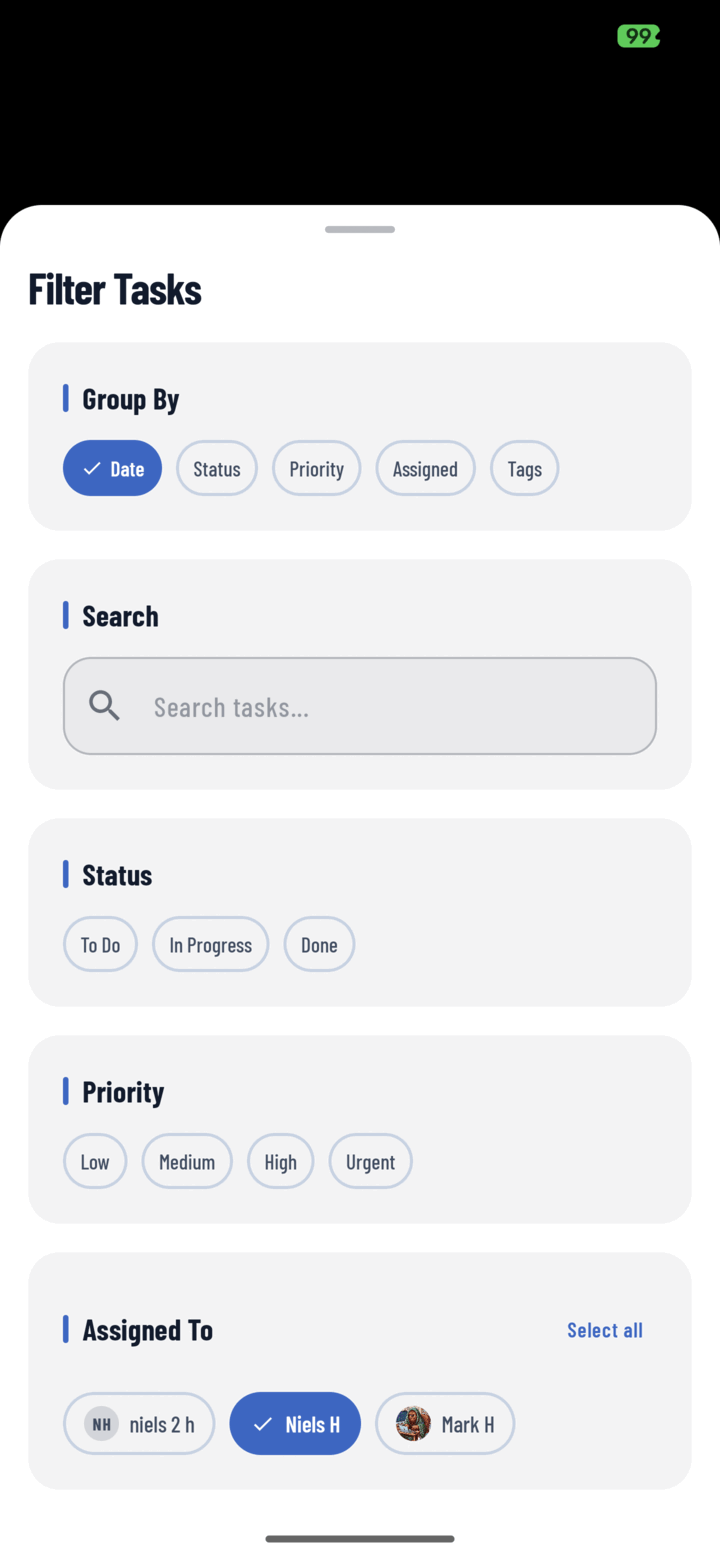
The Filter Tasks sheet — group by date, status, priority, assignee, or tags, and narrow by status, priority, or person.
Reading the Progress Card
The stacked bar atop the Tasks tab summarizes overdue / due today / upcoming / completed — the filter-free health check before you drill in.
Related
- Bulk-edit tasks — filter first, then select and act
- Reassign a task