
Part 1 — Selecting Tasks
- Open any task list — the Tasks tab or a project's Tasks tab.
- Long-press a task — selection mode starts with that task selected.
- Tap other tasks to add or remove them from the selection.
- Back out to exit selection mode, or complete an action.
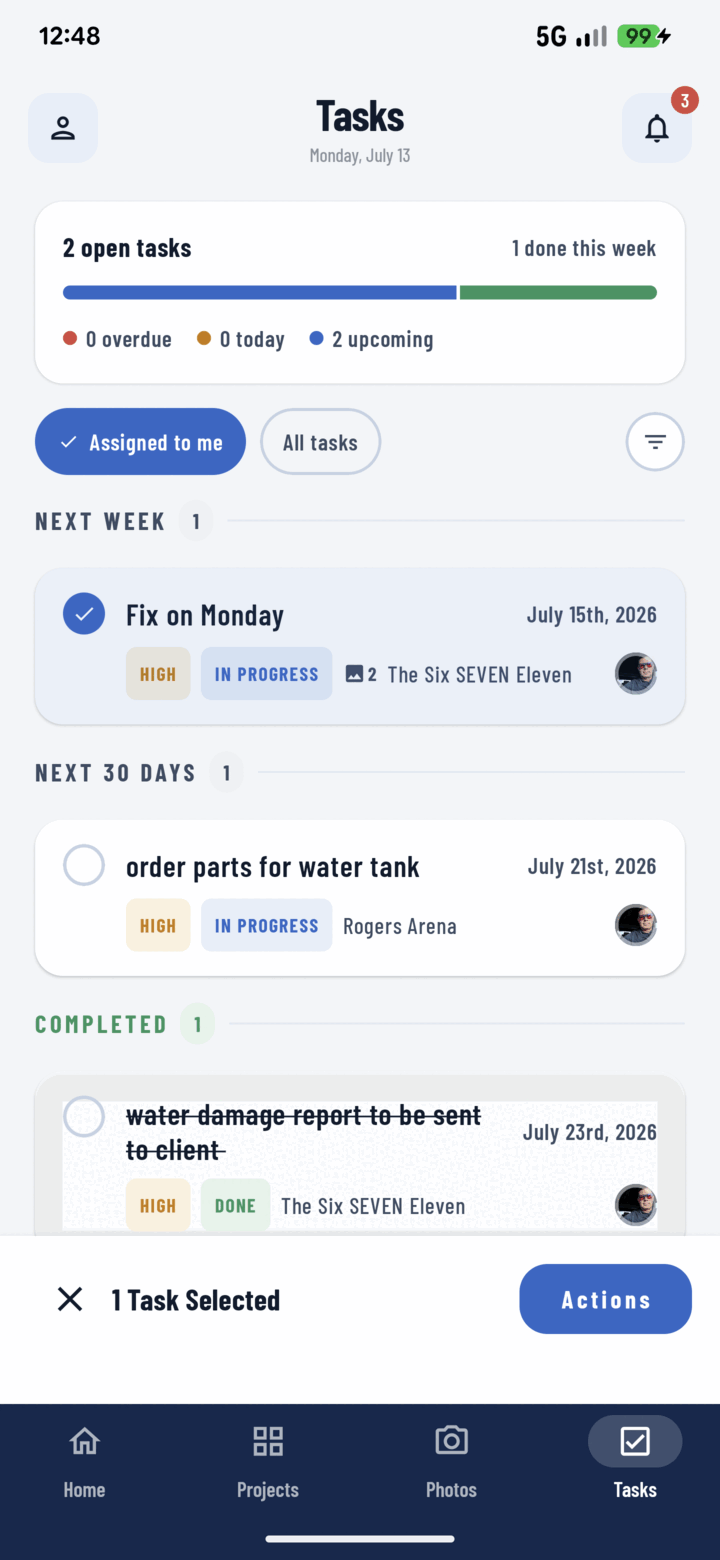
Long-press a task to enter multi-select, then tap more tasks to build your selection.
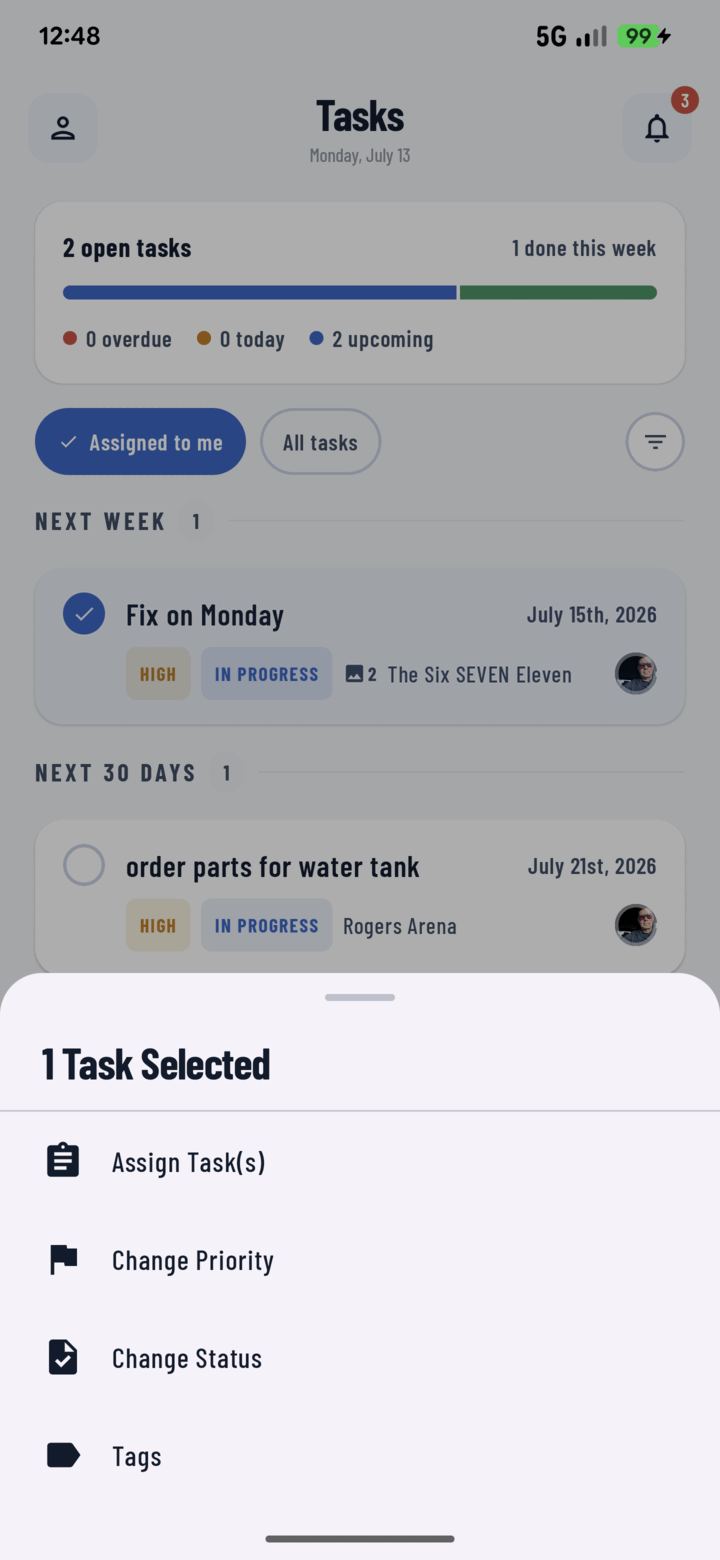
Tap Actions to bulk-assign, change priority or status, or edit tags for every selected task at once.
Filter first, select second — the power move. Filter to "Status: To Do + Priority: Urgent" or group by Assignee (filtering guide), then select within the narrowed list with confidence.
Part 2 — The Four Bulk Actions
With tasks selected, open the actions sheet:
Assign
Hands every selected task to one crew member.
- Select tasks → Assign → pick the person from the crew list.
- All selected tasks reassign; the new assignee gets Assignment notifications and sees them in "Assigned to Me" immediately.
Use it for: morning dispatch ("today's ten items → Jake"), covering a sick day, rebalancing after grouping by Assignee. Only operators assigned to the project appear (add them first).
Change Status
Sets every selected task to To Do, In Progress, or Done.
Use it for: end-of-day close-out (walkthrough confirmed done → select all → Done), kicking off a phase (select the block → In Progress).
Change Priority
Applies Low / Medium / High / Urgent to the selection.
Use it for: escalating after a client call or inspection notice ("everything in unit 204 → Urgent"), demoting a postponed phase to Low.
Change Tags
Applies a tag set across the selection.
Use it for: stamping a phase's tasks ("rough-in"), marking a batch for billing or warranty follow-up. Tags then feed filtering and tag-grouping.
Quick Reference
| Action | Picker | Typical moment |
|---|---|---|
| Assign | Crew member | Morning dispatch, coverage, rebalancing |
| Change Status | To Do / In Progress / Done | Phase start, day-end close-out |
| Change Priority | Low / Med / High / Urgent | Escalations, postponements |
| Change Tags | Tag multi-select | Phase stamping, workflow marking |