
The One-Tap Way
In any task list (Tasks tab, project Tasks tab, Home's My Tasks), tap the task's checkbox — done. Tap again to un-done it if you jumped the gun.
The Status Way
Open the task → Edit → set Status to Done → Save. Same result; use this when you're already in the task changing other things.
Batch Close-Out
End-of-day walkthrough confirmed ten items finished?
- Long-press → select them all.
- Actions sheet → Change Status → Done.
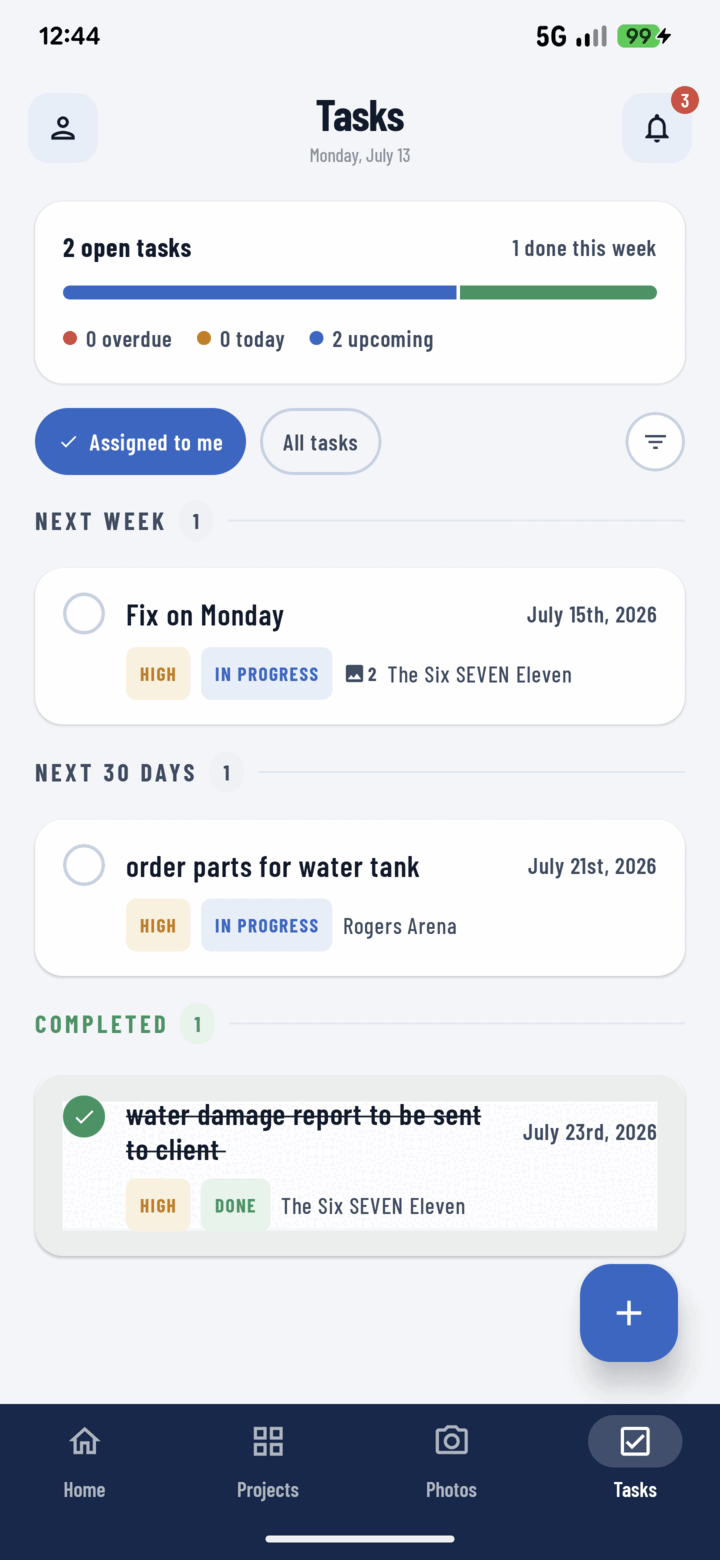
Tap a task's circle to mark it done — completed tasks move to the Completed group with a strikethrough.
What Completion Changes
- The task moves to the completed segment of the progress bar on the Tasks tab — the at-a-glance "how's the week going".
- It drops out of due-today / overdue buckets on Home.
- Status-filtered lists ("To Do" view) stop showing it — done work stops cluttering the working view but stays in the record.
In Progress First
For multi-day work, step through To Do → In Progress → Done — the middle state tells the PM it's being worked without a phone call.