
Get it out of the app — in one tap
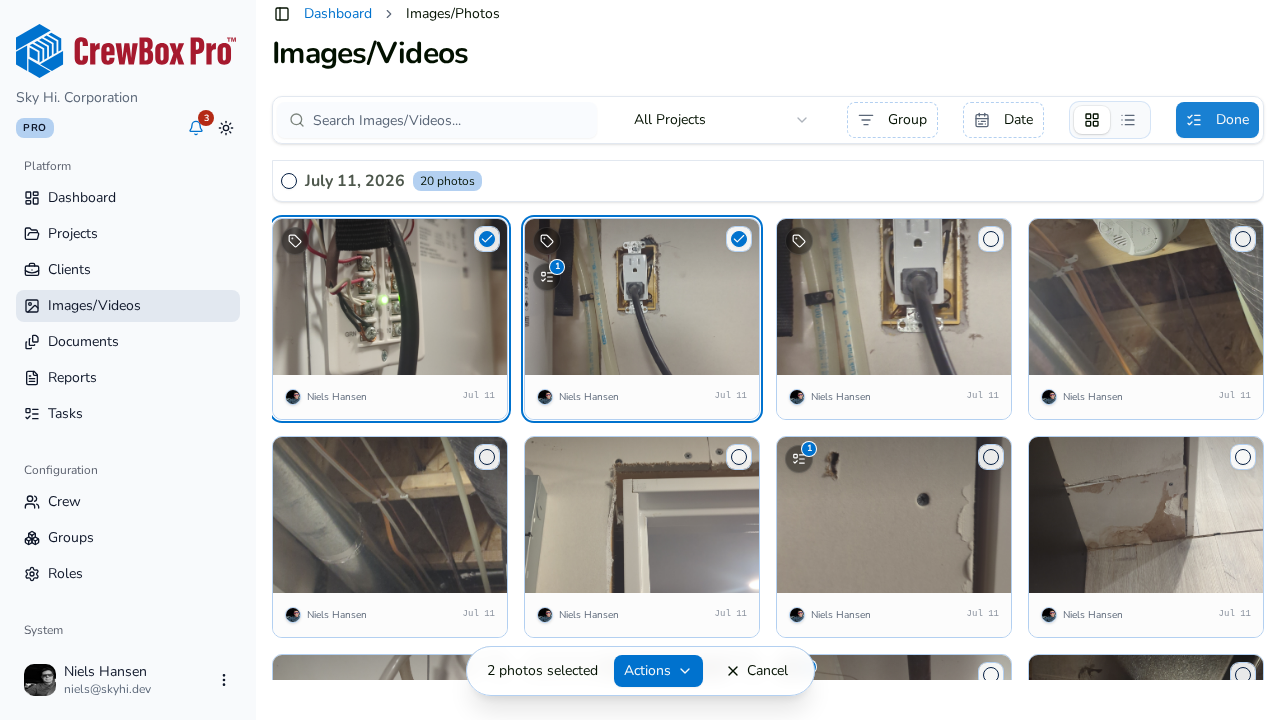
Documentation only matters if it reaches people. CrewBox pipes photos, videos, documents, and reports straight into the phone’s native share, save, and print systems — no exports through a desktop, no format wrangling.
Native share, everywhere
The Android chooser and iOS activity view open from any photo, video, document, report, or project link — text it, email it, AirDrop it, or drop it into any app.
Save to the device
Photos and videos save into the system gallery; documents and generated PDFs save to device storage. Originals always stay organized in CrewBox.
Real printing
Photos, documents, and reports print through the platform print framework — jobsite binder pages straight from the phone.
PDF export built in
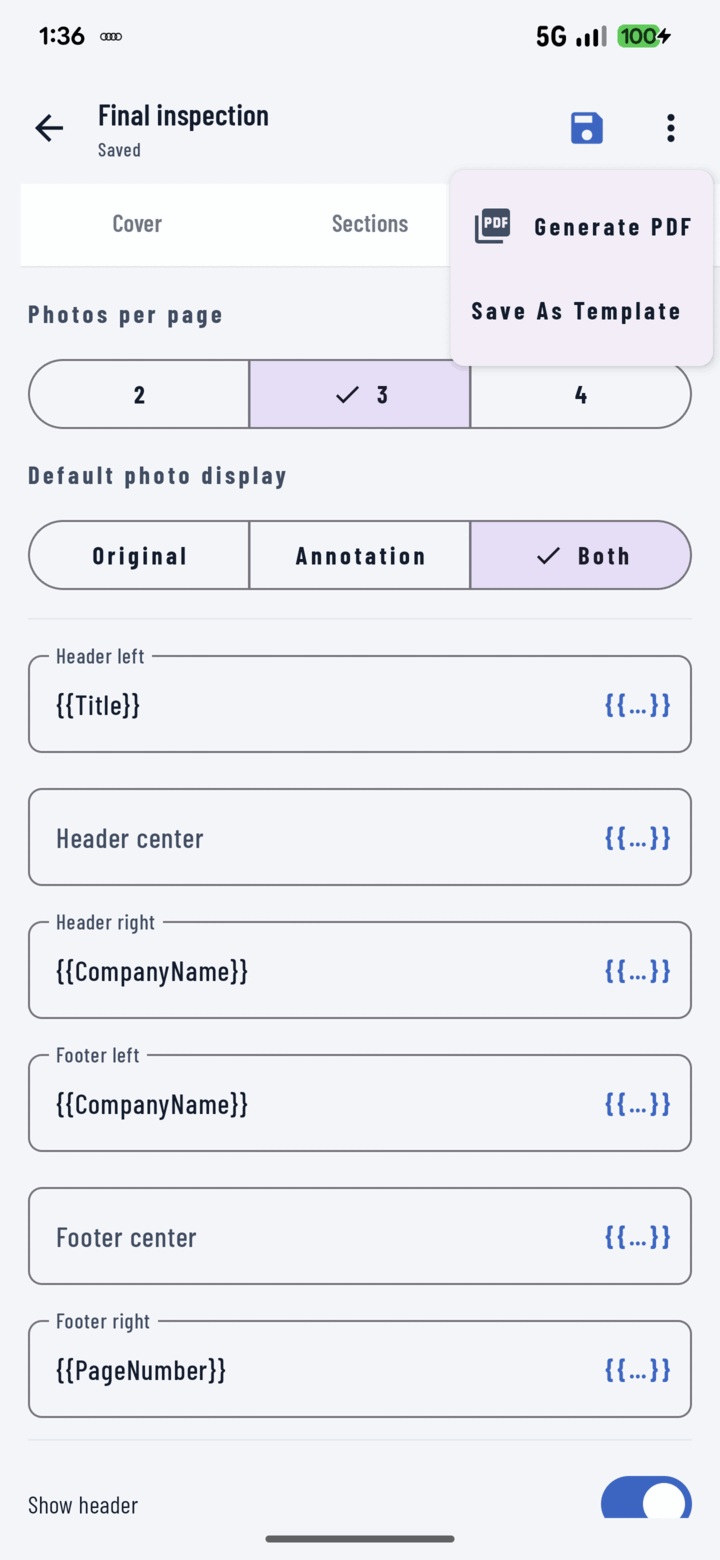
Multi-page report PDFs generate fully on-device, then share, print, or file into the project’s Documents tab.
Everything included
- Native share sheets on Android and iOS
- Share photos, videos, documents, reports, and project links
- Bulk-share full-resolution copies from any selection
- Save photos and videos to the system gallery
- Save documents and PDFs to device storage
- Print photos, documents, and reports via the system dialog
- Multi-page PDF reports generated fully on-device
- File generated PDFs back into project Documents
- Download progress indicators with confirmation snackbars

One place for every jobsite photo, task, and report. Set up in minutes and see the difference on your next job.
- 30 days free
- No credit card to get started
- Up and running in 5 minutes or less
- No sales calls (we promise)
- Free for solo crews
- iPhone, Android & web