
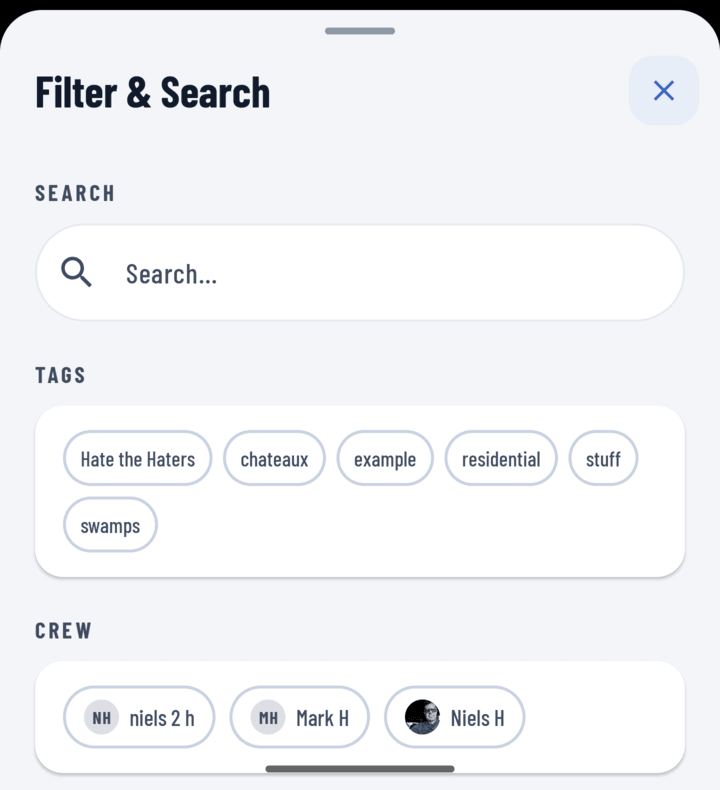
The Filter & Search sheet
The Toolkit, Fastest First
- Favorites chip — if it's a hot job, it should be bookmarked; one tap.
- Recent chip — worked on it lately? It's floated to the top.
- Near Me chip — standing at it? Distance-sorted, it's first.
- Search — open the filter tray and type any part of the name or address.
- Tag / operator filters — "the roofing jobs", "everything Maria is on" (project tags).
Searching
- On Home or Projects, tap the filter icon to open the tray.
- Type in the search field; add tag or operator filters if the name escapes you.
- Apply — matches only. Active filters show as removable chips; Clear Filters resets a dead end.
Browse-Scale Niceties
- The Projects tab header card shows total count and flags when a filter is active — you always know if you're seeing a subset.
- Infinite scroll loads pages automatically; no pagination buttons.
- Cards show cover photo + address + crew — visual recognition beats reading names.
Can't Find It At All?
- Check the All chip — you may be filtered to My Projects and the job isn't assigned to you.
- Created offline recently? It may still show its pending-sync badge — it's there, just syncing.