
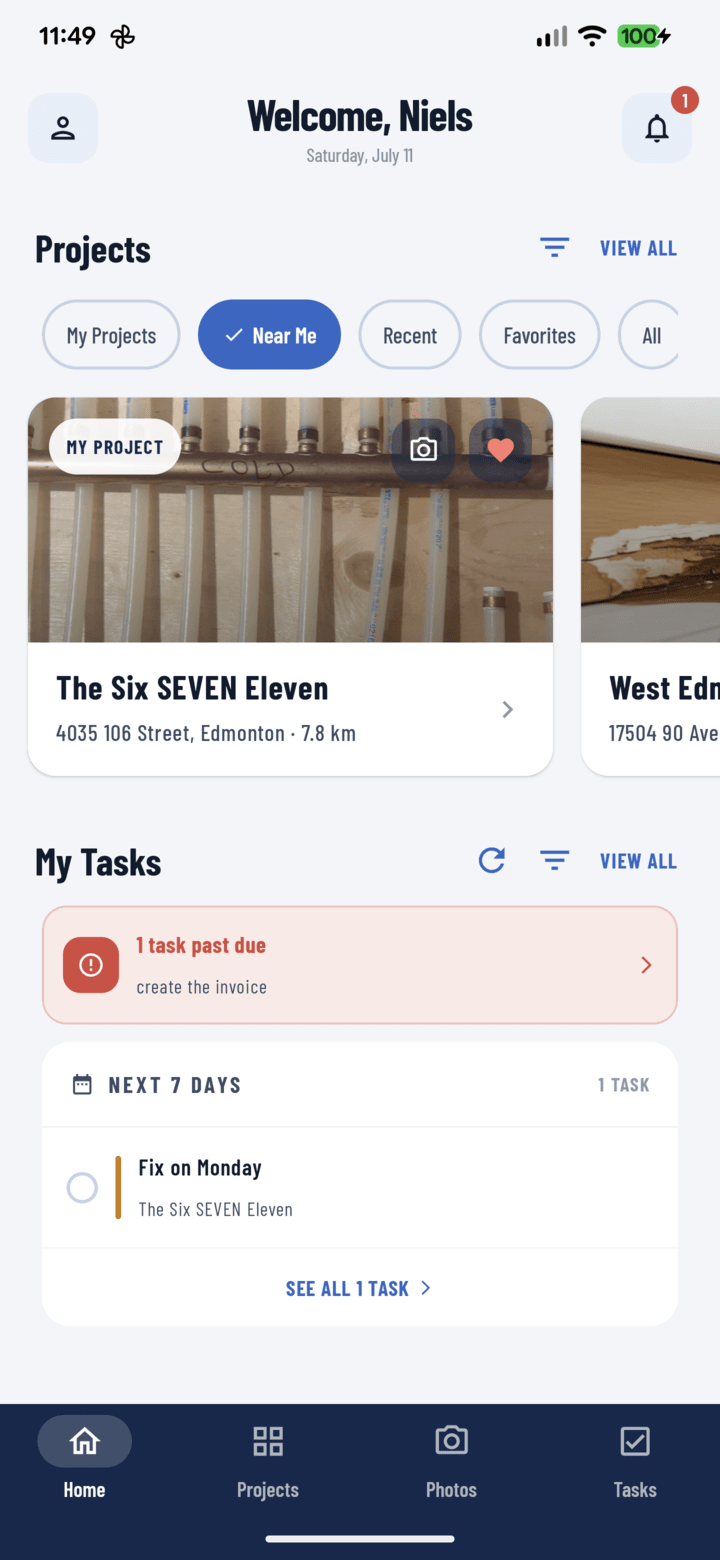
Home with Near Me active — each card shows its distance
Steps
- On Home or the Projects tab, tap the Near Me filter chip.
- First time: allow location permission when asked.
- The list re-sorts by distance from your current position — every project card shows how far away it is.
- Pick the closest job; from its card, jump straight to camera or open it and tap Details → Map for turn-by-turn.
What Powers It
Project distances come from each project's address — specifically the GPS pin set by address autocomplete at creation (guide). Projects with verified addresses sort accurately; coordinates are cached on your device, so Near Me stays fast.
Who It's For
- Service techs stacking calls efficiently
- Supers covering multiple active sites — hit them nearest-first
- Anyone who parked and can't remember which of three nearby jobs had the pending punch item
Make It Home
If distance is how you think, set Near Me as your default project view (Profile → Default Settings) — the app opens pre-sorted to where you are.