
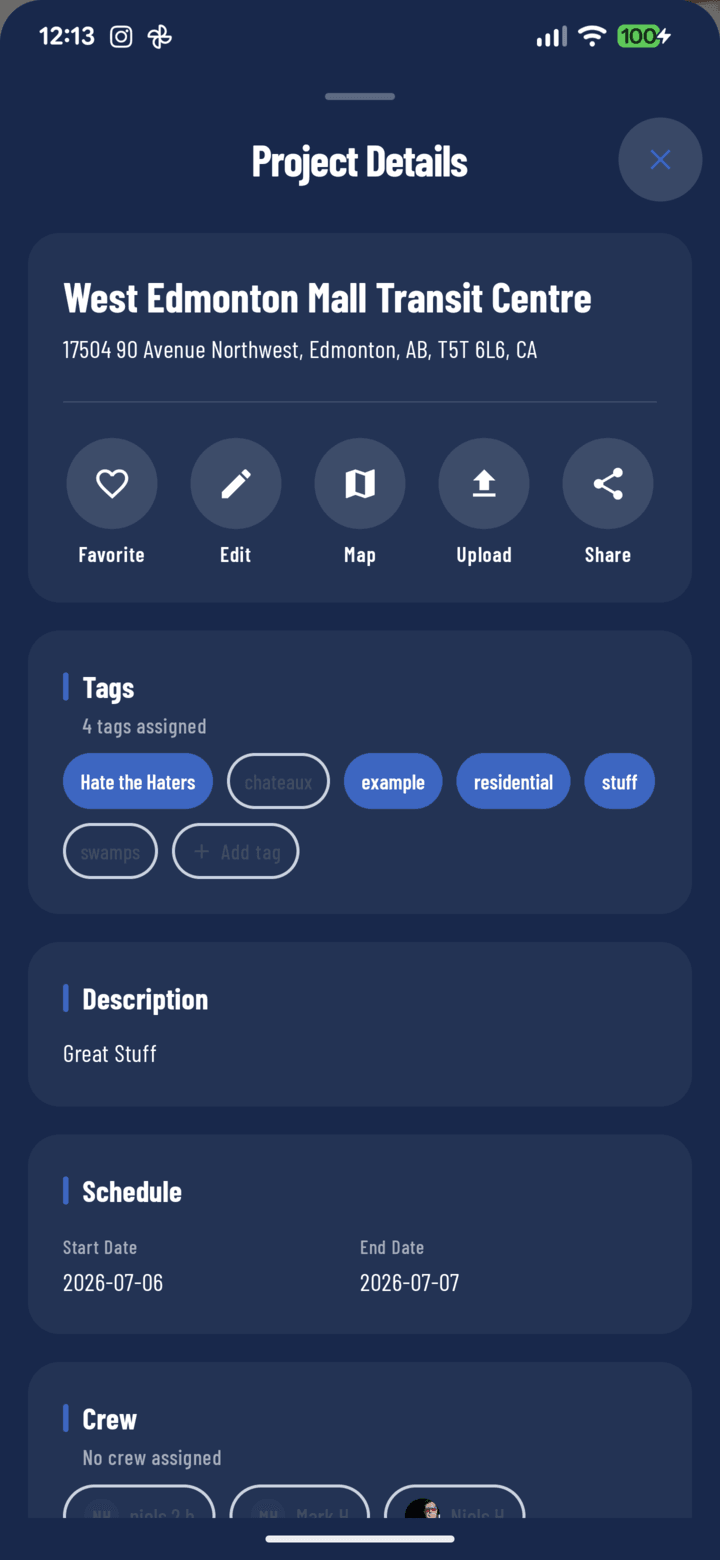
Favorite is the first action button in the details sheet
Two Ways to Favorite
- From any project card (Home carousel or Projects list): tap the bookmark icon on the card — no need to open the project.
- From inside the project: tap the Details pill, then the Favorite toggle in the action row.
Tap again to unfavorite either way.
Using Your Favorites
- Tap the Favorites filter chip on Home or the Projects tab — only your bookmarked jobs show.
- Make it your default: Profile → Default Settings → Default project view → Favorites — the app opens straight to your shortlist every time.
When to Use It
Favorites are personal (your bookmarks, not the company's), so use them for this week's jobs: the three sites you're actively rotating through, out of the fifty in the portfolio. Prune as jobs close.
Related
- Use the project details sheet
- FAQ: Projects