
Steps
- Start a comment anywhere comments exist: a project's Comments tab, a photo's comments panel, or a document's comments panel.
- Type @ — an autocomplete list of your teammates pops up immediately.
- Keep typing to narrow the list ("@ma" → Maria, Mark), then tap the name. It drops into your comment as a mention.
- Finish the comment and send. You can mention multiple people in one comment — repeat the @ for each.
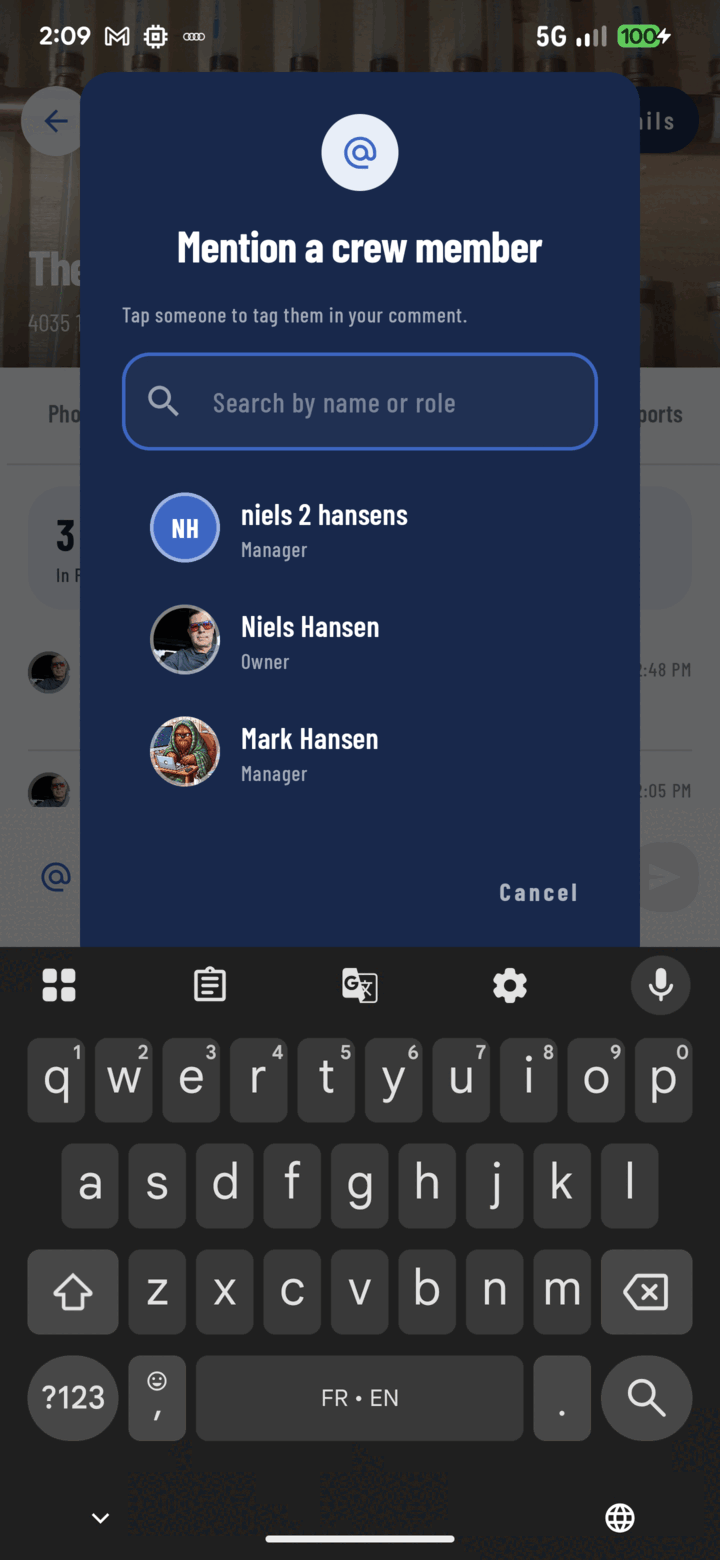
Tap the @ button to open the crew picker, then choose a person to tag them in your comment.
What the Mentioned Person Experiences
- A notification lands in their Mentions tab (the bell icon) with your name and the context.
- Tapping it deep-links to the exact spot — the photo opens with the comments panel up, the document opens to its thread, the project opens on Comments. No hunting.
- Mentions work across languages — your Spanish-speaking crew member gets the notification UI in Spanish.
Mention Etiquette That Keeps Crews Sane
- Mention the person who needs to act or answer — not the whole roster.
- Pair the mention with the context surface: mention on the photo of the problem, not in a general project comment pointing at it.
- If it's really a work item with a deadline, make it a task — assignment beats mention for accountability.
Offline
Mentions queue with their comments — written offline, they post and notify when connectivity returns.