
One at a Time
Tap the notification — it opens the related item (photo, task, project) and the unread dot clears. Reading is marking.
A Selected Batch
- Open the bell → pick the tab.
- Tap the checkboxes on the notifications to clear.
- Tap Mark selected.
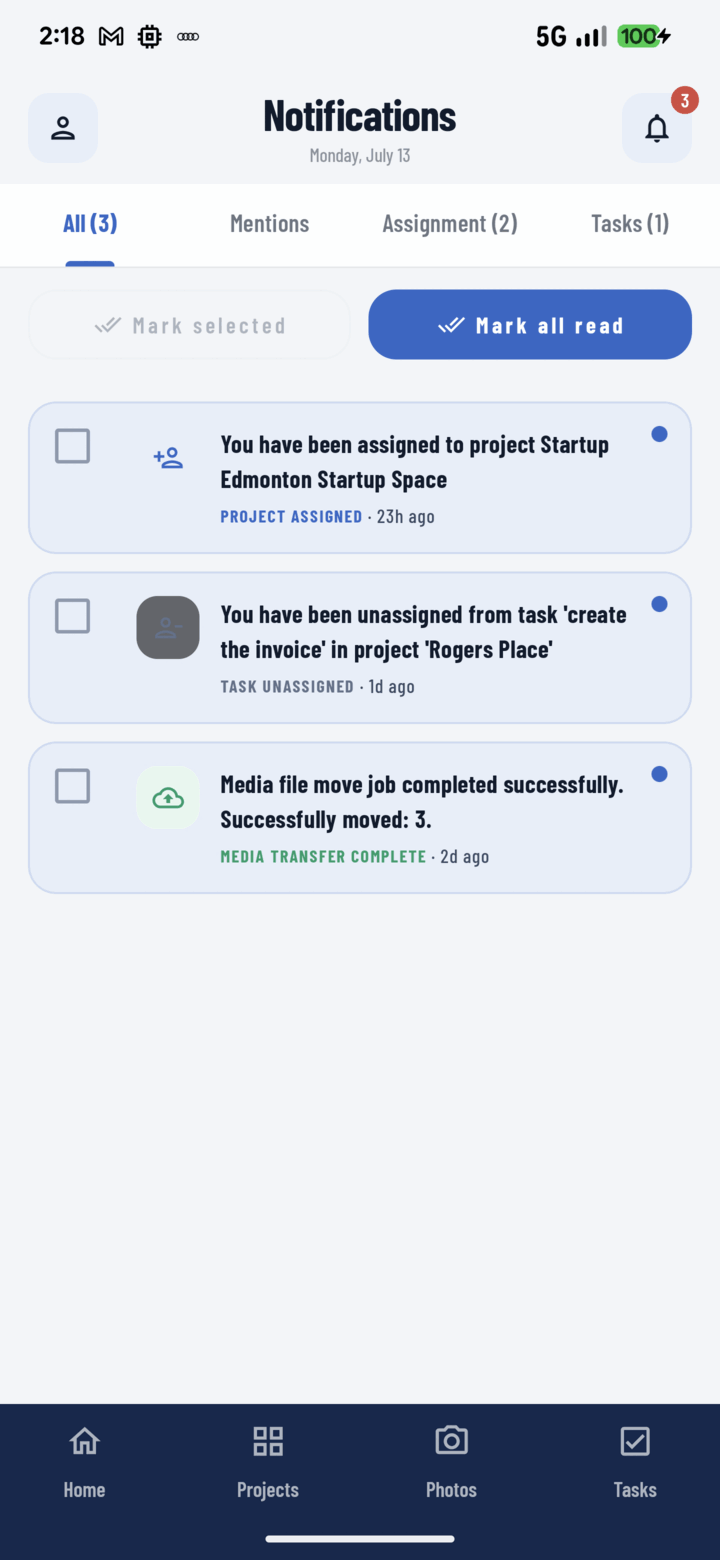
Use the checkboxes with Mark selected, or tap Mark all read to clear the unread badge at once.
Use this when a few items need no follow-up but others should stay unread as your to-do markers.
A Whole Tab
Tap Mark all — every notification in the current tab clears. Do it per tab: clear All after a vacation, but leave Mentions until you've actually read them.
The Unread-as-To-Do Pattern
Many crews treat unread notifications as an inbox: handle it → it's read; can't handle it yet → leave it unread. The per-tab counts then double as a "what still needs me" meter — Assignment count = unhandled work, Mentions count = unanswered questions.