
Pick a Period
- Open the Dashboard.
- At the top of the page, click one of the period options: Today, Last 7 Days, Last 30 Days, or Last 90 Days.
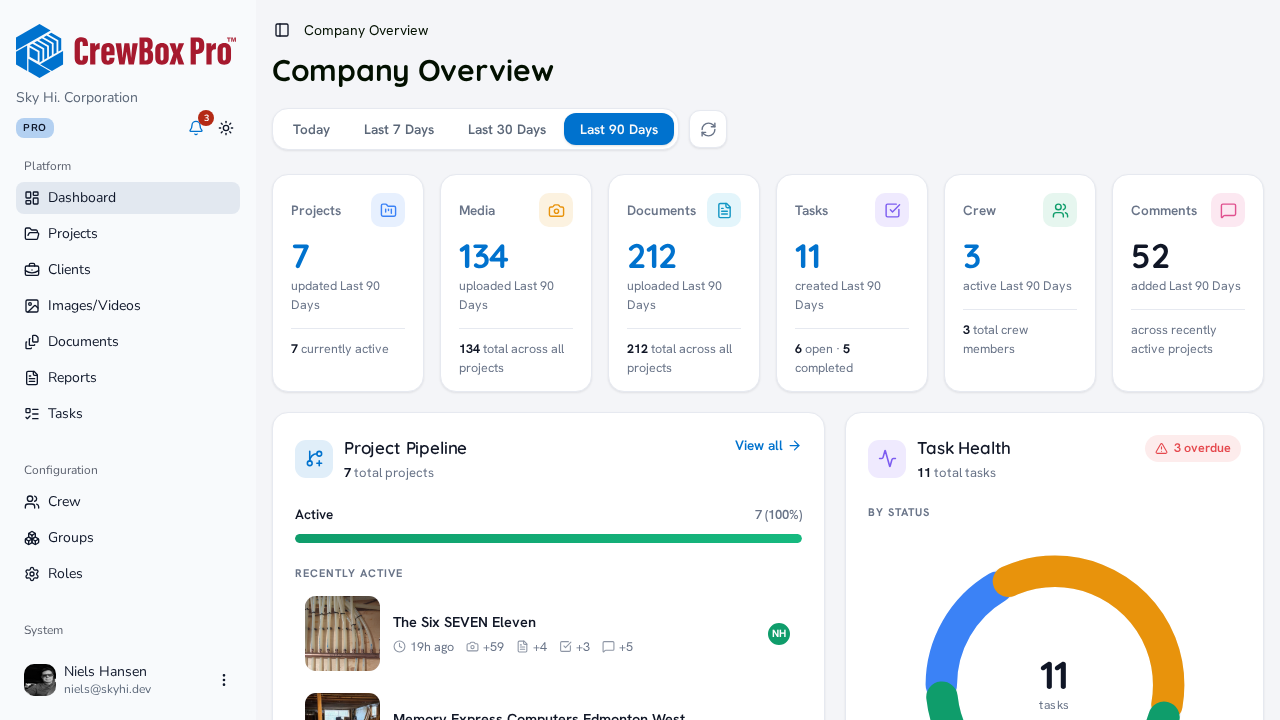
Last 30 Days is the default when you arrive.
What Changes
Every widget on the dashboard rescopes to the period you pick:
- KPI cards — projects updated, photos and documents uploaded, tasks created, and crew active are all counted within the period (the small footer stats stay all-time).
- Project Pipeline — the per-project activity icons (photos, documents, tasks, comments) count period activity.
- Task Health — the footer shows tasks created and completed this period.
- Media & Document Activity — the headline count and the "By project" top five reflect period uploads.
- Crew Overview — members are ranked by activity within the period.
- Upcoming Deadlines — the window follows your choice: tasks due today, or due in the next 7 / 30 / 90 days, with the subtitle updating to match.
Refresh the Data
Click the refresh button next to the period filter to re-pull all dashboard data on demand — the icon spins while it reloads.