
Steps
1. Open the Billing page
Go to the Billing page from the sidebar.
2. Review your current plan
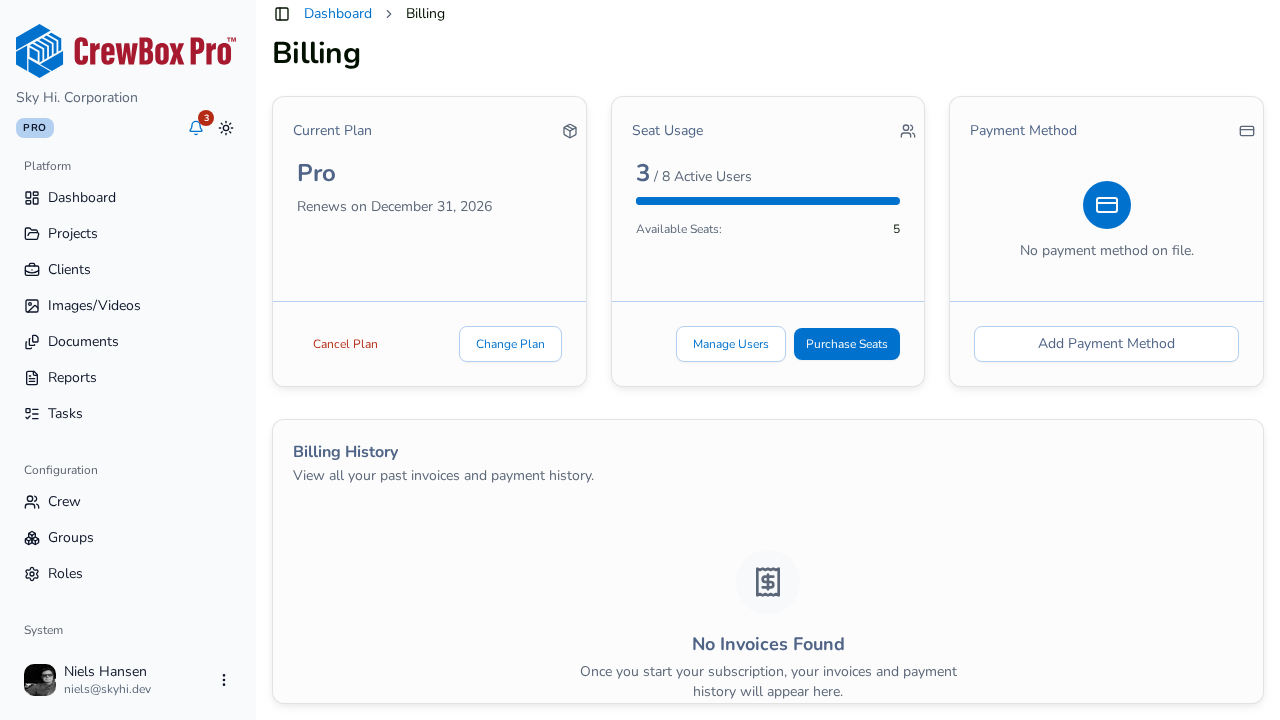
The Current Plan card shows your plan name. If you're on a trial, a Trial badge counts down the days remaining — the alert turns red and urgent when 3 or fewer days are left. Paid plans show the renewal date instead. Click Change Plan to open the Pricing Plans page.
3. Check seat usage
The Seat Usage card shows active users against your total seats with a progress bar, plus available seats and any purchased add-on seats. Two buttons act on it:
- Manage Users — jumps to the Crew Members page.
- Purchase Seats — opens the seat purchase dialog (see the dedicated guide).
4. Review invoice history
The Billing History table lists your invoices with date, invoice number, amount, and status. Use the view action to inspect an invoice and download to save a copy. If you haven't been billed yet, you'll see "No invoices found."
5. Act before the trial ends
If your trial countdown is running low, pick a plan from Change Plan so your crew keeps uninterrupted access.