A contractor task assignment app should do more than send a notification that gets buried under texts, supplier calls, and customer messages. On an active jobsite, an assignment has to tell the crew what needs doing, where it needs doing, when it matters, and what proof needs to come back. If it cannot do that from a phone in a few taps, it becomes another office tool crews work around.
For trade contractors, missed handoffs cost more than time. They create return trips, incomplete punch lists, arguments over scope, delays in billing, and no clean record when a client, insurer, or GC asks what happened. The right task workflow keeps work moving while building a defensible job record as the work is completed.
What a Contractor Task Assignment App Must Handle
Generic task software often assumes people are sitting at desks, reading long comments, and checking a dashboard throughout the day. Field work does not operate that way. A foreman may be moving between units, a technician may be working in a mechanical room with weak signal, and an owner may need a progress update from another site.
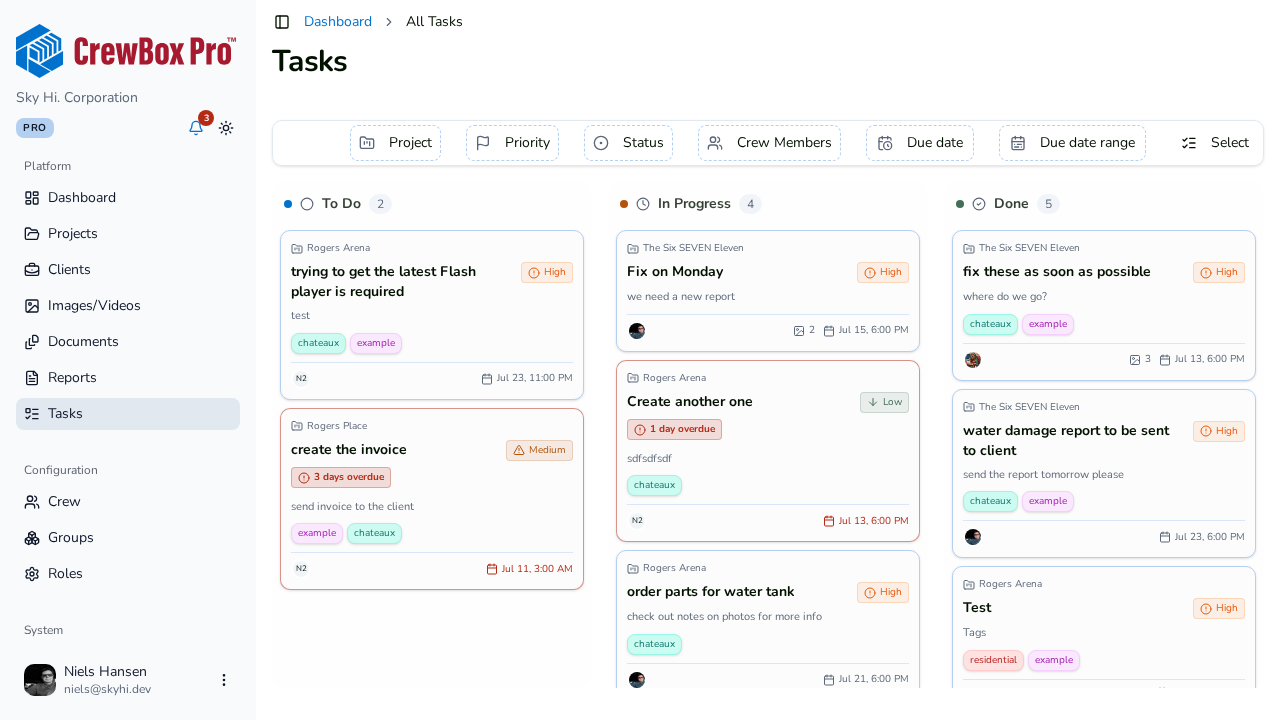
A useful app starts with the actual job. Every task should live inside the right project, with a clear location, an assigned owner, a due date, a priority, and plain-language instructions. "Finish the north elevation" is not enough. "Install flashing at north elevation, photograph each completed section, flag damaged sheathing before covering" gives the crew a usable direction and gives the office a record they can act on.
The best workflows connect the assignment to the evidence. Photos, video, notes, marked-up images, and completion updates should stay attached to the task instead of landing in a separate camera roll, text thread, or email chain. That connection matters when work is inspected, invoiced, questioned, or revisited months later.
Tasks Need Context, Not Just a Checkbox
A checked box only says someone claims the task is done. It does not show what was found, what changed, or whether the work met the expected standard. For construction and renovation teams, task completion should support field verification.
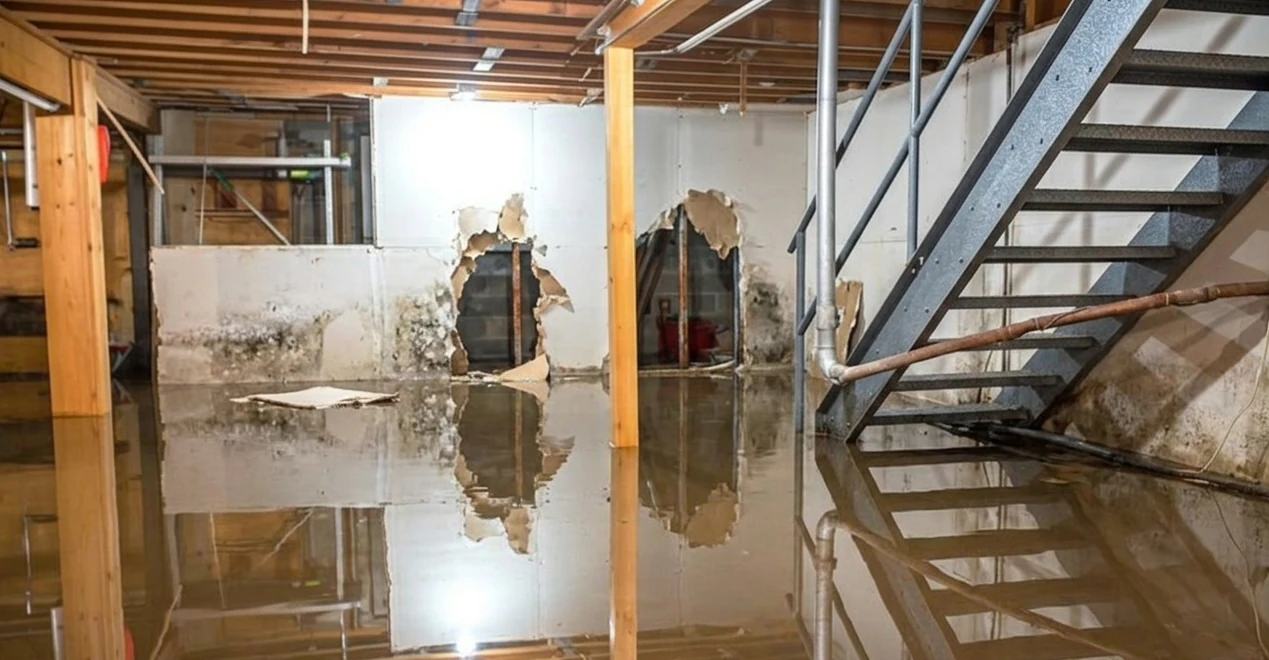
That does not mean making a roofer or plumber fill out a long form for every small action. It means setting the right proof requirement for the risk involved. A routine material pickup may only need a status update. A concealed rough-in, water-damage repair, change-order item, or final cleanup before client walkthrough may need timestamped photos and a note.
The level of documentation should match the stakes. Too little proof leaves the business exposed. Too much required admin slows down productive work. Good task assignment gives managers control without turning every crew member into a data-entry clerk.
Build Assignments Around the Way Work Actually Moves
The cleanest task system follows the sequence already happening in the field: identify work, assign it, document it, review it, and close it out. When those steps happen in one mobile workflow, the crew is less likely to skip the record because it is not an extra trip back to the office. (How to create and assign tasks.)
Start With a Specific Scope
Write assignments the way you would explain the work during a morning huddle. Name the area, the expected result, and the condition that must be reported before proceeding. Avoid vague instructions such as "look at leak" or "handle punch list." Those create different interpretations and invite missed work.
A stronger assignment might read: "Unit 204: inspect ceiling stain below bathroom. Capture wide photo, close-up photo, and moisture reading. Do not open ceiling until PM reviews findings." The technician knows the limit of the task. The project manager gets the information needed to make the next call.
Assign One Owner, Even When a Crew Is Involved
Several people may work on the same item, but one person should own the update. Without ownership, every crew member assumes someone else uploaded the photo or marked the work complete. That is how a task looks finished in the field but remains invisible to the office.
Assign the lead technician, foreman, or crew lead as the accountable owner. Other workers can contribute photos or notes, but the owner confirms the task is complete or flags what is blocking it. This is not about blame. It is about giving the office one reliable point of contact.
Make Blockers Easy to Report
A task that cannot move forward is still valuable information. Hidden rot, missing material, failed inspection, customer access issues, and conflicting site conditions all affect schedule and cost. The problem is not that blockers happen. The problem is discovering them after the crew has already left.
Give crews a fast way to flag a stalled task: leave the status short of done, drop a comment with a plain explanation, bump the priority, and attach the photos that show why. A manager can then reassign work, approve extra scope, contact the customer, or schedule a return trip with the facts in hand. This is where a task tool stops being a checklist and starts protecting margin.
Why Photos Belong Inside the Assignment
Job photos have a habit of disappearing when they are needed most. They sit on a former employee's phone, show up in a group text with no project name, or get mixed with hundreds of unrelated images. The photo may exist, but finding it can take longer than the dispute allows.
When a photo is attached to the assigned task - or the task is created straight from the photos that show the problem - it carries its job context with it. GPS tags, timestamps, annotations, and project organization make the record stronger. A manager can see not only that the crew said the repair was complete, but also what the site looked like before, during, and after the work.
That record helps in several directions. It gives clients a clear update without a long phone call. It helps supervisors catch quality concerns before a final walkthrough. It supports payment conversations when a customer questions completed work. And when there is a damage claim or scope dispute, it gives the business more than a memory and a text message.
CrewBox Pro is built around this field-first connection between assigned work and jobsite proof, so crews can capture records as they work instead of sorting them out later.
The Trade-Off: More Control Can Create More Friction
Every contractor wants better accountability. Not every task needs a due date, three photos, and a manager sign-off. Overbuilding the system is one of the fastest ways to lose crew adoption.
Use detailed assignments for work that affects safety, quality, billing, inspections, warranty exposure, or client trust. Use simple tasks for routine internal coordination. A two-person HVAC company may need a lean workflow with clear assignments and photo proof. A remodeling contractor running several occupied-home projects may need location-specific tasks, change documentation, and client-facing reports.
It depends on crew size, trade, project type, and risk. The key is consistency. If crews know exactly when photos are required, what "complete" means, and how to report a blocker, they can use the system without stopping work to guess.
What Managers, Crews, and Owners Each Need
Field crews need speed. They should be able to open a task, see the instructions, capture proof, and move on. Offline capability matters where basements, rural sites, concrete structures, and mechanical spaces kill a signal. Work should not be lost because Wi-Fi is weak.
Project managers need visibility without constant check-in calls. They need to see what is assigned, underway, blocked, and complete, with enough evidence to make decisions remotely. A good record lets them respond to a problem before it becomes a missed deadline or surprise change order.
Owners need control of the bigger picture. Are crews producing the documentation needed to invoice? Are recurring issues showing up across jobs? Can the business send a professional report when a client asks for proof? Task data should answer those questions without forcing the owner to chase people for screenshots at the end of every week.
Set a Standard Your Crew Can Follow
Before rolling out any task system, establish a few non-negotiable rules. Define what a complete task looks like for each type of work. Decide who owns the update. Set a simple photo standard for high-risk items. Require blockers to be reported before the crew leaves the site when possible.
Then keep the language direct. Crews should not need training in project-management theory to understand an assignment. They need to know the work, the location, the deadline, and the proof required. If the workflow makes that clear, adoption becomes far easier.
The next time a crew finishes a job-critical task, ask one question: could you prove the work, the condition, and the timing in under two minutes? If the answer is no, the assignment is not fully complete yet.
Put Your Task List to Work With CrewBox Pro
CrewBox Pro turns this workflow into something your crew can run from a phone: create a task from the photos that show the problem, assign it an owner, a priority, and a due date, and watch the proof come back attached to the job - even from sites with no signal. Sign up for CrewBox Pro and give your next punch list an owner, a deadline, and a record that holds up.