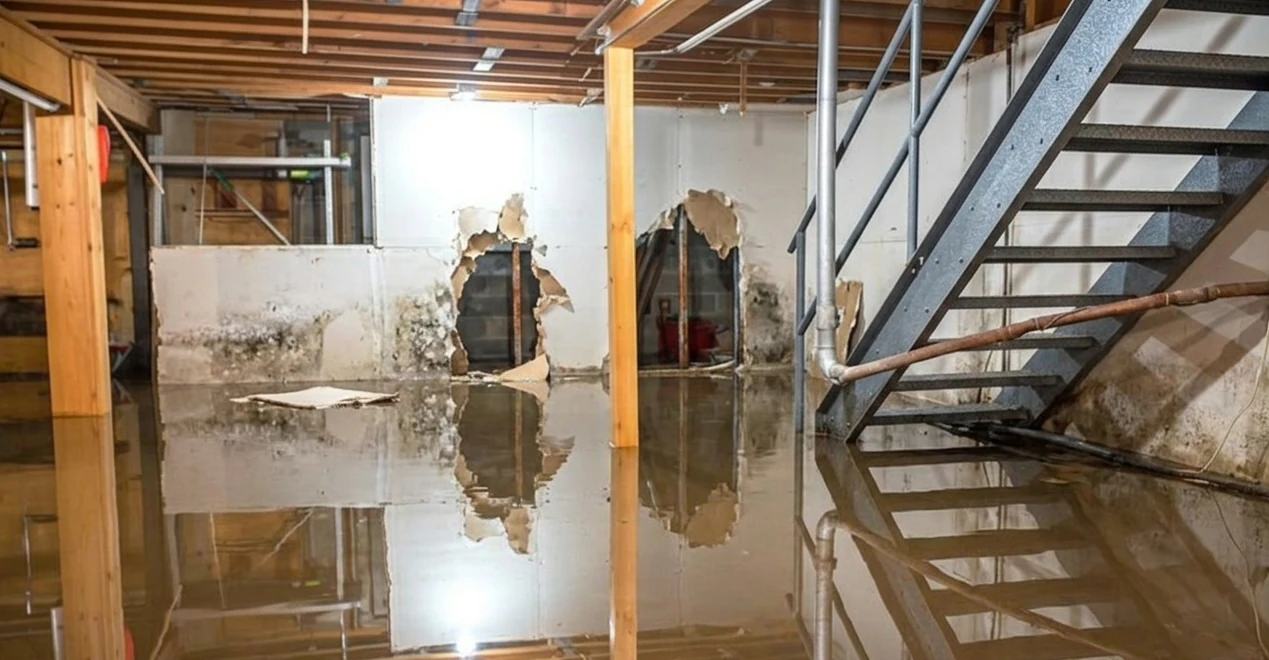
A change order should not start when someone in the office writes an invoice. It starts the moment the scope changes in the field. Knowing how to document change orders at that moment protects your crew from doing unpaid work, protects your margin from vague promises, and gives the client a clear record of what they approved.
On a renovation or active construction site, changes happen fast. The homeowner opens a wall and finds rot. The inspector requires a correction. A commercial tenant asks for an extra circuit, another drain, or a revised finish. The work may be necessary, but necessary does not always mean included in the original contract.
The rule is simple: capture the condition, define the added work, get authorization, and keep the proof tied to the job. If any one of those pieces is missing, a routine change can turn into a payment dispute.
Document Change Orders Before Work Begins
The strongest change order is the one approved before the crew starts added work. That is not always possible. Emergencies, safety issues, concealed conditions, and inspector directives can force immediate action. But even then, the documentation needs to begin before the evidence disappears.
When a field lead sees a scope change, stop and record what changed. Take wide photos that show the location, then close-ups that show the condition. Add a short note in plain language: what was found, why it is outside the original scope, and what work is required to move forward.
For example, do not write, "Additional framing needed." Write, "Removed damaged sheathing at rear dormer. Found three rotted rafter tails behind existing trim. Original scope included sheathing replacement only. Added work required: remove affected trim, sister three rafter tails, install blocking, and replace trim material."
That note gives the office, client, adjuster, or attorney something useful. It identifies the condition, separates it from the base scope, and explains the proposed fix.
Build Every Change Order Around Proof
A change order is not just a price sheet. It is a project record that answers the questions people ask when money is on the line: What happened? When did it happen? Where was it found? Who requested it? What did the contractor do? What did it cost?
Start with the original scope
Reference the original contract, estimate, work order, or drawing revision. State exactly what is changing. If the client requested an upgrade, identify the original selection and the replacement selection. If concealed damage was found, state that the condition was not visible during estimating and was not included in the agreed scope.
Avoid broad language such as "extra work as needed." Broad language creates broad arguments. Use quantities, locations, materials, labor activities, and exclusions whenever the job allows it.
Capture the site condition
Photos and video make the change real. They are especially valuable for hidden conditions that will be covered up within hours. Capture the issue before demolition continues or repairs begin. If a photo needs context, annotate it with an arrow, circle, or brief label.
Time-stamped, location-tagged photos are stronger than an unorganized camera roll. A photo with no job name, date, or explanation can still help, but it leaves room for someone to question where and when it was taken. Organized photo documentation closes that gap by recording the time, date, GPS location, and photographer on every capture and filing it under the right project automatically.
Show the cost and schedule impact
A proper change order should state the added price or the method used to calculate it. Fixed pricing is cleanest when the scope is known. For uncertain conditions, a time-and-materials authorization may be the better move, but it must identify labor rates, material markup if applicable, equipment charges, not-to-exceed limits, and how daily tickets will be approved.
Also state the schedule impact. Some changes take two labor hours. Others delay inspections, require special-order material, or push other trades. If the client wants the work completed without a schedule extension, document that the request may create additional acceleration costs or limits on sequencing.
Get the right approval
An approval needs to come from someone authorized to approve it. On residential work, that is usually the owner or a person specifically named in the contract. On commercial work, a superintendent may have authority to direct field work but not authorize added cost. A tenant representative may request a change but lack authority to bind the owner.
Know the chain of command before the job gets busy. Your contract should identify who can approve changes and what form of approval is acceptable. A signed change order is best. A clear approval by email, text, or project platform can be usable, depending on the contract and local law, but it is weaker than a signed document and should be preserved with the job record. Once you have the signed form back, upload it to the project so the authorization lives next to the photos that justified it instead of in an inbox.
Do not treat silence as approval. Do not rely on a verbal "go ahead" without immediately confirming it in writing.
A Field Workflow That Does Not Slow the Crew Down
The process has to work while crews are wearing gloves, moving materials, and dealing with a live jobsite. If it takes twenty minutes and three phone calls to report a change, people will skip it. Build a short field workflow instead.
First, the crew lead captures before photos, a short video where the condition is hard to show in a still, and a written note describing what was found. Second, the lead flags the issue to the project manager with the job name and exact location. Third, the project manager turns that field information into a priced change order and sends it to the authorized client contact. Fourth, the crew receives a clear instruction: approved, proceed under time and materials, or hold.
That last instruction matters. Crews should never have to guess whether extra work is billable. Carry the change as a task with photos attached and move it through To Do, In Progress, and Done as the work advances. Add a shared tag such as pending-approval, approved, or directed-TM so anyone can filter the job and see which extras are cleared to build and which are on hold. Tags use one company-wide vocabulary, so "approved" never splits into three spellings across five crews.
CrewBox supports this workflow by keeping jobsite photos, videos, annotations, notes, tags, tasks, comments, and client-ready reports in one organized project record. The point is not more software. The point is making sure the proof captured in the field does not get lost in personal phones, text threads, and personal cloud folders.
It also has to work where the change is discovered. Basement rough-ins, mechanical rooms, and attics are exactly the places with concealed conditions and no signal. Offline mode lets the crew capture photos, notes, and comments with zero connectivity and syncs everything into the project automatically once they are back in range — which is why plumbing crews and electricians tend to document the extra before they ever climb back out.
When You Must Proceed Before Formal Approval
Sometimes stopping is not responsible. A leaking pipe, an unsafe structure, active water intrusion, or a code-related hazard may require immediate work. In those cases, document why delay was not practical and notify the client or their representative right away.
Use a field directive or emergency authorization record that includes the date, time, condition, person notified, instructions received, and the work required to stabilize the site. Take photos before, during, and after the emergency work. Track labor, materials, equipment, and subcontractor costs daily in whatever system you use for job costing.
This does not eliminate the need for a formal change order afterward. It creates a defensible bridge between the emergency decision and the final pricing. The faster you convert that record into a written change order, the better.
Keep Daily Records Until the Change Is Closed
Approval is not the finish line. You still need proof that the added work was performed as described.
Log the crew members on the work, hours spent, materials installed, equipment used, and any inspection or client walkthrough connected to the change. Take completion photos from angles that make the finished work easy to identify. If the change involves work that will be concealed, document each stage before it is covered.
Then connect the completed change order to billing. The invoice should use the same change order number, description, and approved amount. When the client sees one description on the authorization, a different description on the invoice, and unrelated photos in the project folder, payment gets slower. Consistent records make approval easier because they tell one clear story. Pulling the approved and completed photos into a single labeled PDF report — with your logo, a cover page, section headings, and captions under each image — gives the client something they can read in two minutes and approve, instead of a folder they have to interpret.
Common Change Order Mistakes That Cost Contractors Money
The biggest mistake is doing the work first and trying to negotiate later. A close second is relying on a conversation that was never documented. Those mistakes often come from wanting to keep the job moving or maintain a good relationship. But unpaid extra work damages both the relationship and the business.
Other costly errors include combining multiple changes into one vague document, failing to identify schedule impacts, using photos with no notes, and allowing unauthorized site contacts to direct billable work. Another problem is burying changes in daily logs without issuing a separate authorization. A daily report proves activity. It does not always prove agreement on price.
There are exceptions. Long-term commercial projects may use field work directives, construction change directives, allowance logs, or owner-issued revisions before final pricing is settled. Insurance restoration work may require carrier approvals and estimate supplements. Follow the contract and project requirements. The record still needs the same backbone: condition, scope, cost basis, authorization, and proof of completion.
Make the Record Easy to Find Six Months Later
A change order only protects you if you can produce it quickly. Use a consistent naming system that includes the project name, change order number, date, and short description. Keep the signed authorization, supporting photos, pricing backup, daily logs, messages, and completion evidence together.
When a client asks why a bill increased, you should not be searching through old texts at night. Filtering by tag, date range, crew member, or free-text search should put the whole change back on screen in seconds — the condition discovered, the work authorized, the people involved, and the finished result. That level of control does more than defend a dispute. It shows clients that your company runs a tight job.
The next time the scope shifts, do not let the conversation disappear into a phone call. Capture the condition while it is visible, put the added work in writing, and keep every piece of proof attached to the job. That is how a field change stays a paid change.
Why CrewBox Helps You Avoid Change Order Disputes
Most change order disputes are not arguments about construction. They are arguments about evidence — whether the condition really existed, when it was found, who approved the fix, and whether the finished work matches what was authorized. CrewBox is built to remove that argument before it starts.
- The condition is provable. Every photo and video carries its own time, date, GPS location, and photographer, filed automatically under the right project. There is no camera roll to sort and no question about which house it came from.
- The scope is legible. Annotations — arrows, circles, rectangles, and text — point at the exact rot, crack, or conflict, and are stored as a layer rather than burned into the image, so the original photo stays intact.
- The trail is unbroken. Comments with @mentions keep the field-to-office conversation on the photo it refers to, and the signed authorization, plan revision, or client email lives in the same project's Documents.
- Nothing is lost to bad signal. Captures made offline sync into the project as soon as the crew reconnects, so the record is created when the wall is open — not from memory that evening.
- The client sees one clear story. A single branded PDF report presents the before condition, the authorized scope, and the completed work in order, generated on the device and shared or printed in seconds.
CrewBox is a documentation platform, not an estimating or invoicing system. It will not price the change or send the invoice. What it does is make sure that when the price is questioned, you can produce the proof faster than anyone can dispute it.
Get Started with CrewBox
Plans scale with crew size, and annual billing saves 20%:
- Free — $0/month. Try the core capture, task, and reporting workflow on a limited number of projects.
- Solo — $35/month. For individual contractors and solo operators.
- Starter — $99/month. Unlimited projects for small crews, with additional user seats at $28/month.
- Pro — $199/month. Unlimited projects and unlimited storage for growing companies, with additional seats at $24/month.
See full CrewBox pricing for the complete feature comparison, or sign up and get your whole crew on CrewBox free for 30 days — no credit card required. The next scope change on your jobsite is the one worth documenting properly.