
Jobsite photo documentation that runs itself
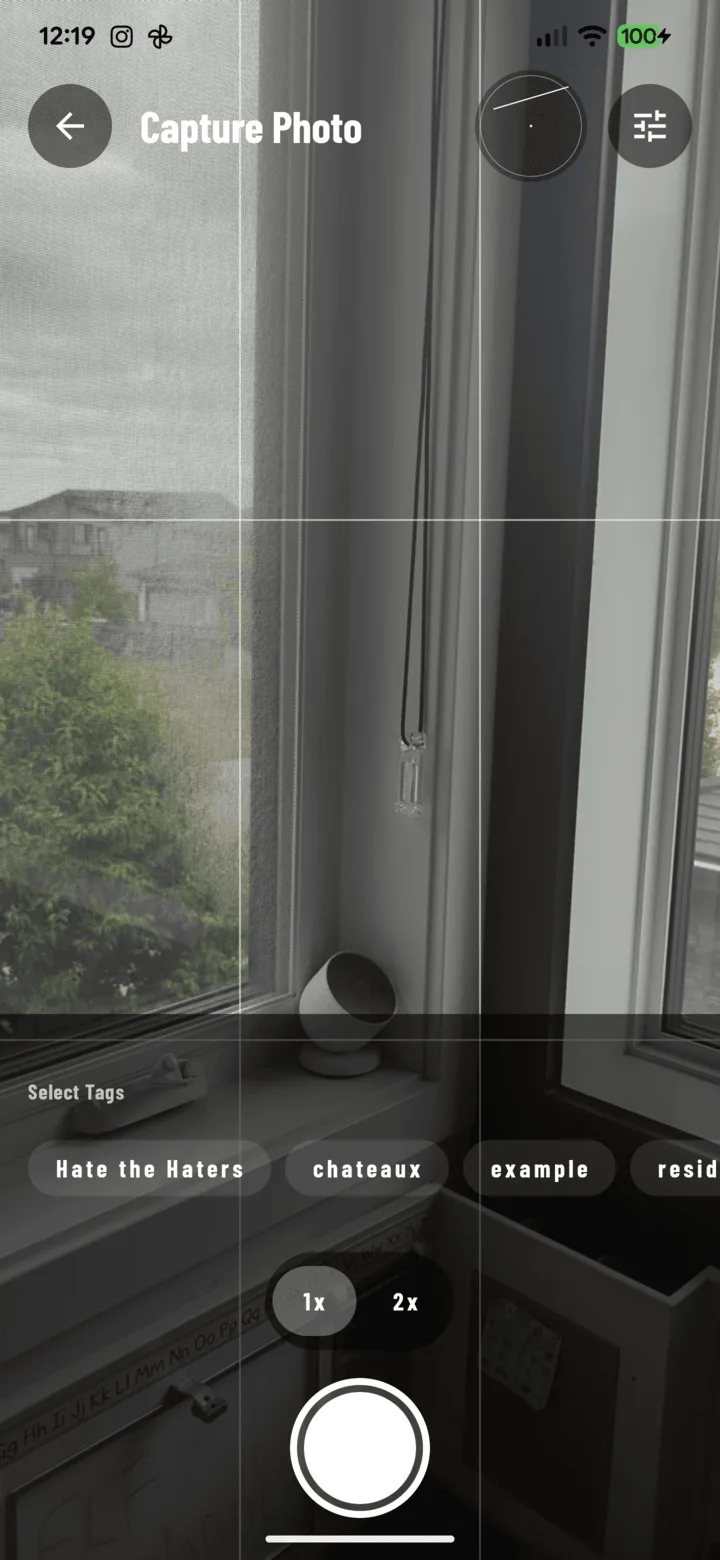
Good jobsite photo documentation is a habit. CrewBox makes it an easy one: open the camera, tag it, shoot. Photos go to the right job on their own, so your crew has a simple routine and the office sees the day without calling.
GPS + timestamp on every shot · Works fully offline · 30-day free trial · Free plan
Start Your Free Trial$0 due today · No credit card to start · iOS, Android & web
- ✓ A simple shot list the whole crew can follow
- ✓ Tag photos before you shoot
- ✓ Photos go to the right job on their own
- ✓ Keep shooting with no signal
- ✓ The office checks the day without calling
A photo routine your crew will actually follow
Most photo systems fail because they ask too much of the crew. Keep it to a few habits that fit the workday.
Know what to shoot
Use the same short shot list on every job: arrive, before cover-up, problems, end of day.
Jobsite cameraSkip the file names
No renaming and no folders. Pick a few tags, and photos sort by job, date and tag.
TagsWorks for the whole crew
Shoot with a volume key, even with gloves on. The app runs in English, Spanish and French.
LanguagesOffice sees it the same day
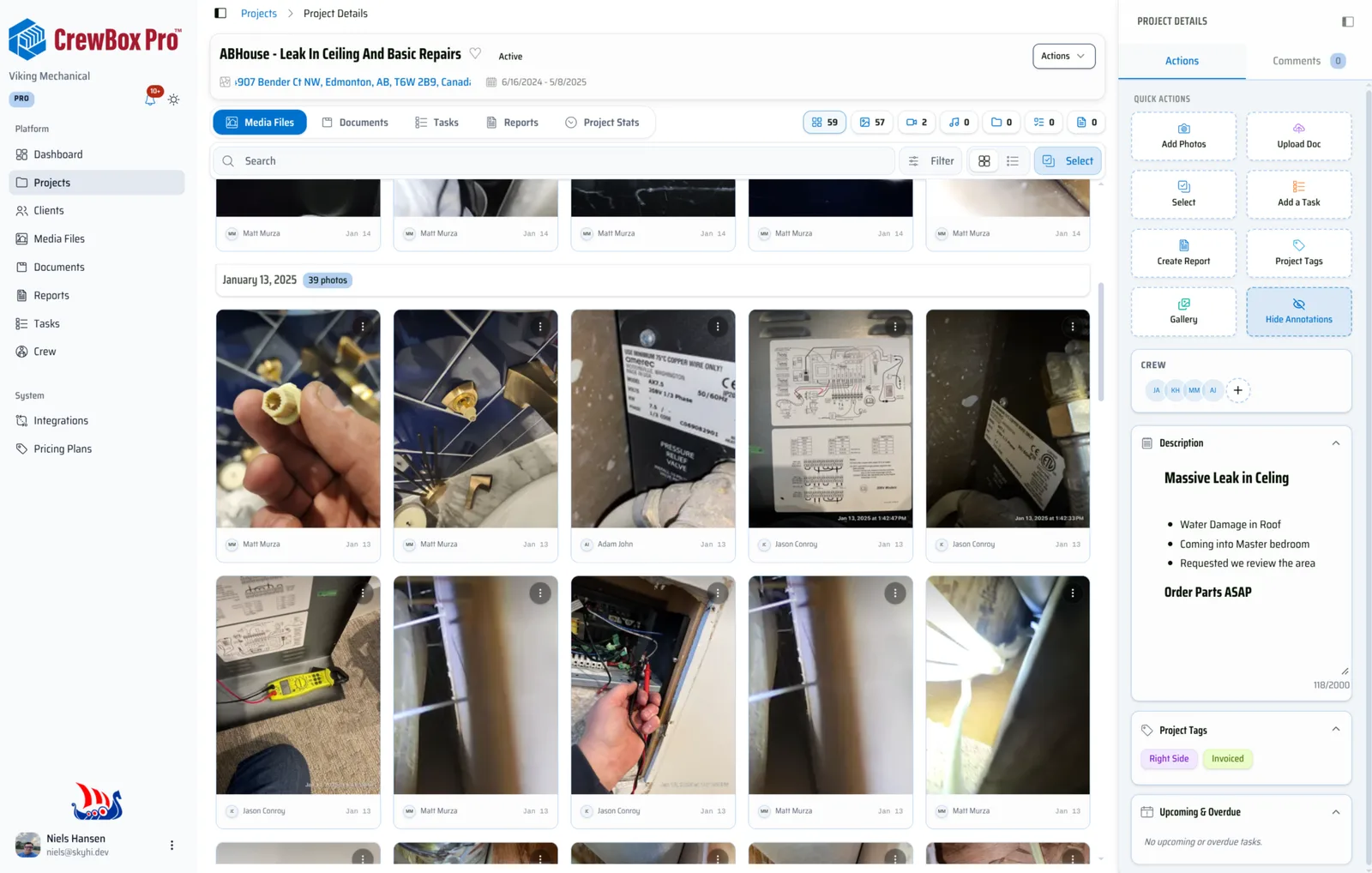
Everyone looks at the same project, so nobody has to text photos around.
ProjectsWhat to shoot on every job, every day
Four moments cover most of what you will ever need to prove.
When you arrive
Wide shots of each side of the site. Get any damage that was already there before you set up.
Before it gets covered
Anything going behind a wall, under a floor or under a roof. Shoot it before it is gone.
When something is wrong
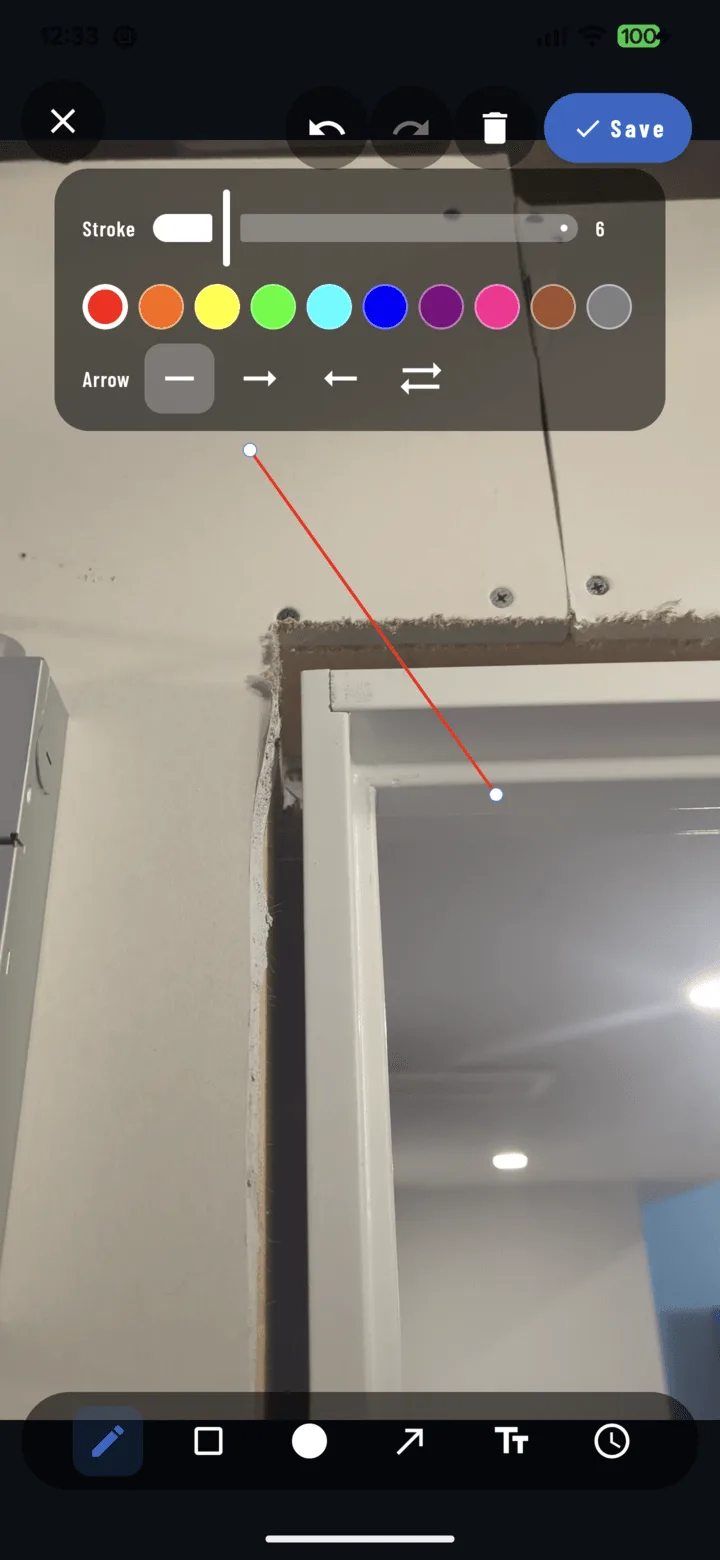
Shoot the problem, mark it up, and turn it into a task so it gets fixed.
Before you leave
The clean site, what got done today, and what is left for tomorrow.
Organize jobsite photos without the busywork
If your plan needs someone to rename files, it won’t last a week. Let the app do the filing.
Pick five to ten tags
Start with stage, trade and area. Examples: rough-in, roof, north side. Add more only when you need them.
Tag before you shoot
Select tags in the camera, and every photo you take carries them.
Fix it in bulk later
Forgot a tag? Select a whole day of photos and tag them all at once.
Find it in seconds
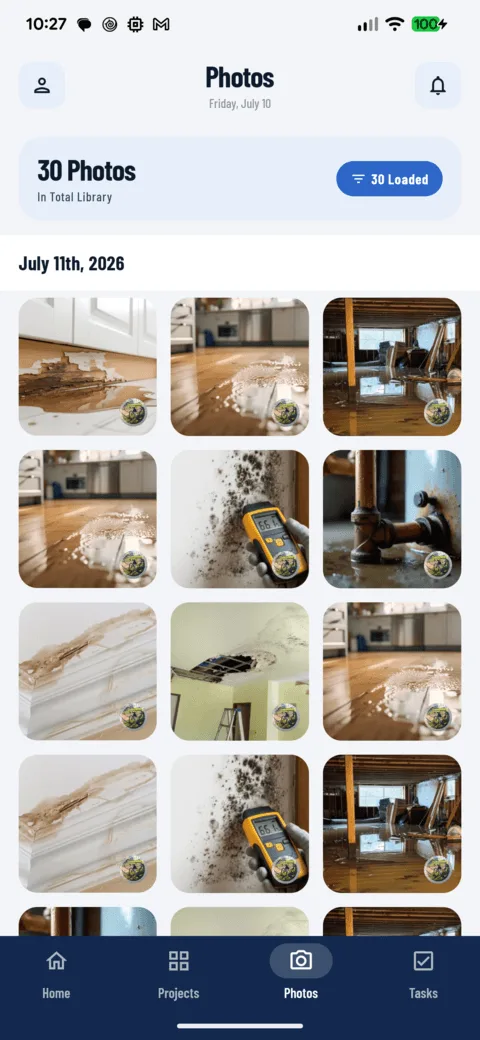
Filter by tag, crew member, date or job, across every project you have run.
Get your crew using it this week
Don’t roll it out to the whole company at once. Start small and show what good looks like.
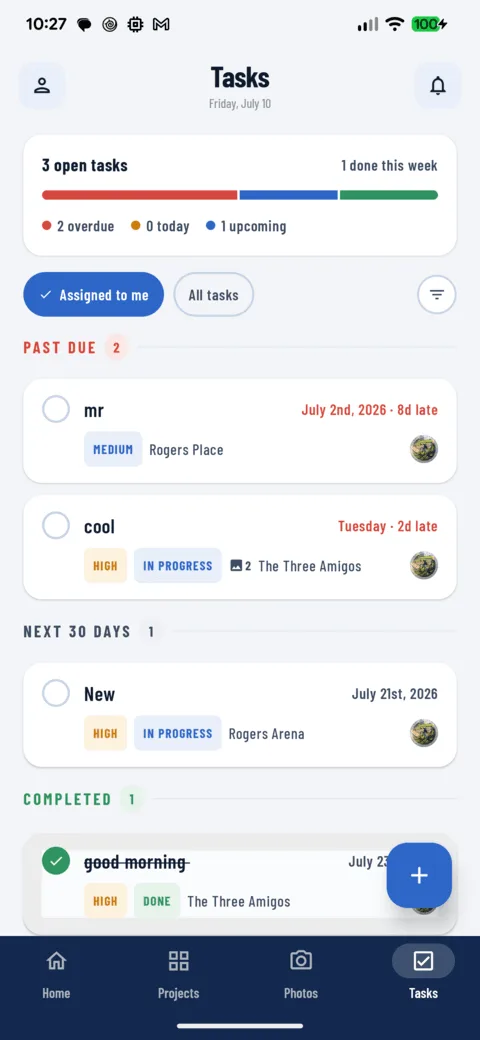
Start on one live job
Put tomorrow’s work in CrewBox and see how the first day goes.
Show one good example
Walk the crew through the shot list on a real job. Five minutes on site beats a training day.
Assign the job, not the app
Add the crew to the project, and it shows up on their phones.
Check in the first week
Look at the photos each day, and comment on what is missing while the crew can still shoot it.
Review the day without calling the crew
Fewer calls for the crew. Fewer surprises for the office.
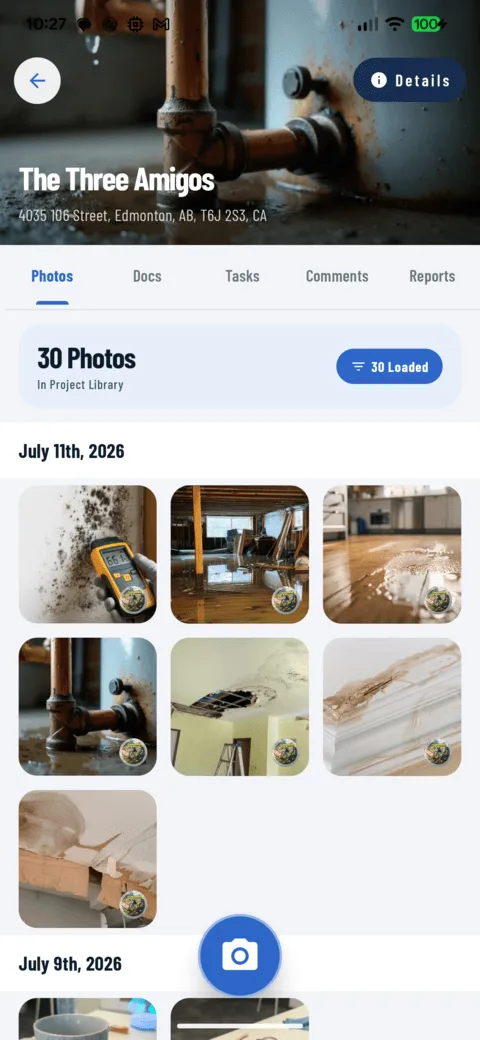
See today’s photos
Open the job and today’s photos are at the top, grouped by date.
Ask on the photo
Comment and @mention a crew member. The answer stays attached to that photo.
Assign the fix
Make a task from a photo, with a due date and a name on it.
Send the update
Select the day’s photos and add them to a report for the client.
“Before CrewBox my guys were texting me photos from four jobs at once and I couldn’t tell which was which. Now every shot lands on the right project on its own. I stopped losing hours hunting for pictures, and the crew stopped burning time standing around.”Adam
Try 30 days free · Free plan · No credit card needed

One place for every jobsite photo, task, and report. Set up in minutes and see the difference on your next job.
- 30 days free
- No credit card to get started
- Up and running in 5 minutes or less
- No sales calls (we promise)
- Free for solo crews
- iPhone, Android & web
Jobsite shot lists by trade
Start with these and add your own. Use them as your first tags too.

Roofers & exteriors
Shoot all four sides of the home, the tear-off, decking, flashing, cleanup and the magnet sweep.
Roofing
Plumbers & pipefitters
Shoot the rough-in, test gauges, shutoffs, fixtures once they are set, and any leak you find.
Plumbing
Electricians
Shoot the open panel, labeled breakers, boxes before cover-up, and conduit runs before they are buried.
Electrical

Landscapers & hardscapers
Shoot the site before work starts, deliveries, grade stakes, each zone, and the final walk.
Landscaping
General contractors
Shoot every room before the job starts, daily progress, each sub’s work, and the punch items.
All crewsStart free, upgrade when the crew grows
Document a real job on the free plan before you decide anything. No card, no trial countdown, nothing to cancel.
Solo
Try out CrewBox features for free.
- 50 Projects
- Just You
- 10 GB of Storage
- Camera, Tags & Annotation
Duo
Great for small partnerships and collaborative duos.
- Unlimited Projects
- 2 Users Included
- Unlimited Storage
- PDF Reports, Tasks & Offline Mode
Starter
Perfect for small crews just getting started.
- Unlimited Projects
- 5 Users Included
- Everything in Duo
- Whole-Crew Shared Record
Pro
For established crews that never want to think about limits.
- Unlimited Projects
- 12 Users Included
- Unlimited Storage
- Premium Support
Annual billing saves roughly 20% on every paid tier. See the full pricing page for annual rates, extra-seat costs, and the AI plan.
Try 30 days free · Free plan · No credit card needed
Jobsite photo documentation, answered
The questions crews ask before they stop relying on the camera roll.
What is jobsite photo documentation?
Why isn’t a phone camera roll enough?
How does CrewBox automate jobsite photo documentation?
Does jobsite photo documentation work without cell signal?
Will the photos hold up in a dispute or insurance claim?
Put jobsite photo documentation to work
Create an account, put one live job in it, and shoot tomorrow's work through CrewBox instead of the camera roll. If the report that comes out beats what you send today, move the crew over.
Not ready yet? Book a demo, see how migration works, or talk to our team.
Keep Reading
Comparisons, free tools and deep dives for crews deciding how to document their work.