
Every client, every job, one directory
Know who the job is for before you pull up to it. CrewBox keeps your clients, their contacts, notes and every project you have done for them in one place.
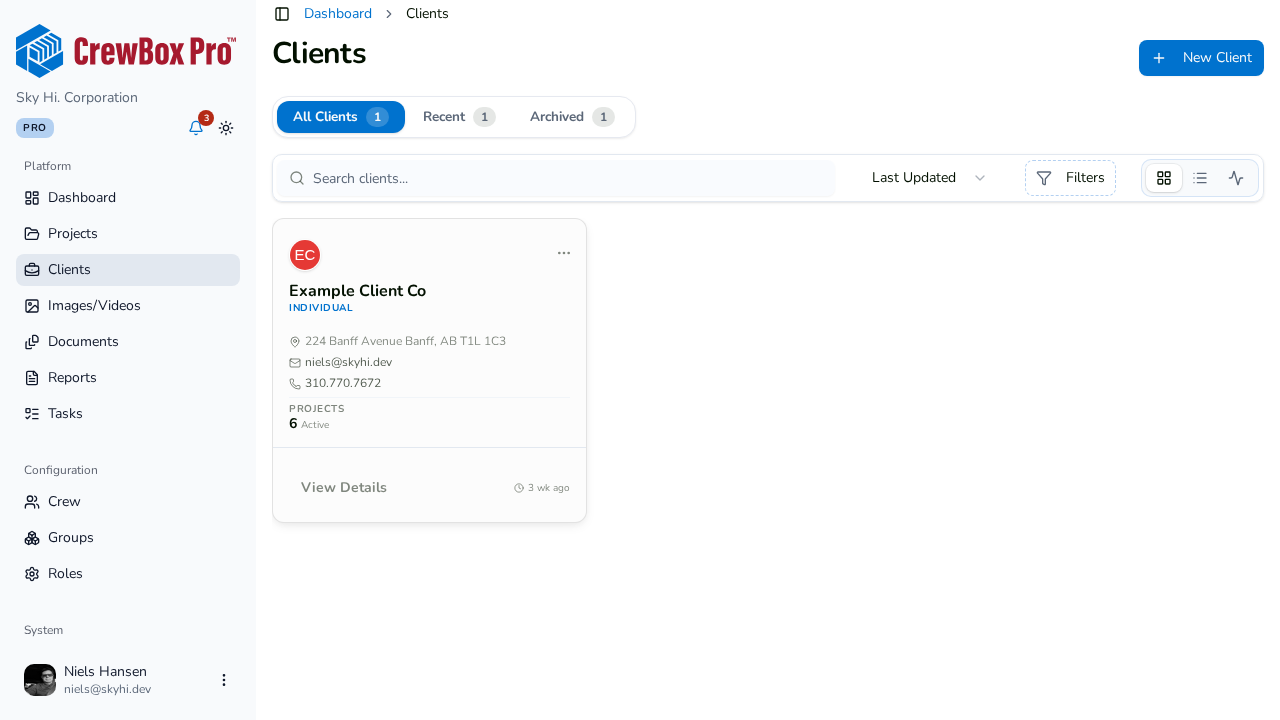
A directory that stays tidy
Search clients, filter by category, switch between grid and list, and archive the ones you are done with — restore them any time.
One click to reach them
Call, email or open the client's address in Google Maps straight from their record.
Notes and projects together
Each client has a notes tab and a projects tab, so the history of every job you've done for them is one click away.
Linked to the work
Link a client to a project from the project header, and their name flows into your reports.
Everything included
- Company, contacts, website and address
- Address autocomplete
- Client categories
- Search, grid and list views
- Archive and restore clients
- Client notes
- Assign projects to a client
- Create a project from a client
Client management lives in the CrewBox web console.

Try CrewBox free
Start your free trial
One place for every jobsite photo, task, and report. Set up in minutes and see the difference on your next job.
- 30 days free
- No credit card to get started
- Up and running in 5 minutes or less
- No sales calls (we promise)
- Free for solo crews
- iPhone, Android & web