
Tag from the Create / Edit Modal
- Open the New Project modal (or open a project's actions menu and click Edit Project).
- In the Tags section, toggle any existing tags on or off.
- Don't see the tag you need? Create a new one inline right in the modal.
- Save the project.
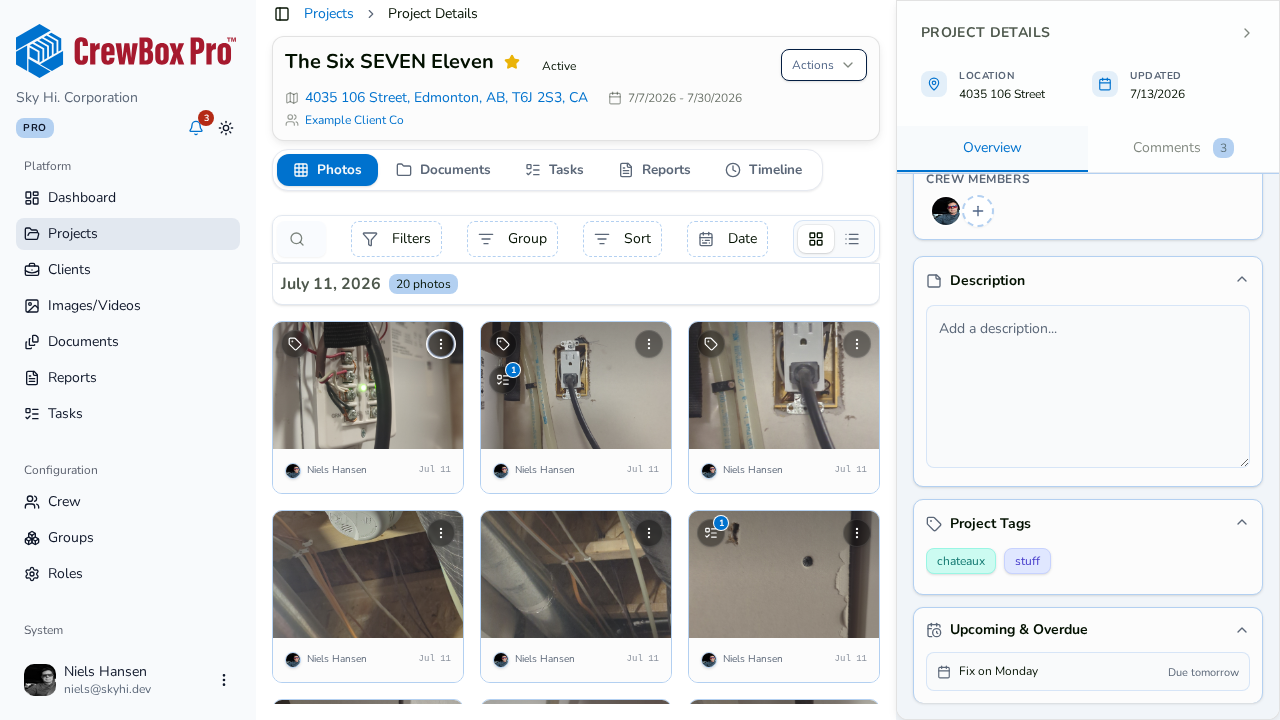
Tag from the Project Sidebar
- Open the project.
- In the right-hand sidebar, expand the Project Tags accordion.
- Open the tag manager. It's search-or-create: type a tag name to find existing tags, or create it on the spot — newly created tags get a New badge.
- The manager is duplicate-aware, so you won't end up with two spellings of the same tag.
Why Tags Matter
- Tags come from one shared company vocabulary, and each tag keeps a consistent color everywhere it appears.
- The Projects page has a multi-select tag filter, so tagged jobs are easy to pull up.
- Tags show on project cards and in the list view, so they're visible at a glance.