
Steps
1. Open the annotation editor
In the photo viewer, click Annotate.
2. Choose the Text tool
Select Text from the toolbar. A text modal opens.
3. Pick one of three modes
The modal has three tabs:
- Text — free-form text, anything you want to say
- Feet-Inches — an imperial measurement label (e.g. a span or clearance)
- Meters-CM — the metric equivalent
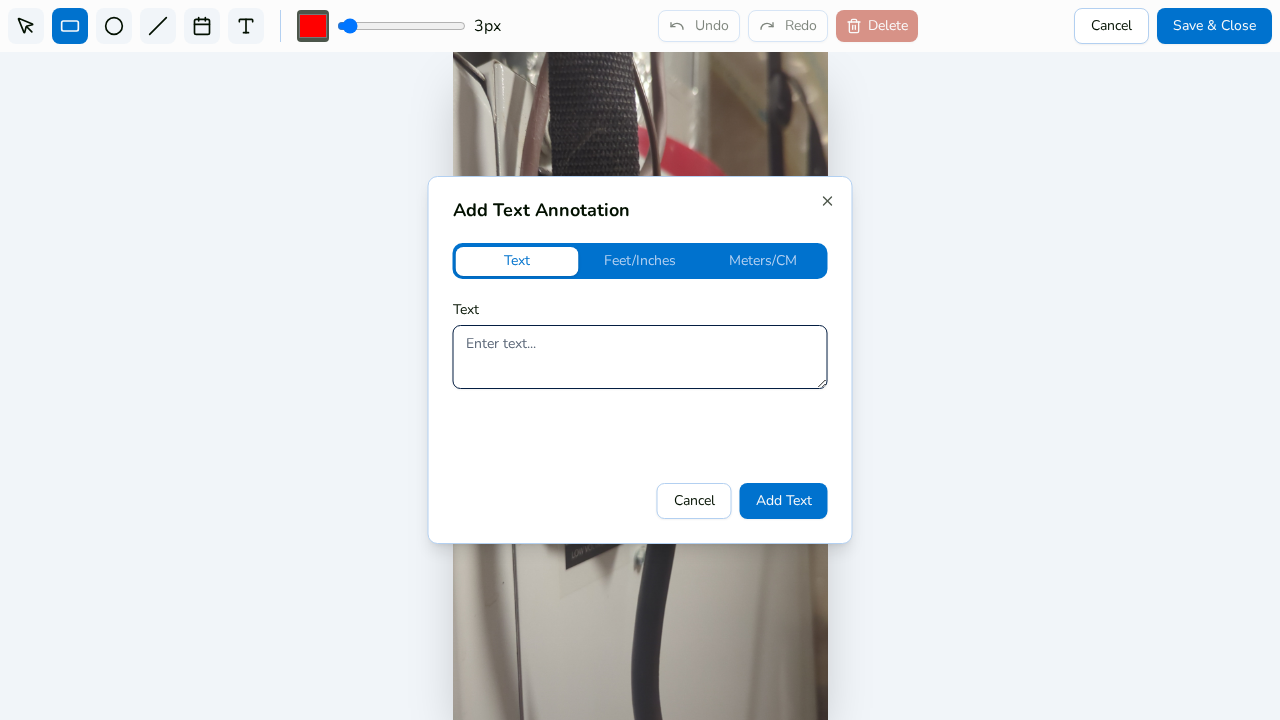
4. Enter the content and place it
Type your text or measurement, confirm, and the label lands on the photo. Use the Select tool to drag it into position, resize it, or rotate it.
5. Edit later with a double-click
Double-click any text annotation to reopen it for editing — no need to delete and retype.
6. Save & Close
Click Save & Close to keep the labels. Like all annotations, text is a non-destructive overlay you can toggle in the viewer.