
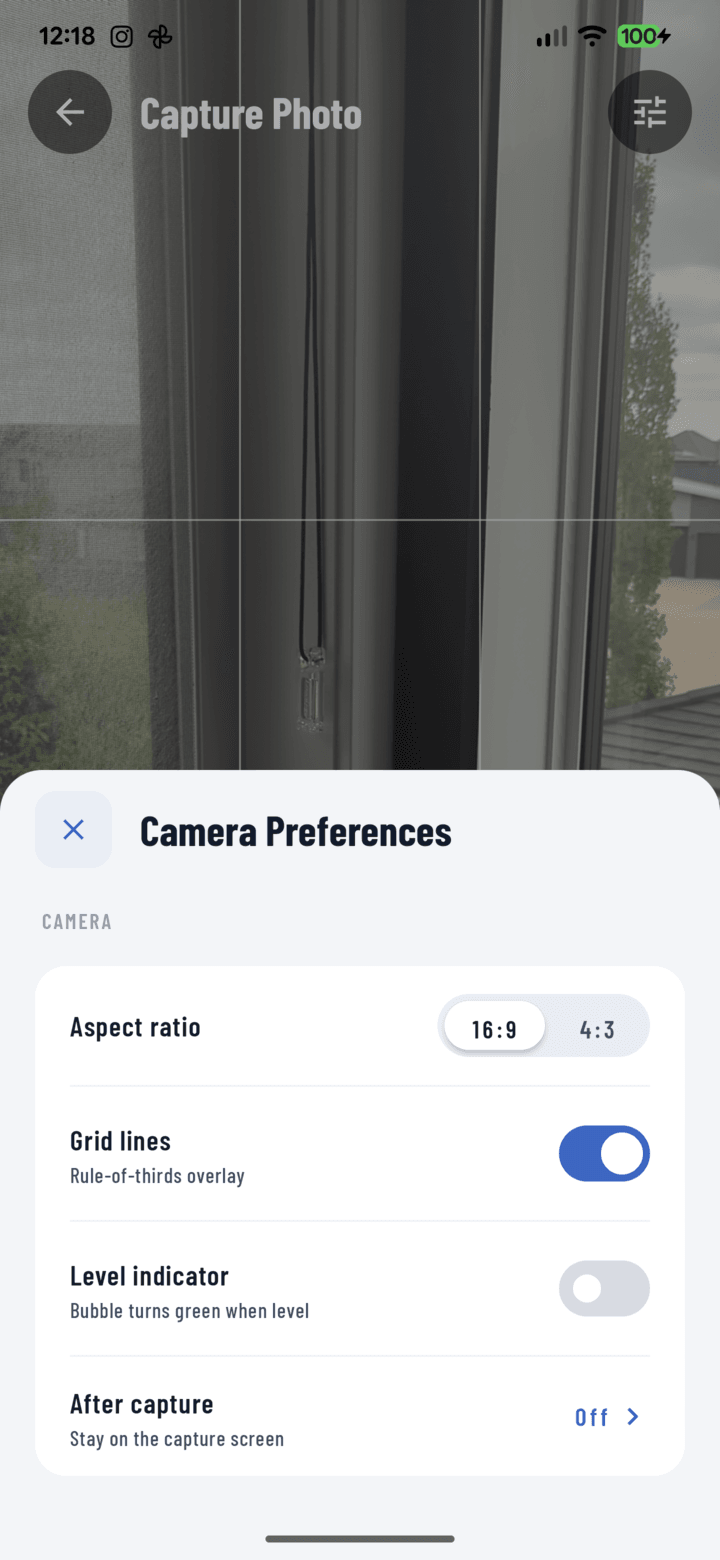
The Grid lines toggle lives in the camera settings sheet.
Steps
- Open the camera (swipe on Home, or a project's camera button).
- Tap the settings control — the camera settings sheet opens.
- Toggle Grid on.
- A rule-of-thirds grid overlays the live preview — it's a framing aid only and never appears in the photo.
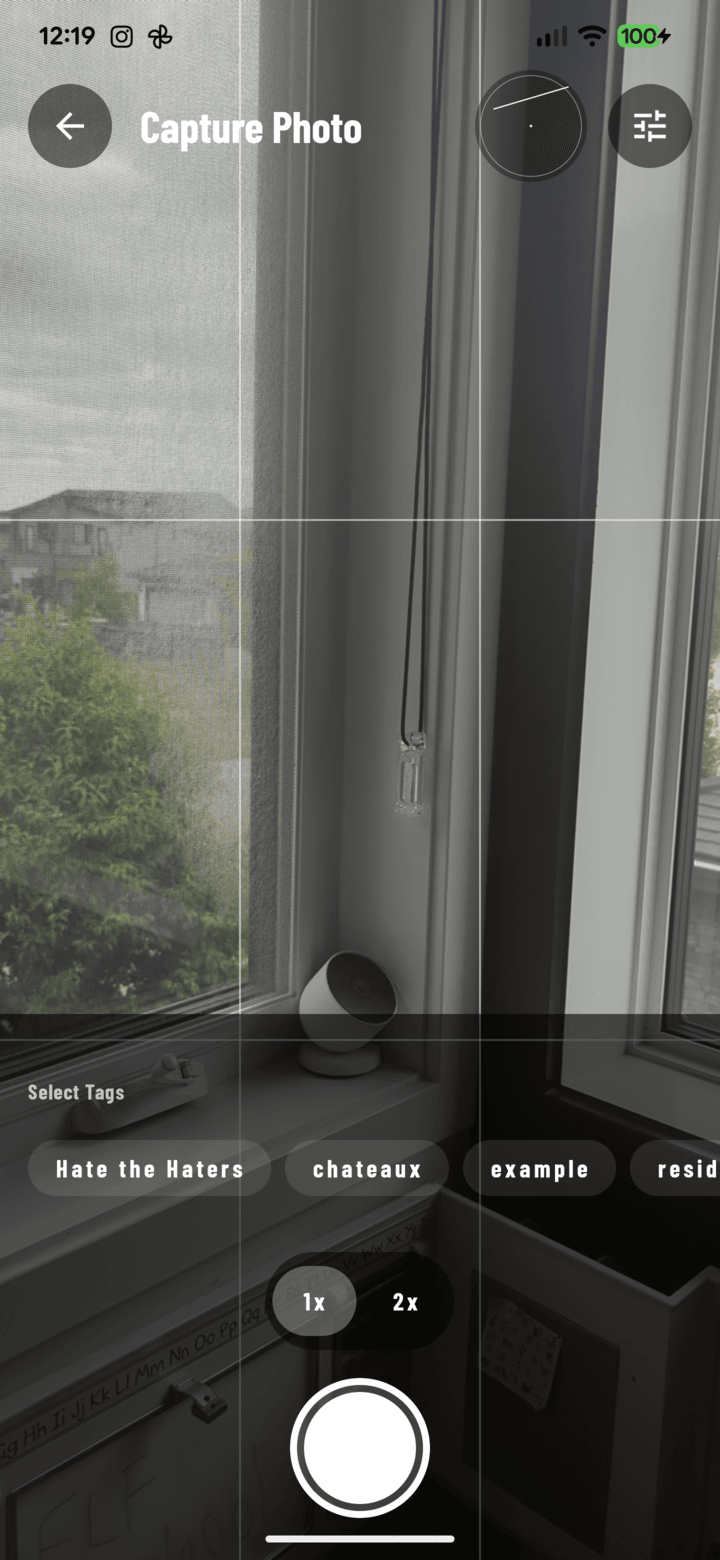
The rule-of-thirds overlay active on the live preview.
Using It Well
- Line horizontals up with the grid lines — rooflines, countertops, foundations read straight.
- Put the subject on an intersection — classic composition without thinking about it.
- Pair with the level indicator: grid handles composition, level handles tilt.
The setting persists — set it once.