
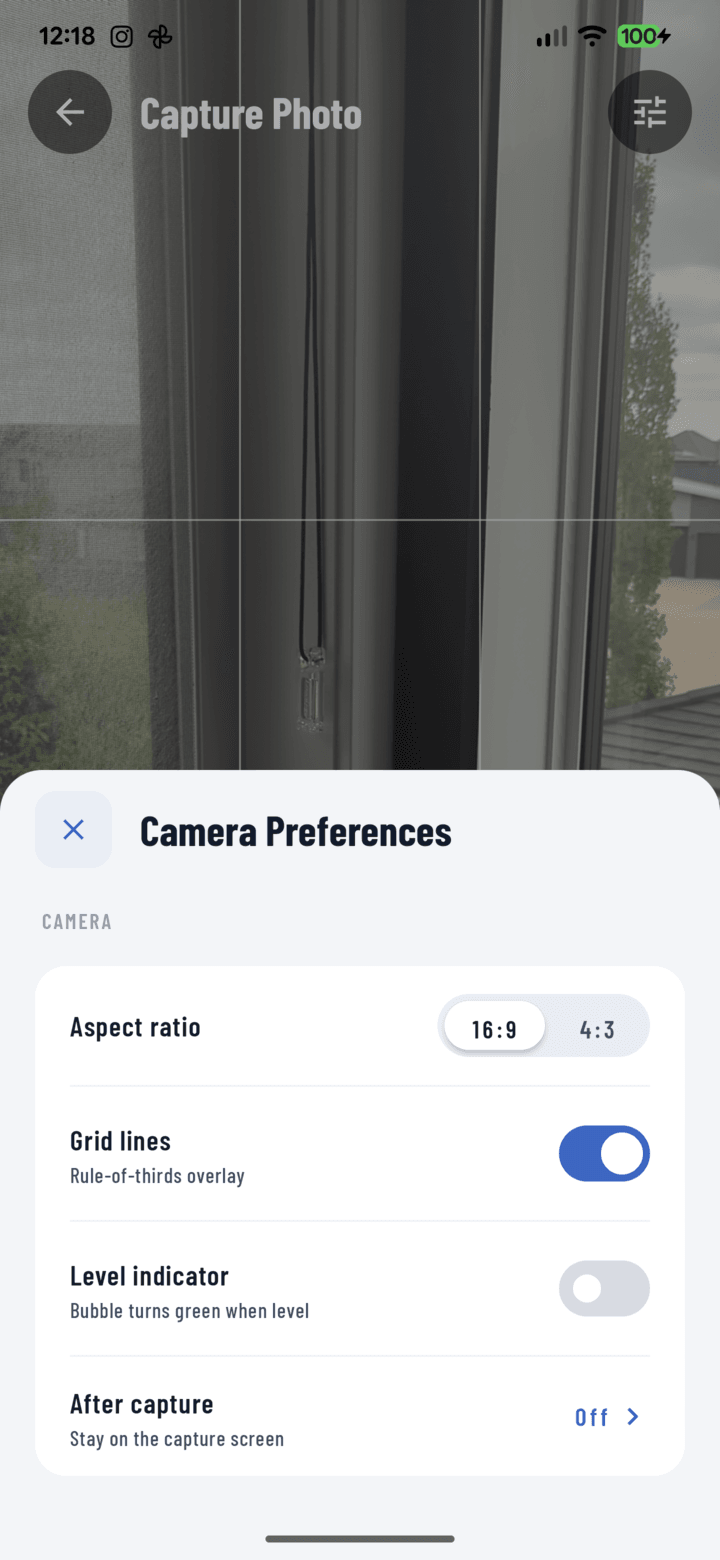
The 16:9 / 4:3 aspect ratio toggle in the camera settings sheet.
Steps
- Open the camera → tap the settings control.
- Under Aspect ratio, pick:
• 16:9 — wide frame
• 4:3 — taller, classic frame - The live preview reshapes immediately; every capture uses the chosen ratio until you change it.
Which to Use
| Ratio | Best for |
|---|---|
| 16:9 | Site overviews, elevations, panorama-ish context shots — more width per frame |
| 4:3 | Detail and close-up work, and photos headed to print or PDF reports — 4:3 fills report layouts and paper with less cropping/letterboxing |
If your photos mostly end up in PDF reports, 4:3 is the safer default.