
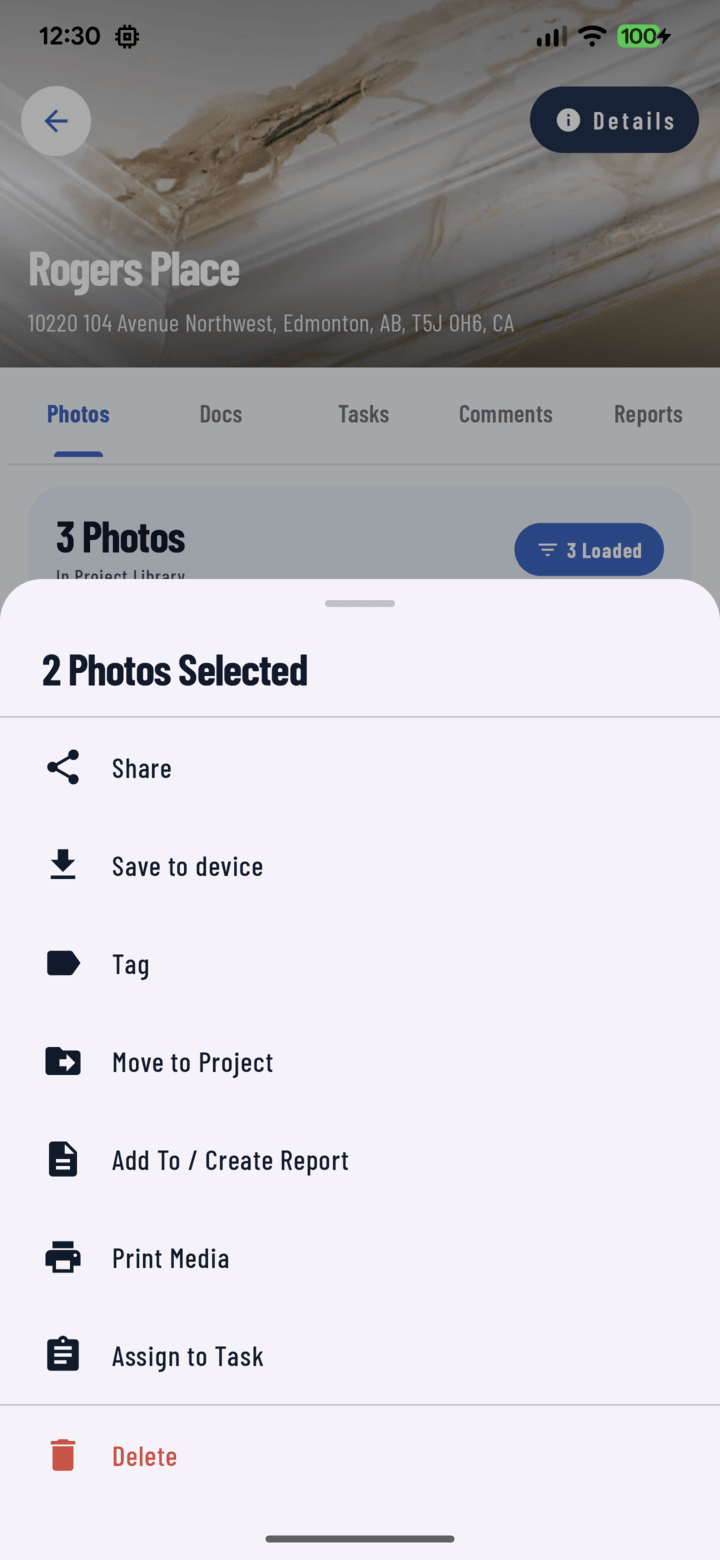
Share to Gallery turns a selection into a web link anyone can open.
A gallery is a web page of your selected photos and videos that anyone with the link can open — no sign-in, no app. Send one link instead of twenty attachments.
Steps
- Open a project's Photos tab (or the main Photos tab), long-press a photo, and select everything you want to share. All items must come from the same project.
- Tap Actions → Share to Gallery. The Share a gallery sheet shows how many items you picked; anything still uploading is left out.
- Choose Create new gallery and give it a Gallery name — or Add to existing gallery to add these items to one you've already shared.
- Under What viewers see, choose whether to show Who, when and where (photographer, date, and location on each item) and Descriptions.
- Under Access, turn on Allow viewers to share (adds X, Facebook, and copy-link buttons to the gallery page) and/or Password protect (at least 4 characters).
- Tap Get link (or Add to gallery). When Your gallery is ready appears, tap Copy link, Share link (any app), Email, Facebook, or X — or View gallery to see what your client will see.
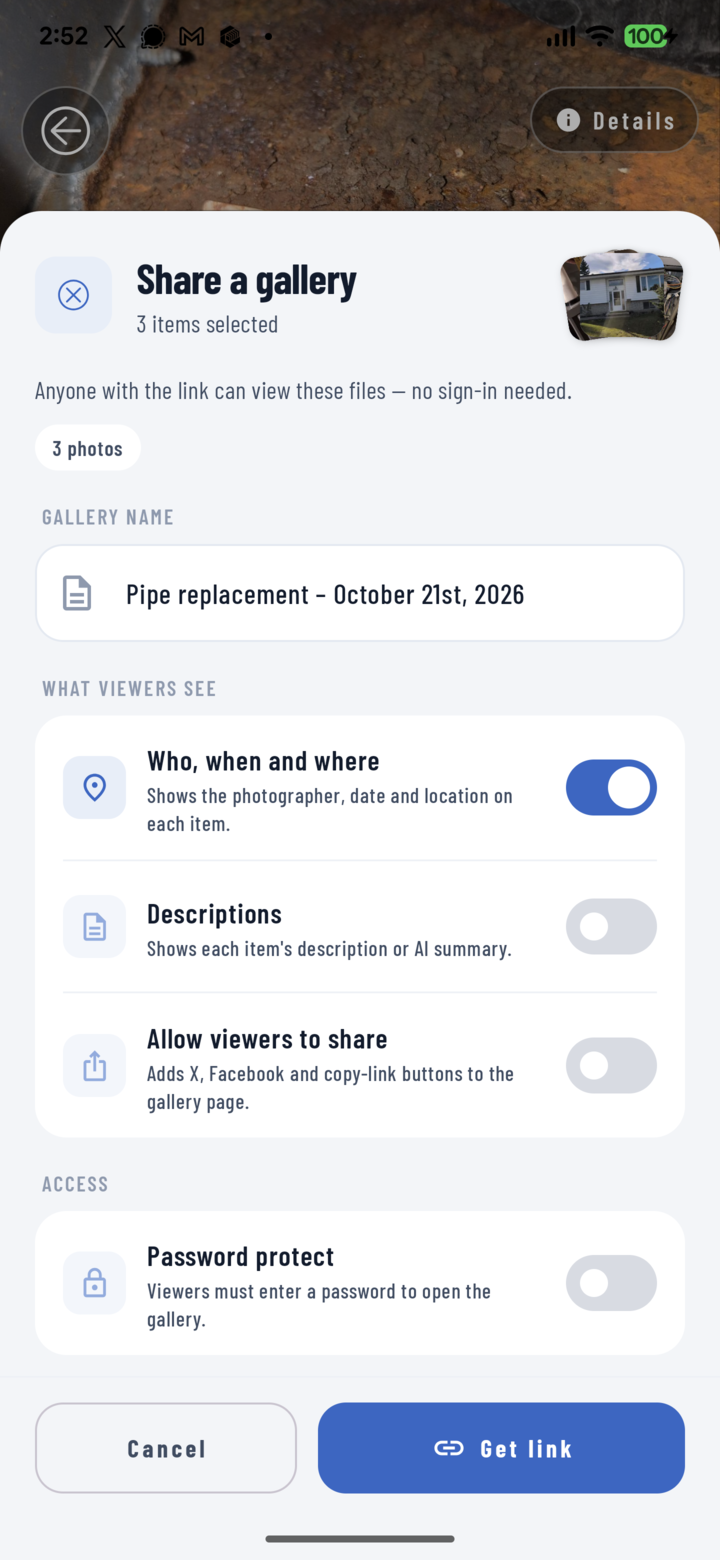
Name the gallery, choose what viewers can do, add a password if you want, then get the link.
Files are copied into the gallery in the background ("Copying 3 of 12 files…"); the link works right away.
Manage a Project's Galleries
- Open the project and tap the Details pill → Share.
- Shared galleries lists every gallery for the project, with its item count, who created it, and a password badge if it has one.
- Copy or share a link again, view the gallery, or Delete it — the link stops working for everyone, but the photos stay in CrewBox.
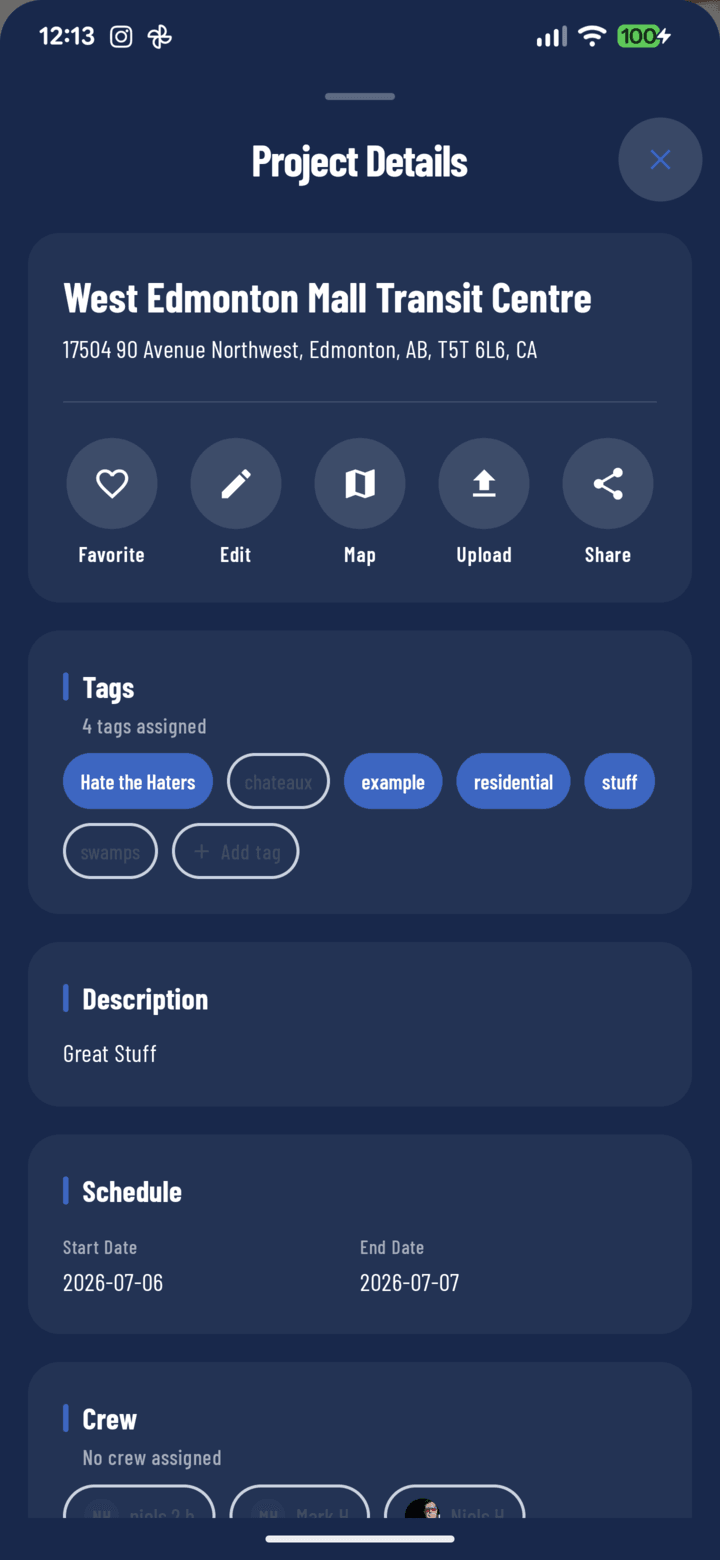
Details pill → Share lists the project's shared galleries.
Good to Know
- Sharing a gallery needs a connection — the action is greyed out offline.
- A gallery that's full can't take more items — create a new gallery instead.
- Want to send the files themselves? Use Share instead (guide).